잘린 콘텐츠에 중요한 맥락 제공
툴팁은 그리드 레이아웃을 방해하거나 스크롤 또는 컬럼 크기 조정을 요구하지 않고도 사용자가 셀의 전체 내용을 확인할 수 있게 해 줍니다.
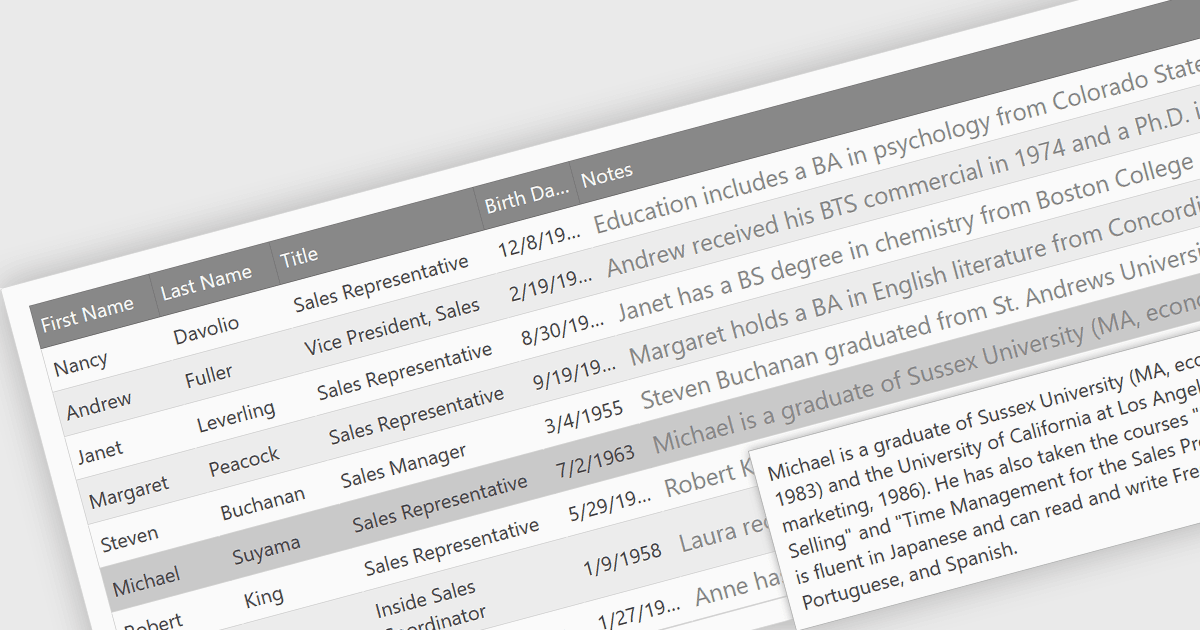
데이터 그리드에서 툴팁은 셀 위에 마우스를 올리면 표시되는, 필요에 따른 정보성 팝업입니다. 툴팁은 잘린(생략된) 콘텐츠에 대한 중요한 맥락을 제공하여, 사용자가 그리드 레이아웃을 해치지 않고도 전체 데이터 항목을 확인할 수 있게 해 줍니다. 또한 다른 곳으로 이동하거나 스크롤해야 할 필요, 또는 컬럼 크기를 조정해야 할 필요를 줄여 보다 효율적인 사용자 경험을 제공합니다.
여러 jQuery 그리드 컨트롤에서 툴팁을 지원합니다. 예:
- DevExtreme HTML5 JavaScript Data Grid (DevExpress의 DevExtreme Complete 일부) 를 통해 HTML5 그리드에서 명확한 데이터 시각화를 위한 커스터마이징 가능한 툴팁을 제공받을 수 있습니다.
- Ignite UI jQuery Grid (Infragistics Ignite UI의 일부) 는 jQuery 그리드에 유익한 호버 팝업을 제공하여 데이터 이해도를 높여줍니다.
- Syncfusion Grid control for JavaScript (Syncfusion Essential Studio Enterprise의 일부) 는 잘린 콘텐츠에 대해 맥락이 풍부한 툴팁을 제공해 사용자 경험을 개선합니다.
- jQWidgets Grid 는 커스터마이징 가능한 툴팁 기능을 제공하여, 개발자가 호버 시 유익한 오버레이를 표시함으로써 데이터의 명확성을 높일 수 있도록 합니다.
기능과 가격에 대한 심층 분석은 jQuery 그리드 컨트롤 비교를 방문하세요.