PDF 양식 제출로 데이터 수집 최적화
제출 작업을 통해 애플리케이션은 사전 정의된 위치로 PDF 양식 데이터를 보낼 수 있으며, 데이터 수집 및 처리 과정을 간소화합니다.
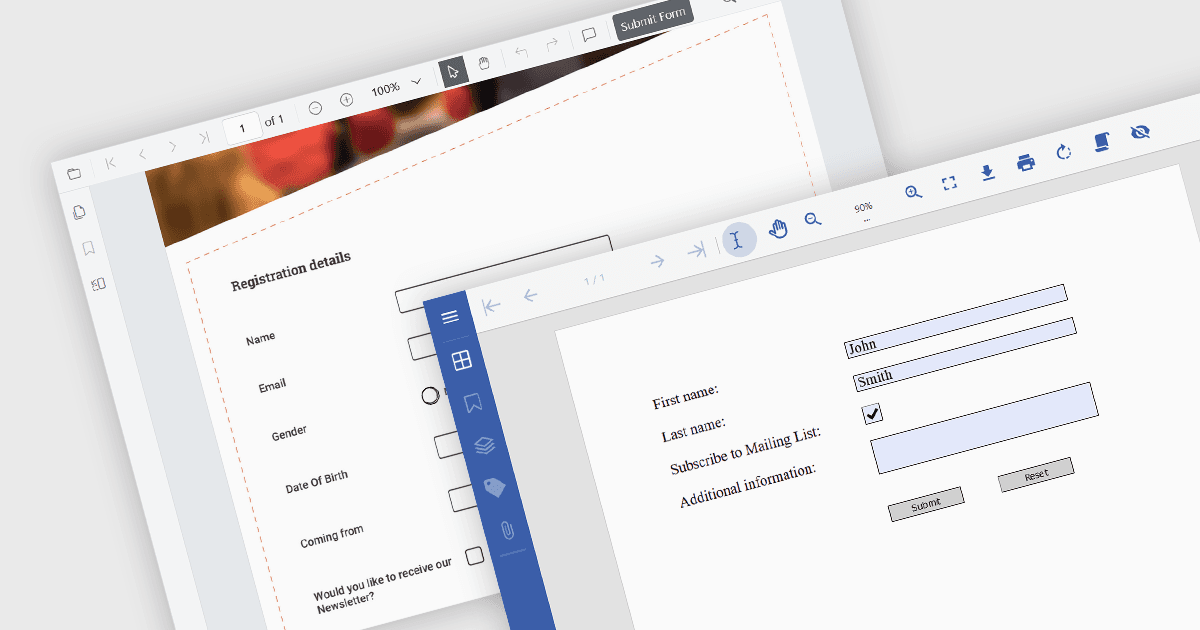
PDF 양식에서 제출 작업은, 활성화되면 완료된 양식 데이터를 FDF, XFDF, HTML 또는 PDF와 같은 구조화된 형식으로 웹 서버, 이메일 주소 또는 데이터베이스 등 지정된 대상에 전송하는 지정된 버튼 또는 필드입니다. 이 작업은 사용자가 데이터를 수동으로 추출하거나 전송할 필요 없이 정보를 빠르고 효율적으로 전송할 수 있어 데이터 수집 및 처리 과정을 간소화합니다. 온라인 애플리케이션, 설문, 주문 양식처럼 시기 적절한 데이터 제출이 중요한 상황에서 특히 PDF 양식의 사용성을 향상시킵니다.
여러 .NET PDF 뷰어 구성 요소를 사용하면 PDF 양식을 제출할 수 있으며, 예를 들어:
- Document Solutions for PDF by MESCIUS는 PDF 뷰어가 포함된 .NET API 라이브러리로, 사용자가 PDF 양식을 작성, 서명, 제출하여 효율적인 데이터 처리를 할 수 있도록 지원합니다.
- Telerik UI PDF for WinForms (Telerik UI for WinForms의 일부)는 PDF 양식 보기 및 편집 기능을 애플리케이션에 추가하여 손쉬운 데이터 제출을 가능하게 합니다.
- XFINIUM.PDF CROSS PLATFORM EDITION은 Viewer Edition을 제공하여 다양한 플랫폼 전반에 걸쳐 PDF 양식 제출 기능을 개발자가 추가할 수 있게 합니다.
- Syncfusion ASP.NET Core PDF (Syncfusion Essential Studio Enterprise의 일부)는 제출 양식 작업을 포함해 제출 작업 기능을 제공하는 PDF 보기 기능을 웹 애플리케이션에 제공합니다.
기능 및 가격에 대한 심층 분석은 .NET PDF 뷰어 구성 요소 비교를 참고하세요.