.NET 8 WPF 앱에서 계층형 데이터 표시
마스터-디테일 그리드 구조를 활용해 데이터 레코드를 효율적으로 구성하고 탐색하되, 계층을 유지하고 UX를 개선하세요.
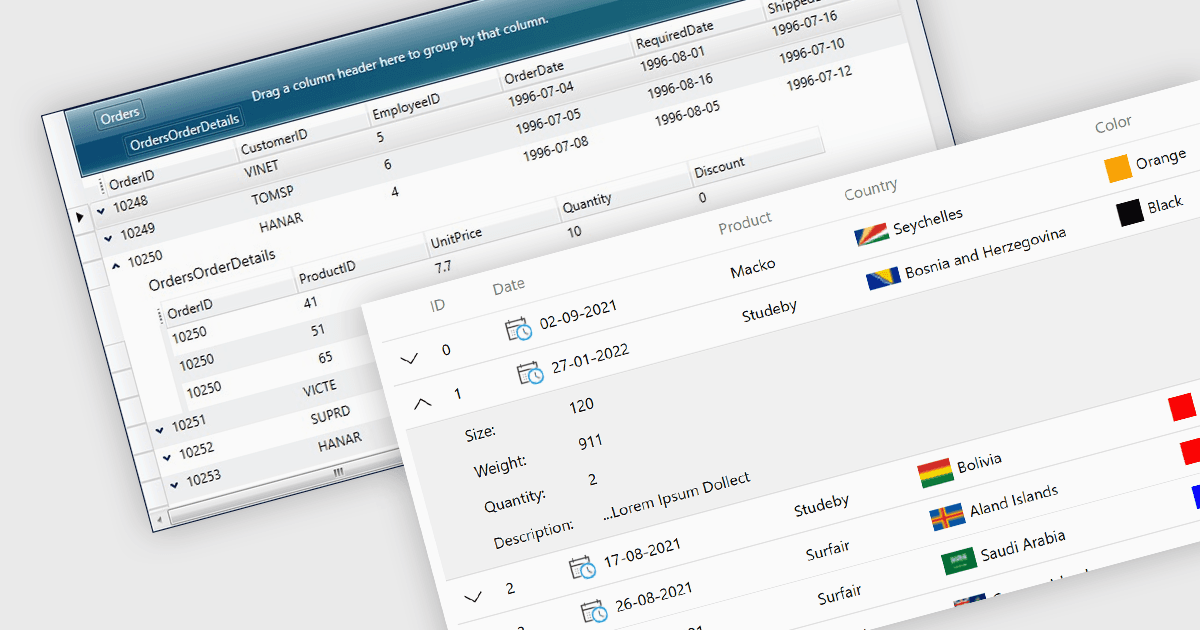
마스터-디테일은 기본 데이터 세트(마스터)를 그리드 형식으로 표시하고, 마스터 항목을 선택하면 관련 정보(디테일)를 인접한 창에 표시하는 사용자 인터페이스 디자인 기법입니다. 그 결과로 생성되는 계층 구조를 통해 사용자는 메인 페이지를 떠나지 않고도, 마스터 그리드에서 고수준 정보를 확인하면서 필요할 때 더 세부적인 내용을 확인함으로써 복잡한 데이터 세트를 효율적으로 탐색하고 탐색할 수 있습니다. 마스터-디테일 뷰는 그리드의 구성을 개선하고 사용자가 레코드와 디테일 간을 빠르게 전환할 수 있도록 워크플로를 간소화하여 사용자 경험을 향상합니다.
여러 .NET 8 WPF 그리드 구성 요소가 마스터-디테일을 지원하며, 예를 들면 다음이 있습니다:
- FlexGrid for WPF (ComponentOne Studio WPF의 일부) by MESCIUS를 사용하면 .NET 8 그리드 애플리케이션에서 데이터 항목 간 마스터-디테일 관계를 손쉽게 만들 수 있습니다.
- NOV Grid for .NET (.NET용 Nevron Open Vision의 일부)에는 마스터-디테일 기능이 포함되어 있으며, 정리된 동적 그리드 인터페이스에서 계층형 데이터 구조를 제공합니다.
- Xceed DataGrid for WPF (Xceed Software)에서는 관계형 데이터를 표시하기 위한 유연한 마스터-디테일 레이아웃을 제공하여, 사용자가 데이터 레코드로 드릴다운할 수 있습니다.
- Infragistics XamDataGrid for WPF (Infragistics Ultimate UI for WPF의 일부)에서는 복잡한 마스터-디테일 뷰를 생성하는 작업을 지원하며, 계층형 데이터 탐색을 간소화합니다.
기능과 가격에 대한 심층 분석은 .NET 8 WPF 그리드 구성 요소 비교를 참고하세요.