실시간 데이터 조작으로 보고서 맞춤 설정
계산된 필드 기능을 갖춘 .NET WPF 보고서 컨트롤은 원본 데이터셋을 수정하지 않고도 더 동적이고 인사이트 있는 보고를 가능하게 합니다.
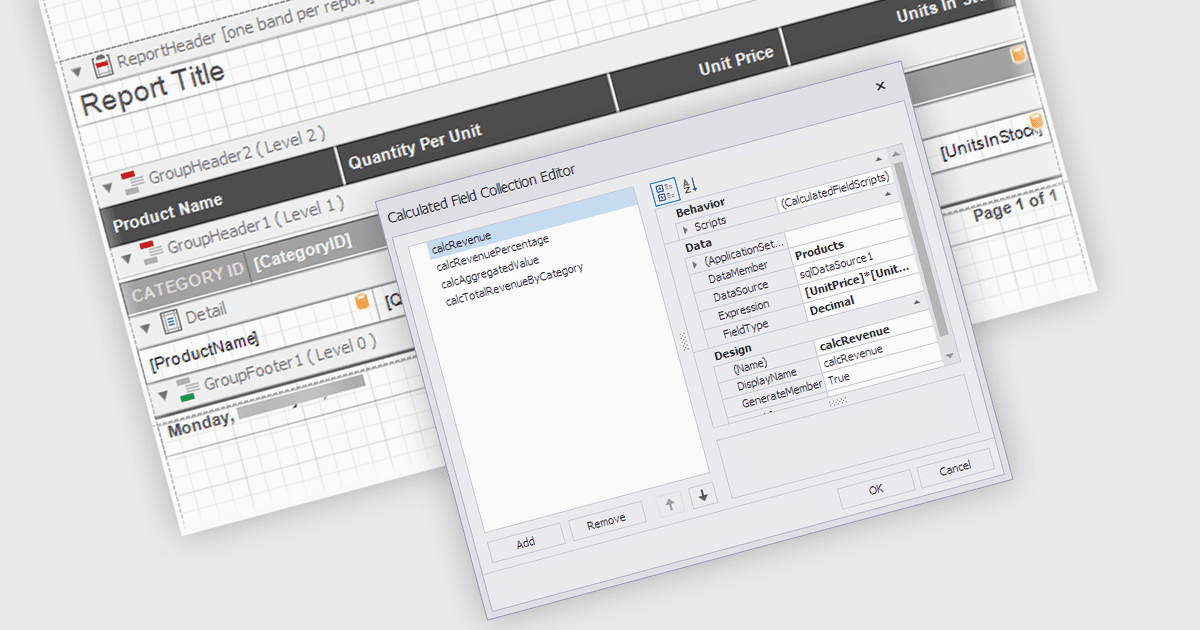
계산된 필드(Calculated Fields) 는 .NET WPF Reporting 컨트롤을 통해 개발자가 보고서의 데이터셋에 있는 데이터를 기반으로 값을 동적으로 계산할 수 있도록 해줍니다. 이러한 필드는 원본 데이터 소스의 일부가 아니라, 기존 데이터에 표현식, 함수 또는 수식을 적용하여 생성됩니다. 계산된 필드를 활용하면 개발자는 실시간 데이터 조작을 통해 보고서를 맞춤 설정할 수 있으며, 기본 데이터 모델을 변경하지 않고도 더 정교한 분석과 표현이 가능합니다. 주요 이점은 외부 데이터 처리가 필요할 수 있는 작업을 줄이고, 보고서 내에서 계산을 처리하여 성능을 개선하며, 데이터 표시 및 해석 방식에 대한 유연성을 제공하는 것입니다.
다양한 .NET WPF reporting 컨트롤에서 계산된 필드 기능을 제공합니다. 예를 들어:
- DevExpress Reports를 사용하면 정교한 데이터 변환 및 집계를 위한 계산된 필드로 교차 플랫폼 보고서를 손쉽게 설계할 수 있습니다.
- ActiveReports .NET (MESCIUS 제공)에서는 강력한 계산된 필드를 통합하여 동적이고 맞춤형 보고서를 만들 수 있으며, 데이터 표현 및 분석을 향상시킵니다.
- Telerik Reporting은 계산된 필드를 활용해 복잡한 표현식을 계산하고 데이터 기반 보고서를 향상시키는 상세한 보고서 사용자 지정을 지원합니다.
- TX Text Control .NET for WPF Enterprise (Text Control 제공) 는 계산된 필드를 통합하여 형식이 지정된 WPF 기반 보고서 문서에서 동적인 데이터 계산을 제공합니다.
- List & Label Enterprise Reporting Edition (combit 제공)에서는 맞춤형 계산된 필드를 통해 복잡한 데이터에서 인사이트를 도출할 수 있도록 지원하며, 고급 보고를 가능하게 합니다.
기능과 가격에 대한 자세한 분석은 .NET WPF reporting 컨트롤 비교를 참고하세요.