화살표 주석으로 연결 관계를 시각화하기
화살표 주석은 사용자가 PDF 콘텐츠의 연결 관계를 강조할 수 있도록 해주며, 정보를 더 풍부하게 이해할 수 있게 합니다.
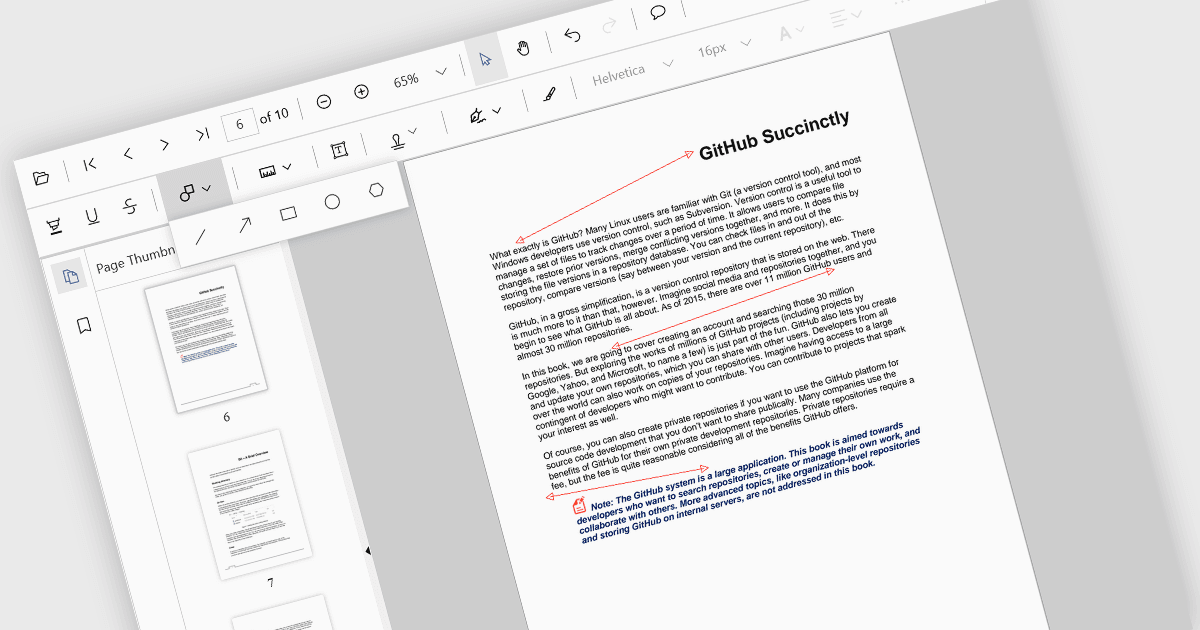
화살표 주석은 사용자가 PDF 문서 내에서 연결, 관계 또는 방향을 시각적으로 표시할 수 있도록 해주는 디지털 표기입니다. 특정 섹션을 강조하거나 중요한 세부 정보를 지적하거나 사건의 진행 순서를 설명하는 데 사용할 수 있습니다. 이 기능은 여러 사람이 동일한 문서에 주석을 달고 인사이트를 효과적으로 공유할 수 있게 해주기 때문에 특히 협업에 유용합니다.
여러 React PDF 뷰어 컨트롤이 화살표 주석을 지원하며, 예시는 다음과 같습니다:
- MESCIUS의 Document Solutions for PDF를 사용하면 화살표를 포함한 고급 주석 기능으로 PDF를 만들고 편집할 수 있습니다.
- Accusoft의 PrizmDoc Viewer는 사용자가 화살표 주석을 추가하고 공유함으로써 PDF에서 협업할 수 있도록 합니다.
- Syncfusion PDF Viewer의 Syncfusion PDF Viewer는 화살표를 포함한 다양한 주석 유형을 지원하여 효율적인 문서 검토 및 분석을 돕습니다.
기능과 가격에 대한 자세한 분석은 React PDF 뷰어 컨트롤 비교를 방문하세요.