대화형 툴팁으로 차트 시각화를 한 단계 높이세요
直관적인 툴팁을 통해 맥락 정보를 제공하고 차트에 대한 이해를 강화하세요.
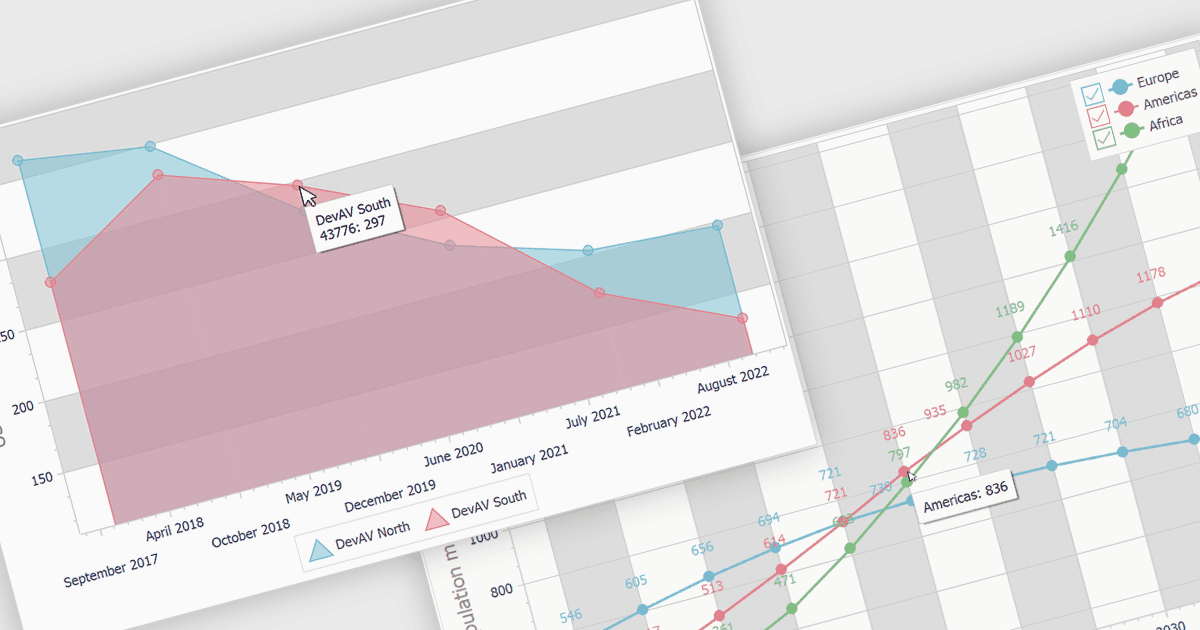
툴팁은 차트 내 특정 데이터 포인트에 대한 맥락 정보를 사용자에게 제공하는 유용한 기능입니다. 데이터 포인트 위에 마우스를 올리거나 클릭하면 데이터 값, 범주 또는 추가 컨텍스트와 같은 관련 세부 정보가 표시된 툴팁이 나타납니다. 이는 차트의 이해와 상호작용을 향상시켜 차트를 더 유익하고 접근 가능하게 만듭니다. 툴팁은 특히 대규모 데이터셋을 시각화하고, 추세를 파악하며, 서로 다른 데이터 포인트를 비교하는 데 유용합니다. 예를 들어 꺾은선형 차트에서는 특정 시점의 데이터 포인트에 대한 정확한 값을 툴팁으로 표시할 수 있고, 막대형 차트에서는 해당 범주와 값을 보여줄 수 있습니다.
다음은 툴팁 지원이 포함된 차트 컴포넌트를 제공하는 여러 VCL 제품입니다:
- DevExpress ExpressCharts Suite (DevExpress VCL Subscription의 일부) 를 사용하면 각 데이터 포인트에 대한 상세 정보를 표시하는 툴팁이 있는 차트를 만들 수 있습니다.
- TeeChart Pro VCL/FMX (Steema Software)는 차트에 유익한 툴팁을 추가하여 사용자가 데이터 값과 컨텍스트에 빠르게 액세스할 수 있도록 해줍니다.
- ProEssentials (GigaSoft)는 특정 데이터 필드와 서식을 표시하도록 사용자 지정할 수 있는 툴팁이 있는 시각적으로 매력적인 차트의 생성을 돕습니다.
VCL 차트 컴포넌트를 살펴보세요.
적절한 소프트웨어 라이선스를 찾거나 업그레이드 또는 갱신이 필요하신가요? 전화, 이메일 또는 실시간 채팅으로 전문가와 상담하세요.