테마로 스프레드시트를 맞춤 설정하세요
테마를 사용하여 스프레드시트를 필요에 맞게 조정하고, 브랜드 지침에 부합하는 일관되고 전문적인 모양을 만들어 보세요.
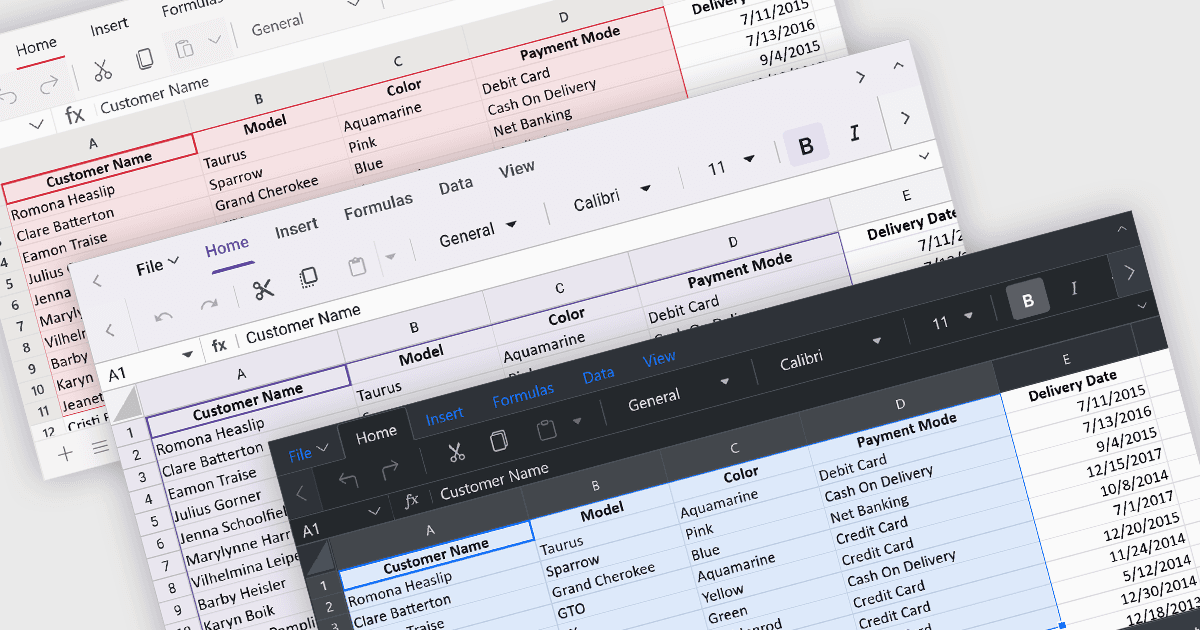
테마를 사용하면 스프레드시트의 색상, 글꼴, 레이아웃과 같은 시각적 요소를 사용자의 요구에 맞게 사용자 지정하여 일관되고 보기 좋은 사용자 인터페이스를 만들 수 있습니다. 테마를 적용하면 스프레드시트의 전반적인 미관을 향상시키고, 가독성을 높이며, 사용자에게 더 흥미로운 경험을 제공할 수 있습니다. 또한 테마는 스프레드시트를 브랜드 지침에 맞추어 통일감 있고 전문적인 모양을 구현하는 데도 도움이 됩니다.
여러 ASP.NET Core 스프레드시트 컨트롤은 다음과 같은 테마 적용을 지원합니다.
- DevExpress ASP.NET Core Spreadsheet (DevExpress ASP.NET 및 Blazor의 일부)에서는 사전 구축된 테마로 스프레드시트의 모양을 조정하거나, 사용자 경험을 원활하게 하기 위해 사용자 지정 색상 구성을 직접 만들 수 있습니다.
- Telerik ASP.NET Core Spreadsheet (Telerik UI for ASP.NET Core의 일부)는 스프레드시트의 모양을 사용자 지정할 수 있도록 기본 제공 테마를 제공하여, 애플리케이션의 전체 디자인과의 정렬을 보장합니다.
- Syncfusion ASP.NET Core Spreadsheet (Syncfusion Essential Studio Enterprise의 일부)는 스프레드시트 컨트롤에 대한 테마별 사용자 지정을 손쉽게 할 수 있게 지원하여, 시각적으로 일관되고 사용자 친화적인 인터페이스를 만들 수 있습니다.
기능 및 가격에 대한 자세한 분석은 ASP.NET Core 스프레드시트 컨트롤 비교를 방문하세요.