기술 문서의 품질을 향상시키세요
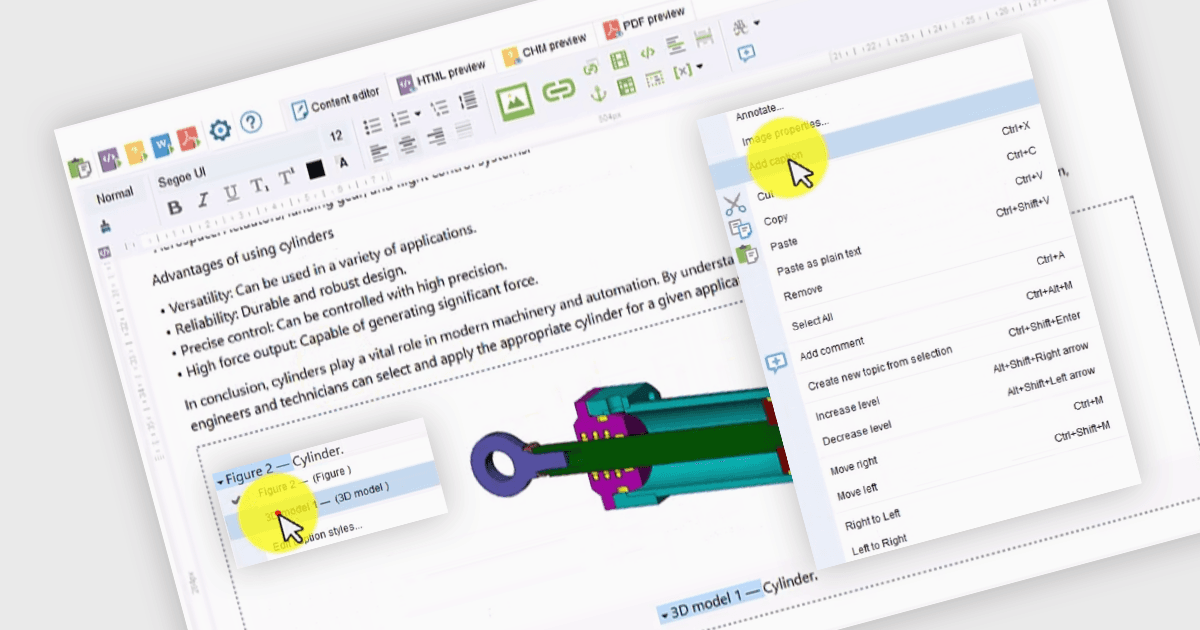
Dr.Explain v6.9를 사용하면 다양한 스타일과 자동 번호 매기기 기능으로 이미지 및 표 캡션을 추가하여 추가 맥락을 효율적으로 삽입할 수 있습니다.
Indigo Byte Systems의 Dr.Explain은 자세한 도움말 파일, 사용자 가이드, 온라인 매뉴얼 및 기술 문서를 손쉽게 작성할 수 있도록 제작된 정교한 소프트웨어 문서화 도구입니다. 라이브 소프트웨어 애플리케이션 또는 웹 사이트에서 스크린샷을 캡처하고, 설명 및 지침을 직접 삽입할 수 있어 고품질의 상황에 맞는 사용자 가이드를 만드는 데 필요한 시간과 노력을 줄여줍니다. 콘텐츠를 편집하고 구성하기 위한 강력한 기능을 갖추고 있으며, HTML, CHM, RTF 및 PDF를 포함한 다양한 출력 형식을 지원하여 서로 다른 플랫폼과 사용자 요구사항과의 호환성을 보장합니다. 이 도구는 문서화 프로세스를 간소화하여 생산성을 높이고, 개발자가 효율적으로 전문적이며 사용자 친화적인 문서를 만들 수 있도록 돕습니다.
Dr.Explain v6.9.1321 업데이트에는 이미지 및 표 캡션을 추가할 수 있는 새로운 기능이 도입되었으며, 다양한 스타일과 자동 번호 매기기를 제공합니다. 이 기능을 통해 시각적 요소에 맥락을 쉽게 부여할 수 있고, 문서 전반에 일관되고 구조화된 라벨링이 적용되어 가독성과 참조 효율이 향상됩니다. 번호 매기기를 자동화함으로써 업데이트는 수동 오류를 최소화하고 콘텐츠를 수정하는 동안 시간을 절약해, 콘텐츠가 조정되더라도 각 참조가 정확하게 유지되도록 합니다. 이러한 향상은 개발자가 체계적이고 고품질의 기술 문서를 작성하는 데 도움을 주며, 결과적으로 최종 사용자가 복잡한 소프트웨어 환경을 탐색하는 데에도 기여합니다.
v6.9.1321에서 새롭게 추가된 내용 전체 목록은 릴리스 노트를 확인하세요.
Dr.Explain은 사용자-PC 스키마 기준으로 라이선스가 제공되며, 프리미엄 유지보수와 무료 업데이트가 포함된 연간 라이선스 또는 기본 유지보수와 마이너 업데이트만 포함된 영구 라이선스로 이용할 수 있습니다. 자세한 내용은 Dr.Explain 라이선스 페이지에서 확인하세요.
자세한 내용은 Dr.Explain 제품 페이지를 참조하세요.