XLSX 내보내기로 데이터 공유를 간편하게
스프레드시트 데이터를 널리 지원되는 Microsoft Excel 파일 형식으로 변환하여 다양한 플랫폼에서 호환성과 사용 편의성을 확보하세요.
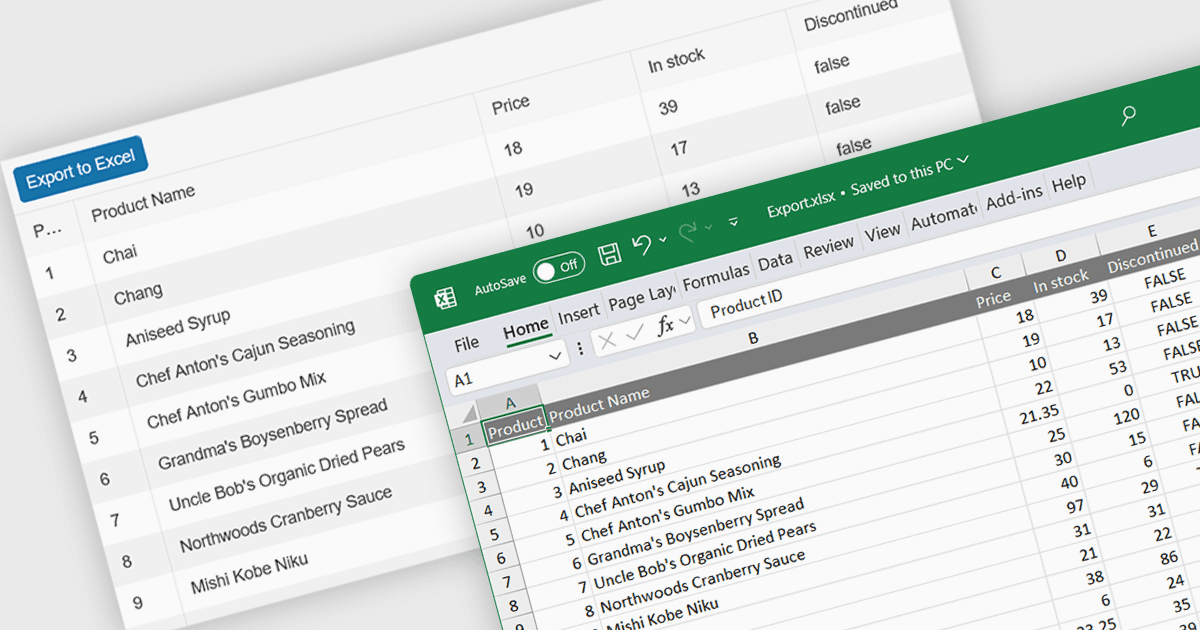
XLSX 내보내기 기능이 있는 스프레드시트 컴포넌트는 사용자가 스프레드시트 데이터를 업계 표준인 Excel 호환 형식으로 출력할 수 있도록 해줍니다. 이 기능은 데이터가 분석, 공유 또는 외부 워크플로우와의 통합이 필요한 애플리케이션에서 특히 유용합니다. XLSX 내보내기를 사용하면 사용자는 웹 애플리케이션에서 구조화된 데이터를 플랫폼과 소프트웨어 전반에서 널리 지원되는 형식으로 직접 다운로드할 수 있습니다. 이 기능의 이점에는 데이터 정확성 유지, 서식 보존, 수식, 필터, 차트와 같은 고급 기능을 통해 대용량 데이터셋 지원이 포함됩니다. XLSX 내보내기의 활용 사례는 재무 대시보드와 재고 관리 시스템부터 데이터 분석 플랫폼 및 협업 도구에 이르기까지 다양하며, 사용자가 오프라인에서 작업하거나 익숙한 형식으로 데이터를 공유할 수 있는 유연성을 제공합니다.
여러 React 스프레드시트 컴포넌트에서 XLSX 내보내기를 지원하며, 예를 들면:
- Telerik Spreadsheet React (KendoReact의 일부) 는 스프레드시트 데이터를 XLSX 형식으로 손쉽게 내보낼 수 있어 Excel과의 원활한 통합을 보장합니다.
- SpreadJS (MESCIUS)는 스프레드시트를 XLSX 형식으로 출력할 수 있어 다양한 플랫폼과 도구 전반에서 유연한 데이터 공유 및 분석이 가능합니다.
- Syncfusion Spreadsheet JavaScript (Syncfusion Essential Studio Enterprise의 일부) 는 XLSX 내보내기를 제공하여 데이터를 공유하는 편리한 방법을 제공합니다.
기능과 가격에 대한 심층 분석은 React 스프레드시트 컨트롤 비교를 방문해 보세요.