화살표 주석으로 PDF에 명확함을 더하세요
방향 표식은 문서 검토와 기술 일러스트레이션을 더 향상시켜 더 명확한 커뮤니케이션을 제공하고 PDF의 읽기성을 개선합니다.
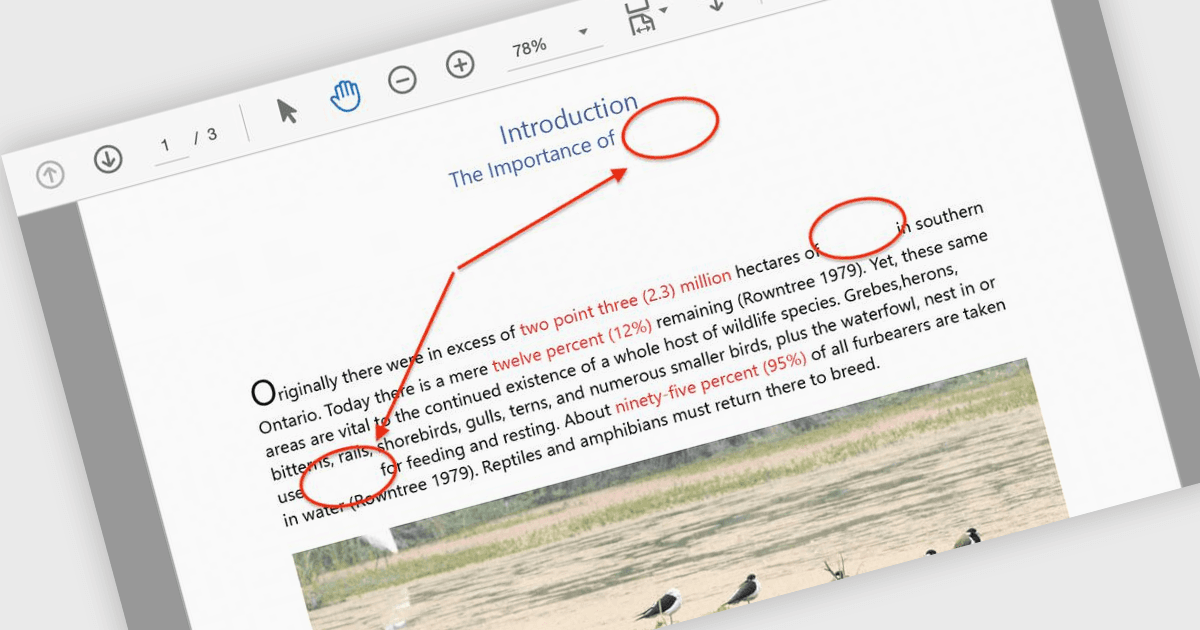
화살표 주석은 화살표를 방향 지시자로 사용하여 PDF 내의 특정 요소에 사용자의 주의를 끌 수 있도록 해주는 시각적 도구입니다. 이러한 주석은 복잡한 다이어그램, 워크플로우 또는 기술 일러스트레이션을 통해 독자를 안내하는 데 특히 유용하며, 명확성이 중요한 경우에 효과적입니다. 핵심 영역을 가리킴으로써 화살표는 혼동을 줄이고 중요한 세부 사항이 누락되지 않도록 하며, 문서 검토나 공동 논의 중의 커뮤니케이션을 간소화합니다. 일반적인 사용 사례로는 엔지니어링 도면(스케매틱)에 주석 달기, 디자인 시안에서 수정이 필요한 영역 표시하기, 보고서에서 특정 데이터 지점 강조하기 등이 있습니다. 그 결과, 의도한 메시지를 효과적으로 전달하는 더욱 직관적이고 몰입감 있는 문서를 만들 수 있습니다. 많은 PDF 처리 라이브러리는 색상, 두께, 투명도, 위치 지정 등 다양한 옵션을 제공하여 프로그래밍 방식으로 화살표 주석을 생성, 사용자 지정, 조작할 수 있도록 지원합니다.
다음은 화살표 주석을 제공하는 여러 ASP.NET Core PDF 구성 요소입니다.
- MESCIUS의 Document Solutions for PDF는 조절 가능한 너비, 색상 및 선 스타일을 통해 문서 마크업을 향상시키면서 사용자가 화살표 주석을 생성하고 사용자 지정할 수 있도록 합니다.
- Accusoft의 ImageGear for .NET은 개발자가 위치와 모양을 정밀하게 제어하면서 화살표 주석을 프로그래밍 방식으로 추가, 수정 및 제거할 수 있도록 합니다.
- Syncfusion Essential Studio Enterprise의 일부인 Syncfusion ASP.NET Core PDF는 풍부한 화살표 주석을 제공하며, 대화형 UX를 위해 동적으로 생성하고 편집할 수 있습니다.
기능과 가격에 대한 자세한 분석은 ASP.NET Core PDF 구성 요소 비교를 확인하세요.