정확한 디자인 제어를 위해 UI 요소 사용자 지정
크기, 색상, 글꼴, 동작을 조정하여 사용자 인터페이스를 완전히 제어함으로써 애플리케이션 전반에 걸쳐 매끈하고 사용자 친화적인 인터페이스를 보장하세요.
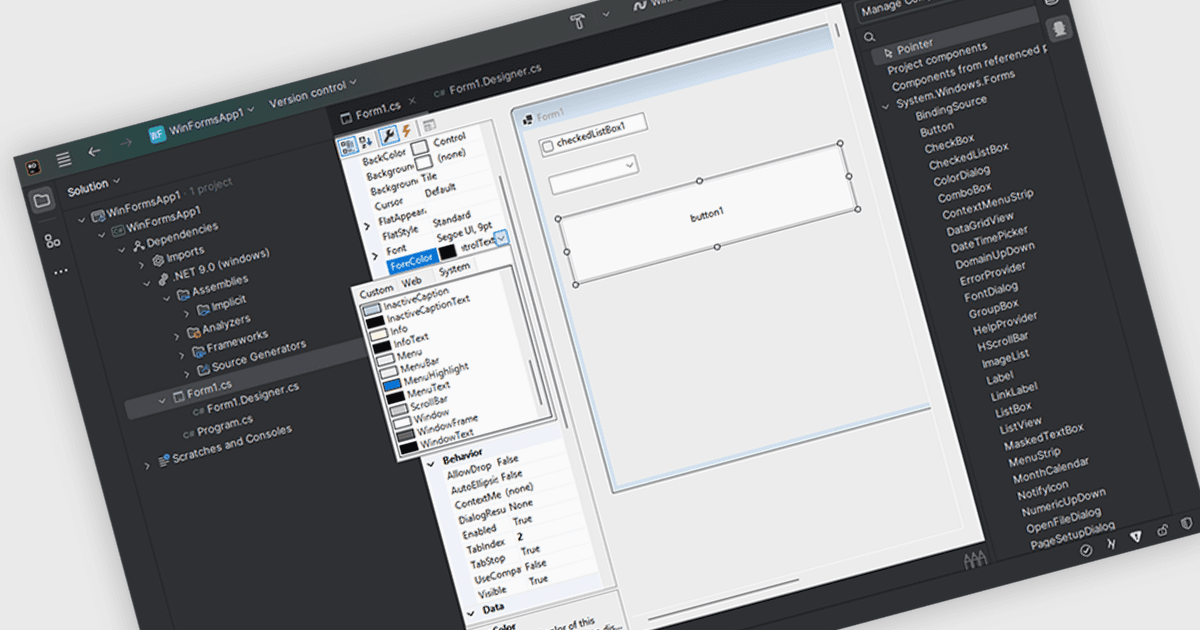
통합 개발 환경(IDE)에서 사용자 인터페이스 구성 요소를 사용자 지정하면 사용자 인터페이스 요소의 시각적 외관과 대화형 기능을 손쉽게 수정할 수 있습니다. 개발자는 치수, 배경 및 텍스트 색상, 글꼴 스타일, 이벤트 처리 등과 같은 특성을 조정하여 구성 요소를 특정 애플리케이션 요구 사항에 맞게 조정할 수 있습니다. 이러한 사용자 지정은 시각적으로 매력적이고 사용자 친화적인 인터페이스를 만들 수 있게 해주며, 애플리케이션 전반의 일관성을 보장하고, 의도한 상호작용을 위해 구성 요소 동작을 최적화함으로써 전반적인 사용자 경험을 향상합니다.
여러 IDE에서 사용자 지정 가능한 UI 구성 요소를 지원합니다. 여기에는:
- Rider by JetBrains를 사용하면 IDE 안에서 크기, 색상, 글꼴, 동작 같은 UI 요소 속성을 세밀하게 제어하여 간편한 크로스플랫폼 개발을 지원합니다.
- Delphi Professional by Embarcadero는 개발자가 UI 구성 요소를 시각적으로 설계하고 사용자 지정할 수 있도록 하여, 외관과 기능을 조정할 수 있게 해줍니다.
- Microsoft Visual Studio Professional는 속성 편집기를 통해 세밀한 UI 사용자 지정을 가능하게 하여, 풍부한 애플리케이션을 위한 크기, 색상, 글꼴, 동작을 세밀하게 조정할 수 있습니다.
기능과 가격에 대한 자세한 분석은 IDE 비교를 확인하세요.