사용자가 PDF에서 콘텐츠를 빠르게 찾도록 돕기
복잡한 문서를 볼 때 핵심 섹션에 빠르게 액세스할 수 있도록 PDF 북마크 내비게이션으로 WPF 앱의 사용자 경험을 향상하세요.
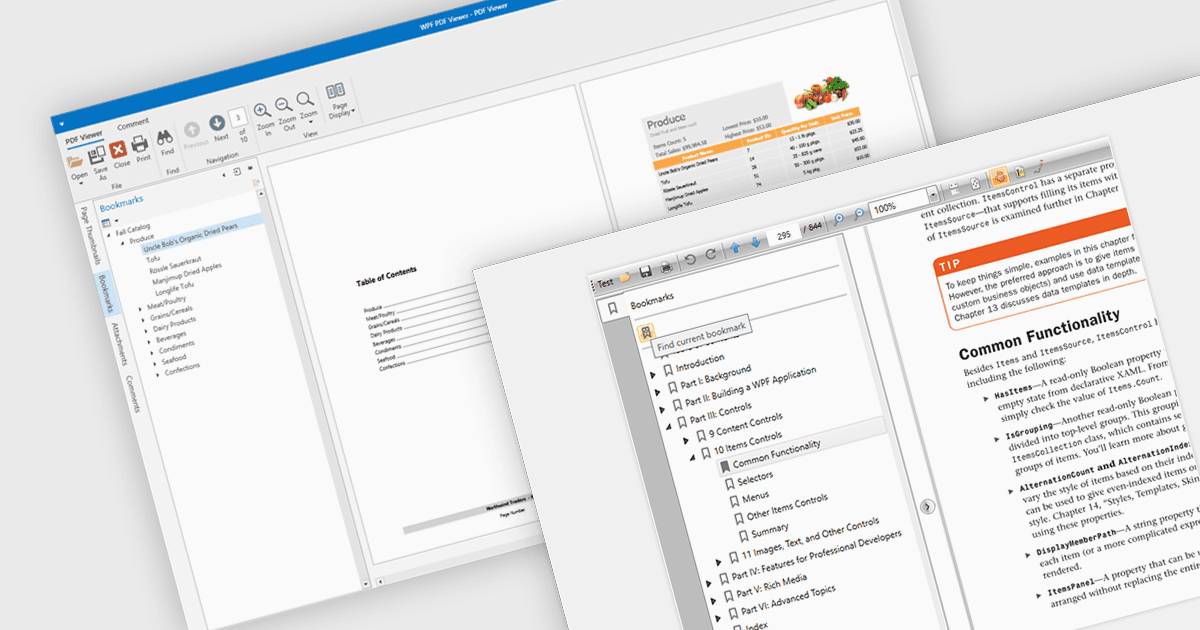
PDF 뷰어에서 북마크 내비게이션을 사용하면 특정 문서의 섹션에 빠르게 액세스할 수 있어 사용자 경험이 향상됩니다. 이 기능을 통해 사용자는 북마크의 사전 정의된 구조를 활용하여 대용량 PDF를 효율적으로 탐색할 수 있습니다. 북마크는 종종 제목이나 핵심 섹션과 연결됩니다. 또한 수동 스크롤이나 검색의 필요성을 없애 사용자가 문서 내 특정 콘텐츠를 더 쉽게 찾을 수 있도록 해 줍니다. 북마크를 통한 탐색은 기술 매뉴얼, 보고서, 전자책(e-book)처럼 구조가 복잡한 문서에서 특히 유용하며, 핵심 정보를 간편하게 접근할 수 있어 생산성과 가독성이 향상됩니다. 북마크 지원을 통합함으로써 개발자는 애플리케이션이 수동 스크롤이나 검색 없이 섹션 간을 자연스럽게 이동할 수 있는 방식을 제공하도록 할 수 있습니다.
여러 WPF (Windows Presentation Foundation) PDF 뷰어 구성 요소에서 북마크로 탐색할 수 있으며, 예를 들면:
- DevExpress WPF PDF Viewer (DevExpress WPF의 일부)는 확장 및 클릭 가능한 계층형 항목이 있는 대화형 북마크 패널을 통해 손쉽게 PDF를 탐색할 수 있게 해 줍니다.
- Telerik UI PDF for WPF (WPF용 Telerik UI의 일부)는 북마크 내비게이션을 지원하여, 사용자 경험을 부드럽게 유지한 채 최종 사용자가 파일을 이동할 수 있도록 합니다.
- Syncfusion WPF PDF (Syncfusion Essential Studio Enterprise의 일부)는 북마크 기능을 제공하므로 사용자는 로드된 PDF에 포함된 북마크로 바로 이동할 수 있습니다.
기능과 가격에 대한 자세한 분석은 WPF PDF 뷰어 비교를 방문하세요.