Excel to PDF 변환으로 서식 유지하기
서식을 유지하면서 Excel 파일을 PDF로 변환하세요. 보고서를 공유하고 민감한 데이터를 보호하며 인쇄 준비 문서를 만들기에 이상적입니다.
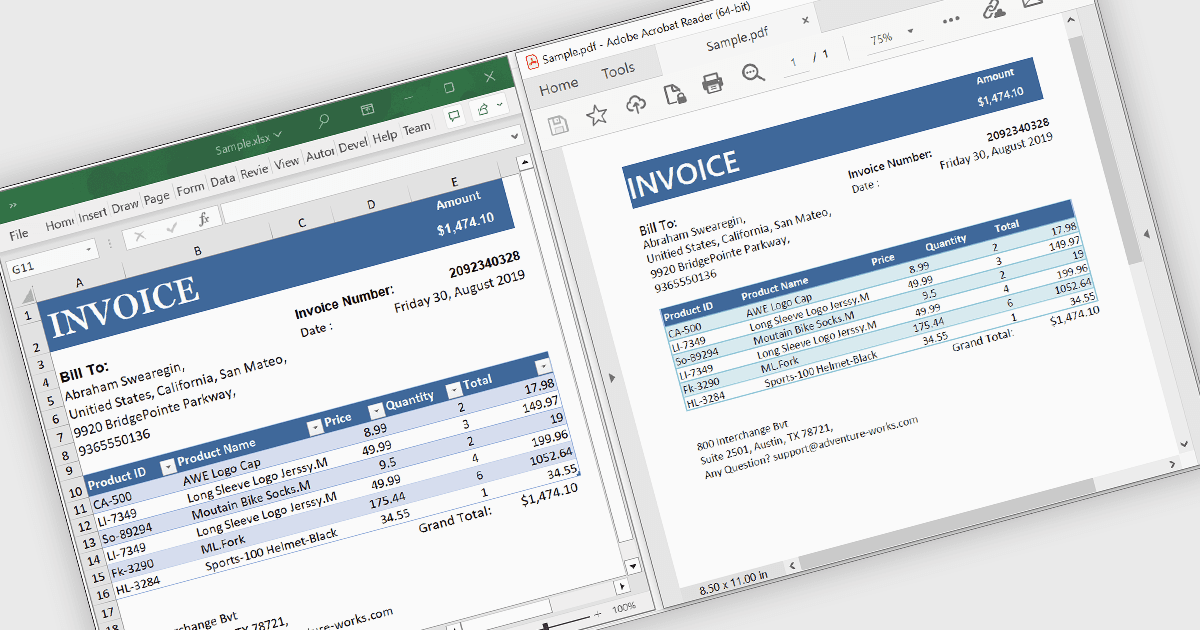
Excel 파일을 PDF로 변환하면 스프레드시트의 서식, 구조, 데이터 무결성이 유지되면서도 특수 소프트웨어 없이 다양한 기기에서 보편적으로 사용할 수 있게 됩니다. 이 과정은 의도치 않은 편집을 방지하여 보안을 강화하고, 비밀번호 보호 및 민감한 데이터에 대한 제어된 액세스를 지원합니다. 또한 파일 크기를 최적화하여 더 쉽게 공유할 수 있게 하며, 레이아웃이 깨지지 않고 일관된 인쇄가 가능하도록 합니다. 재무 보고서, 인보이스, 데이터 요약, 공식 문서에 이상적인 Excel to PDF 변환은 보관, 협업, 업계 표준 준수를 위한 아카이빙에 적합한 전문적인 고정 형식 출력물을 제공합니다.
여러 .NET WinForms PDF 컨트롤에서 Excel to PDF 변환을 지원하며, 예를 들면:
- Syncfusion Windows Forms PDF (Syncfusion Essential Studio Enterprise의 일부) 는 Excel 파일을 PDF로 변환하면서 서식, 보안, 인쇄 준비가 된 레이아웃을 그대로 유지해 손쉬운 공유를 지원합니다.
- Telerik UI PDF for WinForms (Telerik UI for WinForms의 일부) 를 사용하면 스프레드시트에서 고품질 PDF를 생성하여 접근성을 보장하고, 제어된 편집이 가능하도록 할 수 있습니다.
- ImageGear for .NET (Accusoft) 은 고급 서식 유지, 최적화된 파일 크기, 안전한 배포를 위한 향상된 보안을 통해 Excel-to-PDF 변환을 손쉽게 처리할 수 있게 해줍니다.