다양한 그리드 셀 유형으로 데이터 입력 최적화
체크박스 또는 드롭다운과 같은 특수 셀 유형으로, 데이터 표시와 편집을 보다 직관적으로 할 수 있도록 그리드 구성요소를 손쉽게 구성하세요.
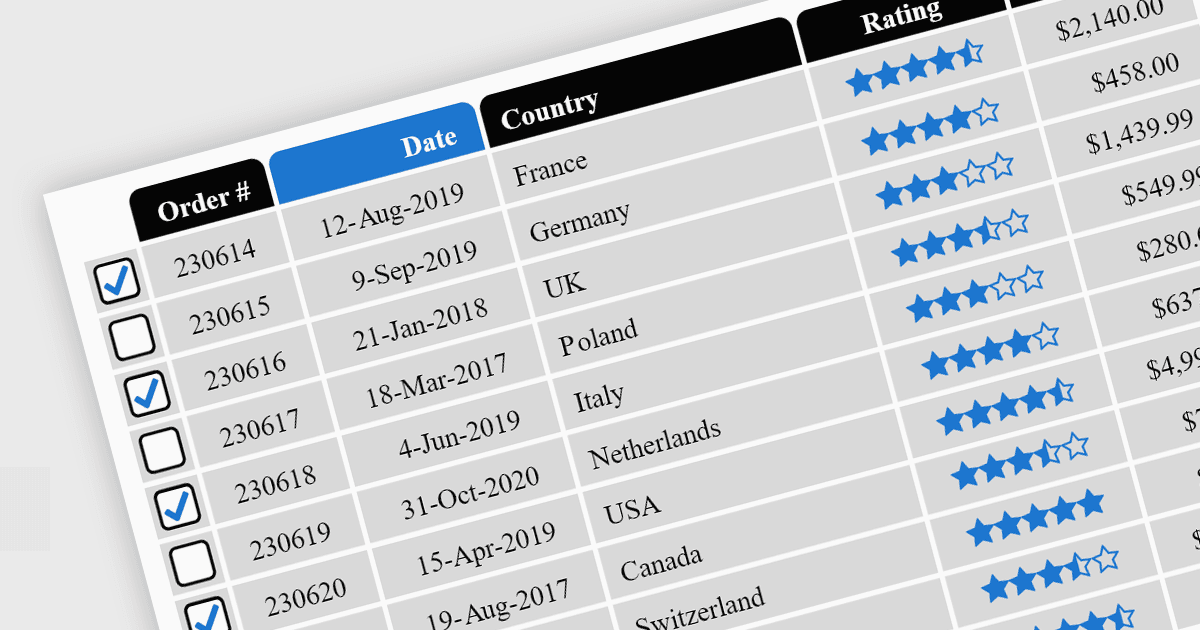
Grid 구성요소의 셀 유형은 그리드 또는 표 구조 내에서 데이터가 표시, 편집 및 상호 작용되는 방식을 정의하는 특수 구성입니다. 개발자는 텍스트, 숫자, 날짜/시간 등과 같은 셀 유형을 지정함으로써 각 셀에 포함된 데이터의 유형에 더 잘 맞도록 프레젠테이션과 기능을 맞춤 설정할 수 있습니다. Grid 구성요소는 이러한 셀 유형을 통해 직관적인 컨트롤과 서식을 자동으로 제공하여 데이터 입력을 간소화하고 오류를 줄여줍니다.
일반적인 기능은 다음과 같습니다:
- Button 셀은 저장 또는 삭제와 같이 사용자가 그리드 내에서 직접 작업을 트리거할 수 있게 해줍니다.
- Checkbox 셀은 여러 항목을 선택하거나 옵션을 전환하는 데 직관적인 방법을 제공합니다.
- Date/Time 셀은 달력 선택기 또는 시간 선택기를 제공하여 입력 오류를 최소화합니다.
- Dropdown/List 셀은 사용자의 입력을 미리 정의된 옵션으로 제한하여 데이터 일관성을 보장합니다.
- Hyperlink 셀은 그리드를 벗어나지 않고 리소스 또는 외부 링크로의 내비게이션을 가능하게 합니다.
- Image 셀은 썸네일 미리보기를 지원하여 콘텐츠의 시각적 표현을 향상시킵니다.
- Numeric 셀은 숫자만 입력하도록 강제하며, 종종 내장된 검증 기능을 제공합니다.
- Text/String 셀은 일반 데이터에 대해 다목적으로 사용할 수 있으며 긴 입력 또는 여러 줄 입력을 지원합니다.
기능과 가격을 더 자세히 살펴보려면 jQuery 그리드 구성요소 비교를 방문하세요.