기술 지표로 예측을 개선하세요
추세를 파악하고 모멘텀을 측정하며 변동성을 분석하고 트레이드 타이밍을 최적화하는 고급 지표로 금융 분석을 강화하세요.
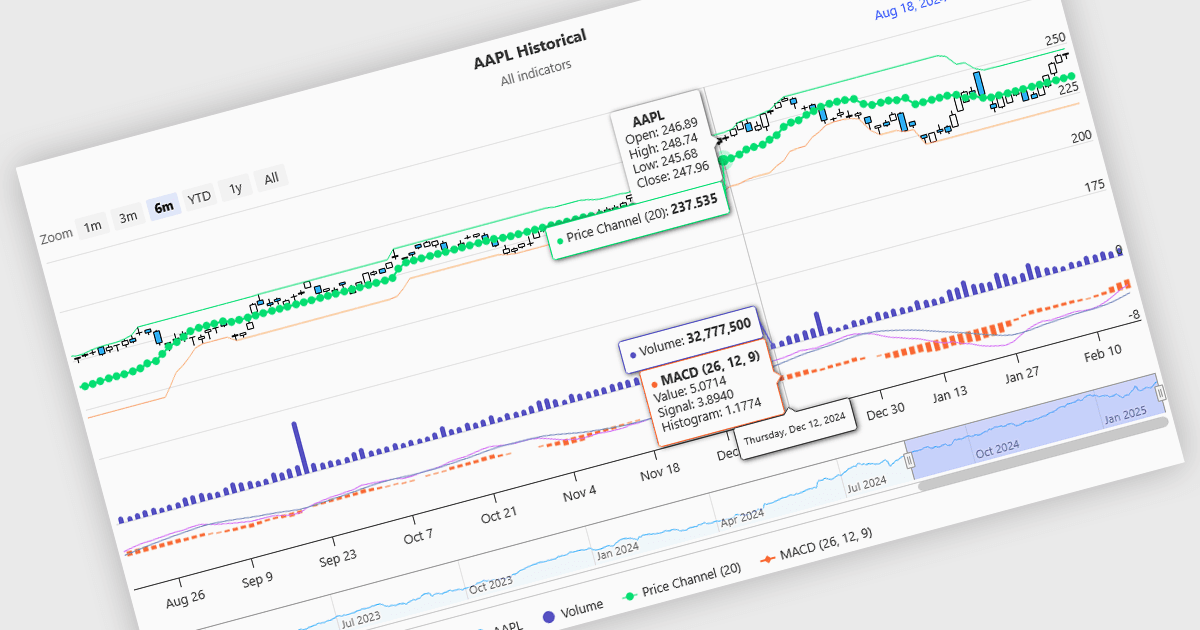
재무 차트의 지표(인디케이터)는 가격과 거래량 같은 시장 데이터를 기반으로 적용하는 수학적 공식으로, 추세, 모멘텀, 변동성, 그리고 트레이드 기회에 대한 인사이트를 생성합니다. 지표는 차트에서 선, 히스토그램 또는 오버레이 형태로 시각화되어 정적인 점이 아니라 동적인 분석을 제공합니다. 이동평균은 매끄러운 선으로 가격 추세를 추적하는 반면, RSI 같은 오실레이터는 모멘텀을 측정하기 위해 별도의 그래프로 표시됩니다. 이러한 도구는 트레이더가 패턴을 분석하고 가격 움직임을 확인하며 의사결정을 지원하도록 돕습니다. 소프트웨어 개발자의 경우 지표를 통합하면 데이터 시각화가 강화되고, 알고리즘 트레이딩 전략을 구현할 수 있으며, 명확하고 실행 가능한 인사이트를 제공하여 사용자 경험을 향상시킬 수 있습니다.
다음은 금융 차트 내 지표를 지원하는 여러 Angular 차트 구성 요소입니다.
- Highcharts Stock Highsoft에서 제공하는 Highcharts Stock은 추세선, 이동평균, 기술적 오버레이를 포함해 동적인 차트로 금융 지표를 시각화할 수 있게 해줍니다.
- Ignite UI for Angular Chart (Infragistics Ignite UI의 일부)에는 내장 금융 지표가 있어 실시간 시장 분석이 가능하며, 데이터 기반 인사이트와 의사결정을 개선합니다.
- Syncfusion JavaScript Chart (Syncfusion Essential Studio Enterprise의 일부)는 추세, 모멘텀, 변동성에 대한 대화형 분석을 위한 금융 지표를 지원합니다.
- AnyStock JS AnyChart에서 제공하는 AnyStock JS는 다양한 지표를 폭넓게 제공하는 고급 금융 차트 작성 기능을 통해 사용자가 시장 추세와 가격 움직임을 효율적으로 분석하도록 돕습니다.
기능과 가격에 대한 자세한 분석을 보려면 Angular 차트 구성 요소 비교를 방문하세요.