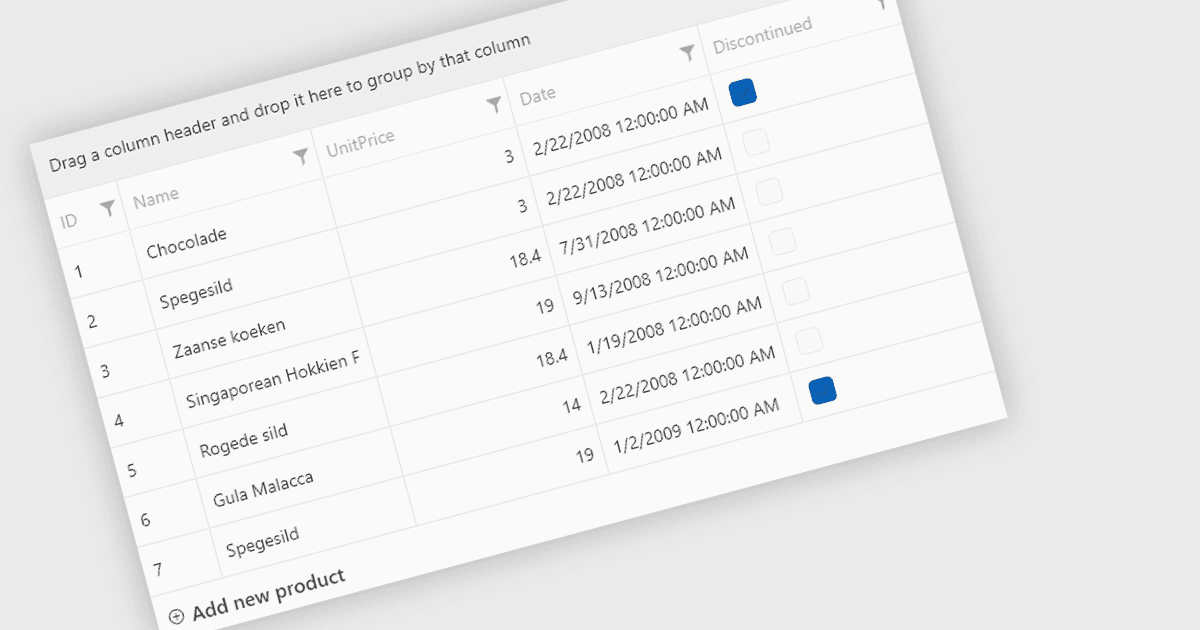
사용자 지정 가능한 프롬프트로 데이터 입력 향상
Telerik UI for WPF 2025 Q1은 새로운 행 프롬프트로 유연성을 개선하여, 사용자가 그리드에 데이터를 추가할 때 명확한 안내를 제공할 수 있도록 합니다.
Telerik UI for WPF는 Windows Presentation Foundation을 위해 설계된 150개 이상의 강력한 사용자 인터페이스 컴포넌트로 구성된 견고한 제품군입니다. 개발자가 현대적이고 고성능 데스크톱 애플리케이션을 구축할 수 있도록 지원하며, 데이터 그리드, 차트, 스케줄러, 편집기와 같은 컨트롤을 포함합니다. MVVM(Model-View-ViewModel) 패턴을 원활하게 통합하고 지원하도록 최적화되어 있습니다. 내장 테마, 반응형 레이아웃, 사용자 지정 스타일링 같은 기능을 통해 시각적으로 매력적이고 직관적인 인터페이스를 손쉽게 만들 수 있습니다. 엔터프라이즈급 또는 소비자 대상 앱에 이상적이며, Telerik UI for WPF는 개발 속도를 높이면서도 프로페셔널한 품질의 결과를 보장합니다.
Telerik UI for WPF 2025 Q1 (2025.1.211) 업데이트는 RadGridView에 복잡한 표현식을 지원하는 새로운 필터링 모드를 도입하여, 데이터를 다룰 때 개발자에게 더 큰 제어력과 정확성을 제공합니다. 이 기능은 적용된 기준을 시각화하기 위한 명확한 Data Filter View와 필터를 추가, 편집 및 관리하기 위한 강력한 RadDataFilter 컨트롤을 결합한 직관적인 Filter Editor를 제공합니다. 가독성을 위한 선택적 줄바꿈, 필터의 빠른 사용/비사용 전환 옵션, 편집 도구에 대한 간소화된 접근 등 주요 사용성 향상 기능을 통해, 애플리케이션에서 동적이고 사용자 지정 가능한 필터링 경험을 더 쉽게 구현할 수 있으며, 개발자가 매우 반응성이 뛰어나고 사용자 중심적인 인터페이스를 제공할 수 있도록 돕습니다.
2025 Q1에서 새로워진 사항의 전체 목록을 보려면 릴리스 노트를 확인하세요.
Telerik UI for WPF는 개발자 기준으로 라이선스가 제공되며, 두 가지 라이선싱 모델(연간 Subscription License 및 Perpetual License)이 있습니다. Subscription 라이선스는 고정 연간 요금으로 최신 제품 업데이트, 기술 지원 및 독점 혜택을 제공하며, 소프트웨어 사용을 계속하려면 갱신이 필요합니다. Perpetual 라이선스는 1회 구매로 현재 릴리스된 버전에 대한 액세스를 제공하며, 제품 업데이트 및 기술 지원을 위한 1년 구독이 포함됩니다. 초기 기간 이후에는 업데이트 및 지원을 계속 받기 위해 구독 요소를 갱신하도록 선택할 수 있으며, 그렇지 않으면 현재 구독 기간 동안 제공되는 설치 버전을 계속 사용할 수 있지만 향후 업데이트와 지원은 제공받지 못합니다. 전체 세부 정보는 Telerik UI for WPF 라이선싱 페이지를 참고하세요.
Telerik UI for WPF는 개별 제품으로도 제공되며, 다음 제품의 일부로도 포함됩니다: