워터마크로 PDF 보안과 브랜딩을 강화하세요
문서 보안을 강화하고 지적 재산을 보호하며 브랜딩을 강화할 수 있도록 PDF에 손쉽게 사용자 지정 워터마크를 추가하세요.
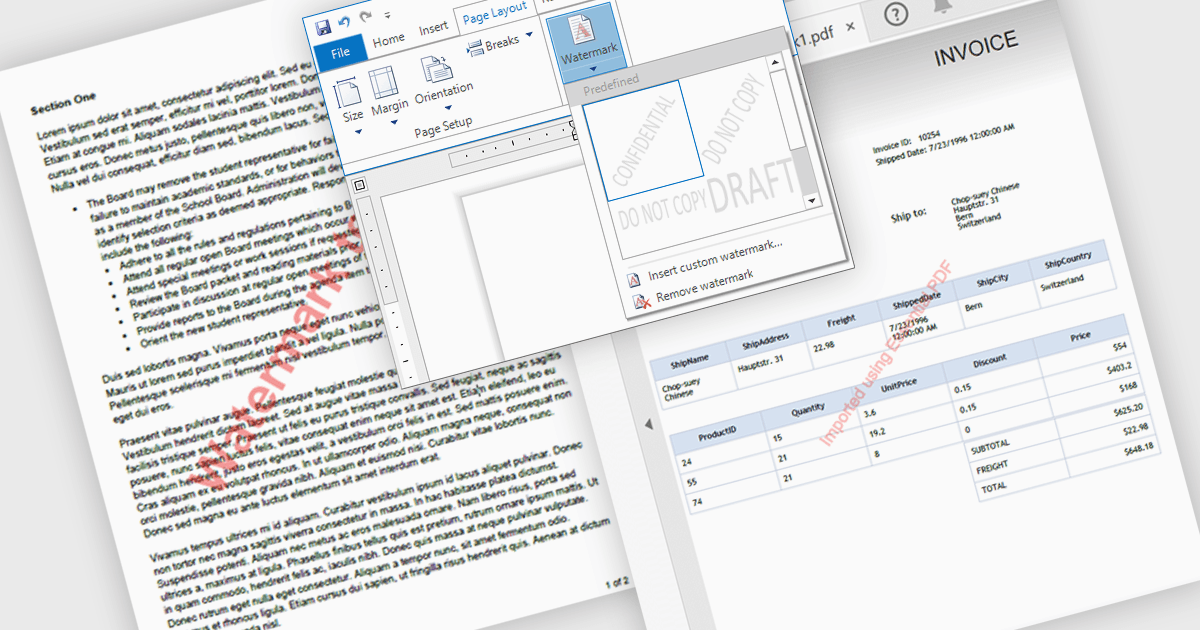
PDF의 워터마크는 문서를 식별 정보로 표시하는 보안 및 브랜딩 도구로, 반투명한 텍스트 또는 이미지 오버레이입니다. 이는 지적 재산을 보호하고 무단 배포를 방지하며, 소유권, 기밀 또는 문서 상태(예: "Draft," "Confidential," "Approved")를 표시함으로써 진위성을 강화하는 데 도움이 됩니다. 또한 회사 로고나 저작권 고지문을 포함해 전문성을 높일 수 있습니다. 일반적인 사용 사례로는 법률 계약서, 기업 보고서, 연구 논문, 민감한 비즈니스 문서를 확보하여 적절한 처리와 규정 준수를 보장하는 것이 있습니다. 사용자 지정 가능한 워터마킹을 통합함으로써 조직은 디지털 문서의 통제력을 유지하면서도 가독성과 사용성을 보존할 수 있습니다.
여러 .NET WPF PDF 구성 요소를 사용하면 워터마크를 추가할 수 있습니다. 예를 들어:
- Syncfusion WPF PDF (Syncfusion Essential Studio Enterprise의 일부)는 PDFs에 사용자 지정 워터마크를 추가하여 보안, 브랜딩 및 문서 제어를 강화할 수 있게 해줍니다.
- Telerik UI PDF for WPF (WPF용 Telerik UI의 일부)는 PDFs에서 동적 워터마킹을 가능하게 하여 기밀성, 저작권 보호 및 전문적인 브랜딩을 보장합니다.
- IronPDF for .NET by Iron Software는 고급 PDF 워터마킹을 지원하여 .NET 프로젝트에서 텍스트 또는 이미지를 오버레이해 보안과 진정성을 강화할 수 있도록 돕습니다.
기능과 가격에 대한 심층 분석은 .NET WPF PDF 구성 요소 비교를 참고하세요.