더 깔끔한 PDF를 위한 주석 제거 지원
최종 프레젠테이션 또는 아카이빙을 준비하기 위해 문서를 명확하고 관련성 있게 유지하면서, 오래된 주석을 빠르게 제거하세요.
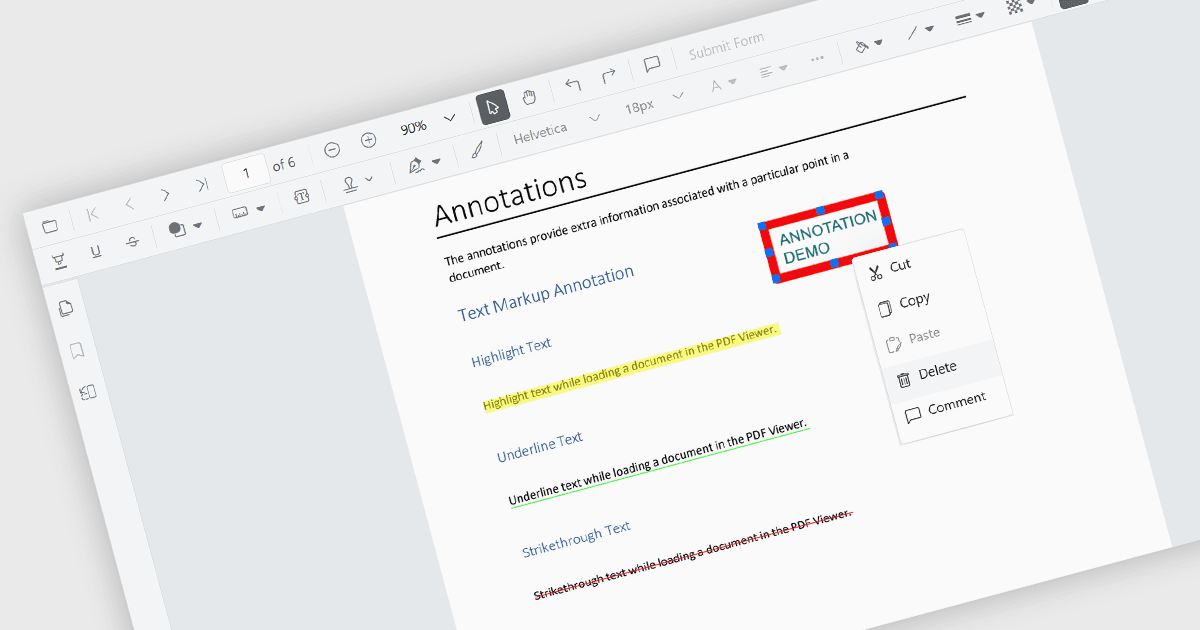
주석 제거는 PDF 뷰어 구성 요소에서 유용한 기능으로, 사용자가 PDF 문서에 추가된 댓글, 하이라이트, 메모 또는 기타 마크업을 삭제할 수 있습니다. 이 기능을 통해 사용자는 불필요하거나 오래된 주석을 제거하여 문서를 정리할 수 있으며, 관련되고 최신 정보만 화면에 유지되도록 보장합니다. 여러 검토자가 피드백을 제공하는 협업 환경에서 특히 유용하며, 최종 문서의 표시를 개선하여 명확하고 전문적으로 보이게 합니다. 이 과정을 통해 최종 배포 또는 아카이빙을 준비하기 위한 파일을 깔끔한 형태로 만들 수 있습니다.
다음은 주석을 제거할 수 있는 여러 JavaScript PDF 뷰어 구성 요소입니다.
- Kendo UI PDF Viewer for jQuery (Telerik의 Kendo UI 일부)에서는 주석을 쉽게 삭제할 수 있어 PDF의 명확성과 가독성을 유지하는 데 도움이 됩니다.
- PrizmDoc Viewer (Accusoft의 PrizmDoc 일부)에서는 주석 제거를 지원하여, 협업 검토 후 사용자가 세련된 PDF 콘텐츠를 제공할 수 있도록 합니다.
- Syncfusion PDF Viewer (Syncfusion Essential Studio Enterprise의 일부)에서는 주석을 지울 수 있게 하여, 사용자가 최종 제공을 위해 PDF를 손쉽게 준비할 수 있습니다.
기능과 가격에 대한 심층 분석은 JavaScript PDF 뷰어 구성 요소 비교 페이지를 방문하세요.