어떤 PDF 문서에서도 콘텐츠를 즉시 찾기
.NET Blazor PDF 뷰어의 텍스트 검색 기능은 사용자가 특정 단어 또는 구문을 빠르게 찾고 문서를 더 효율적으로 탐색할 수 있도록 도와줍니다.
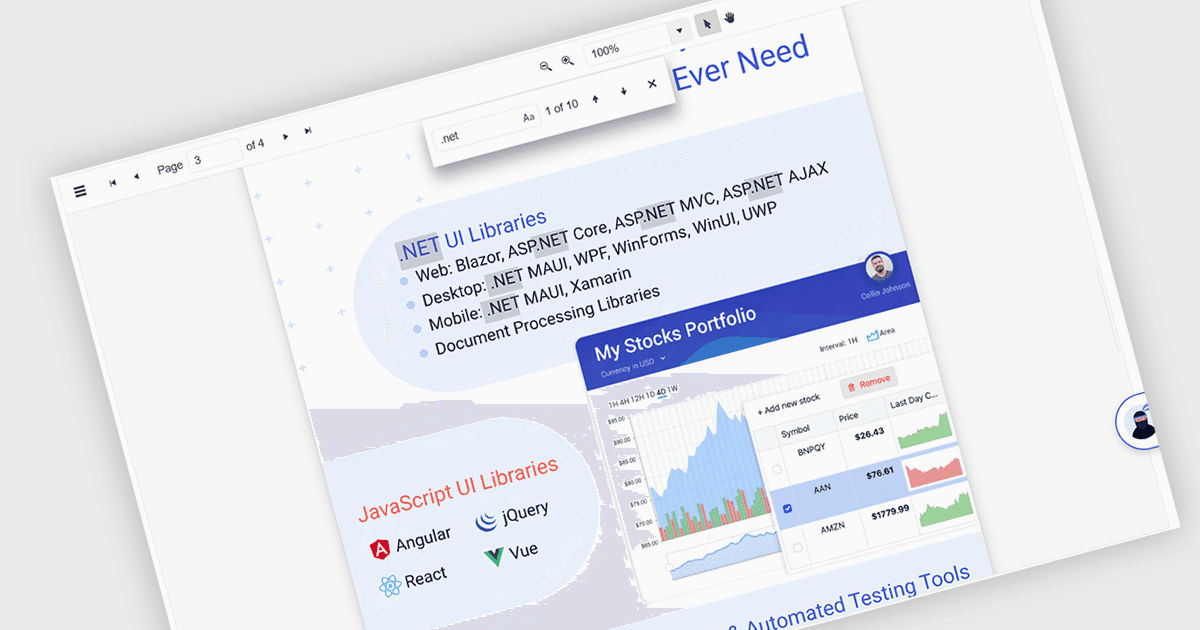
PDF 뷰어 .NET Blazor 구성 요소의 텍스트 검색 기능을 사용하면 사용자가 PDF 문서 내에서 특정 단어, 용어 또는 구문을 찾을 수 있습니다. 이 기능은 관련 콘텐츠를 사용자가 각 페이지를 직접 훑지 않고도 빠르게 식별하고 해당 위치로 이동할 수 있도록 하여 문서 탐색과 접근성을 향상합니다. 일반적으로 대/소문자 구분 및 전체 단어 일치와 같은 검색 옵션을 지원하며, 검색은 UI 컨트롤과 백엔드 로직을 통해 실행할 수 있어 대용량 또는 복잡한 PDF 파일을 다루는 애플리케이션에 유연한 기능이 됩니다. 특히 문서 중심의 애플리케이션을 개발하는 개발자에게 유용한데, 사용자 효율성을 높이고 정확한 콘텐츠를 손쉽게 찾아내도록 도와줍니다.
여러 Blazor PDF 뷰어에서는 다음과 같이 텍스트를 검색할 수 있습니다.
- ComponentOne Studio FlexViewer (MESCIUS의 ComponentOne Studio Blazor Edition 일부)에서는 PDF 콘텐츠를 검색하고, 결과를 강조 표시하여 사용자가 핵심 용어를 쉽게 찾을 수 있도록 합니다.
- Telerik UI PDF Viewer for Blazor (Telerik UI for Blazor의 일부)에서는 정확한 키워드 검색을 제공하여 사용자 상호작용을 강화하고 PDF 파일에서 콘텐츠를 더 빠르게 검색할 수 있도록 합니다.
- Syncfusion Blazor PDF (Syncfusion Essential Studio Enterprise의 일부)에서는 PDF 문서 내에서 빠르고 직관적인 텍스트 검색을 지원합니다.
기능과 가격에 대한 자세한 분석은 Blazor PDF 뷰어 비교를 참고하세요.