사용자가 PDF 양식을 쉽게 작성할 수 있도록
PDF 안에서 편집 가능한 필드를 직접 제공하여 빠르고 효율적인 데이터 입력을 가능하게 함으로써 사용자 상호작용을 강화하세요.
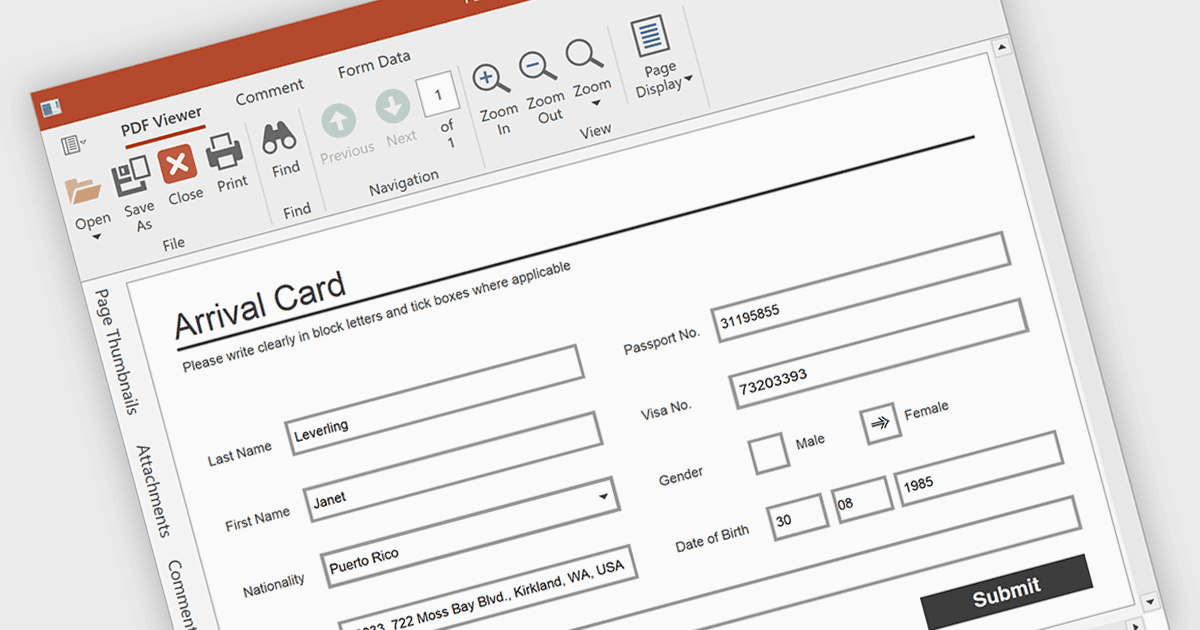
PDF 뷰어에서 양식 작성 기능을 사용하면 문서 안에서 바로 텍스트 상자, 체크마크, 라디오 버튼, 선택 목록과 같은 편집 가능한 필드와 상호작용할 수 있습니다. 이 기능은 계약서, 설문, 등록 양식처럼 구조화된 입력이 필수인 시나리오에 이상적입니다. 이러한 기능을 통합함으로써 개발자는 사용자 상호작용을 개선하고 애플리케이션을 떠나지 않고도 양식 제출을 가능하게 하여 데이터 수집을 강화하며 외부 도구가 필요 없도록 할 수 있습니다.
여러 WPF PDF 뷰어가 양식 작성(폼 필링)을 지원합니다. 예:
- Telerik UI PDF for WPF (Telerik UI for WPF의 일부)는 편집 가능한 텍스트, 체크박스, 라디오 버튼을 제공하며 완료된 PDF 양식을 저장할 수 있습니다.
- DevExpress WPF PDF Viewer (DevExpress WPF의 일부)는 PDF 양식 필드를 채우고, 강조 표시하고, 가져오고, 내보낼 수 있도록 지원합니다.
- Syncfusion WPF PDF (Syncfusion Essential Studio Enterprise의 일부)는 텍스트 필드, 체크박스, 드롭다운으로 PDF 양식을 작성할 수 있게 해줍니다.
기능과 가격에 대한 심층 분석을 보려면 WPF PDF 뷰어 비교를 확인하세요.