시각적 계층 구조로 대용량 데이터 세트 정리
UI 제품군의 트리 리스트는 복잡한 데이터를 구성하고 탐색하는 데 있어 명확하고 사용자 지정 가능한 방식을 제공하며, 사용성, 성능, 사용자 제어를 향상시킵니다.
2025년 6월 20일기능 강조
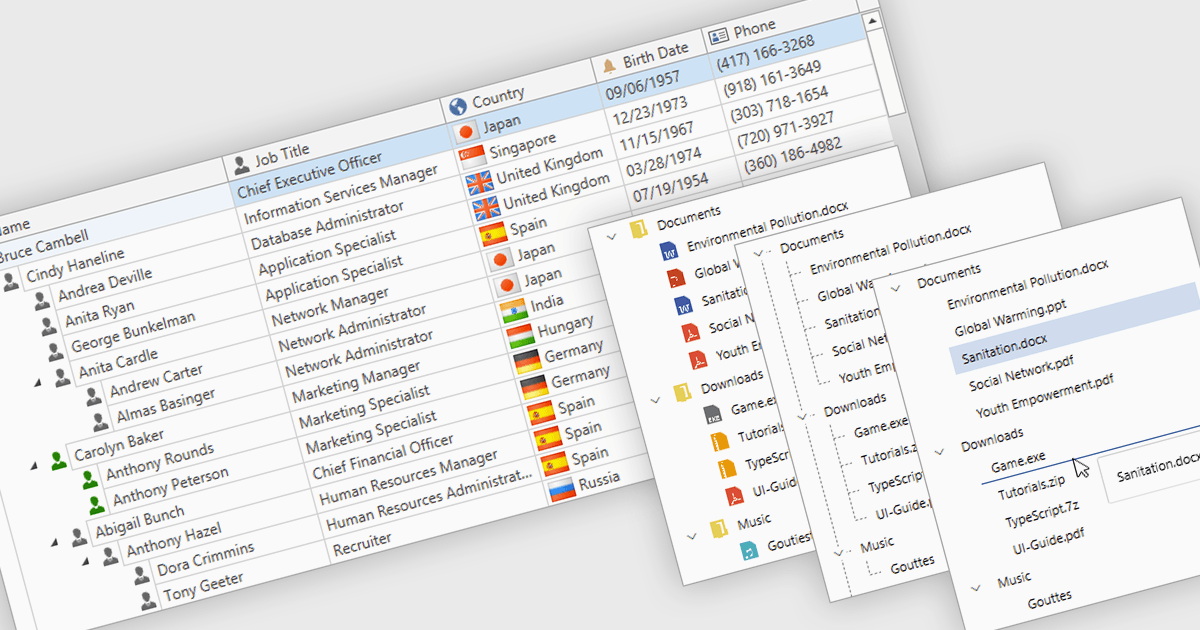
전문가용 UI 컴포넌트 제품군에 흔히 포함되는 트리 리스트(Tree list)는 계층형 데이터를 구조화되고 확장 가능한 형식으로 표시하도록 설계된 고급 컨트롤입니다. 부모-자식 관계를 명확히 제시하여 여러 수준의 데이터에 손쉽게 탐색할 수 있습니다. 접을 수 있는 노드, 동적 데이터 로딩, 사용자 지정 템플릿과 같은 기능을 통해 트리 리스트는 특히 대용량 또는 복잡한 데이터셋을 작업할 때 성능과 사용자 경험을 모두 향상시킵니다. 사용자 인터페이스 개발에서 트리 리스트는 파일 탐색기, 카테고리 탐색, 권한 설정, 프로젝트 관리 뷰, 조직도 같은 용도로 자주 사용됩니다. 트리 리스트를 통합함으로써 개발자는 구조화된 정보를 관리하는 데 더 직관적이고 확장 가능하며 상호작용적인 방식을 제공할 수 있습니다.
여러 WPF UI 제품군에서 트리 리스트 컴포넌트를 제공하며, 예를 들면:
- Actipro WPF Studio를 사용하면 가상화, 템플릿, 부드러운 상호작용을 지원하는 고급 트리 컨트롤로 계층형 데이터를 표시하고 편집할 수 있습니다.
- Infragistics Ultimate UI for WPF를 사용하면 고성능의 사용자 지정 가능한 계층형 그리드와 트리 리스트 뷰를 통해 복잡한 데이터 구조를 시각적으로 관리할 수 있습니다.
- Telerik UI for WPF는 내장 편집, 필터링, 원활한 데이터 바인딩 지원 기능을 갖춘 강력한 트리 리스트 컴포넌트로 직관적인 데이터 탐색을 가능하게 합니다.
- DevExpress WPF는 기능이 풍부한 트리 리스트 컨트롤로 계층형 데이터의 대화형 탐색을 지원하며, 그룹화, 정렬, 실시간 업데이트를 지원합니다.
기능과 가격에 대한 심층 분석은 WPF UI 제품군 비교를 방문하세요.