내장 색상 도구로 즉시 커스터마이즈
색상 선택기를 사용하면 사용자가 셀이나 차트에 빠르게 색상을 적용할 수 있어, 추세·이상치·우선순위를 한눈에 더 쉽게 확인할 수 있습니다.
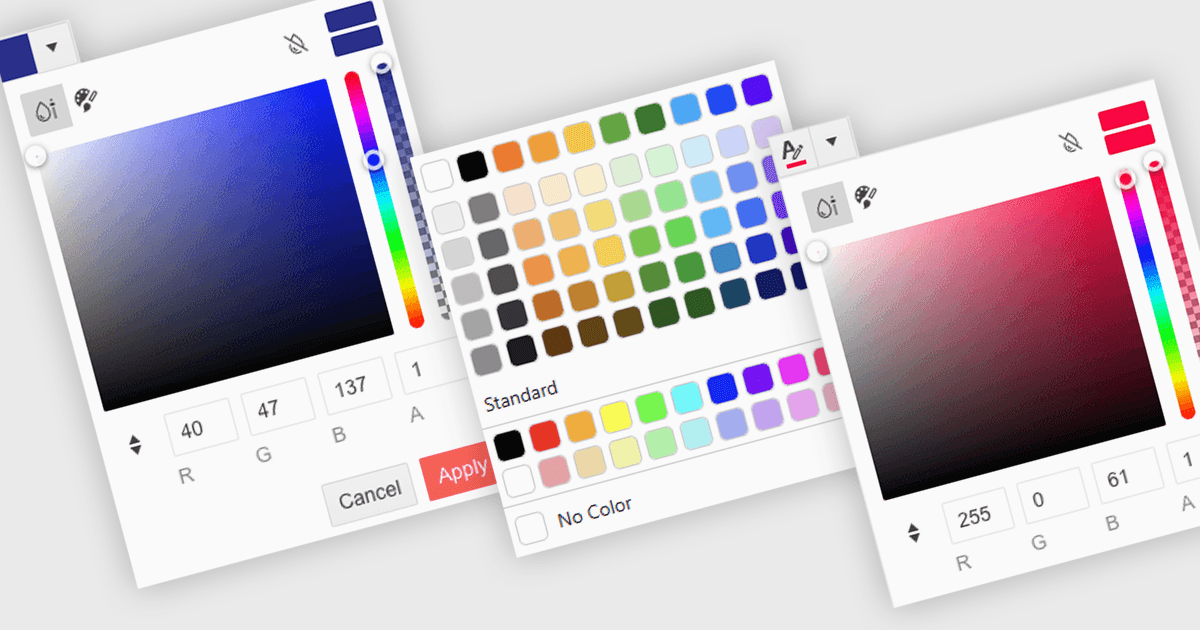
색상 선택기(Color picker)는 사용자가 어떤 코드도 작성하지 않고도 데이터의 특정 부분에 색상을 선택하고 적용할 수 있게 해주는 사용자 인터페이스 요소입니다. 보통 작은 팔레트나 입력 상자 형태로 표시되며, 클릭하면 스와치, 슬라이더 또는 16진수(hex) 코드 필드 같은 색상 옵션이 있는 패널이 열립니다. 이 기능은 직관적인 시각적 커스터마이징을 지원하여 패턴을 강조하고 중요한 값을 표시하거나 기업의 컬러 스킴에 맞추는 데 도움을 줍니다. 고급 편집기에서는 색상 선택기가 테마나 접근성 설정(예: 고대비 팔레트)도 지원합니다.
여러 .NET Blazor 데이터 편집기가 색상 선택기를 제공할 수 있는데, 예를 들면:
- Blazorise 데이터 편집기를 사용하면 직관적인 선택기를 통해 손쉽게 사용자 지정 색상을 적용하여 데이터 표시와 사용자 상호작용을 향상시킬 수 있습니다.
- jQWidgets Blazor (jQWidgets의 일부) 데이터 편집기는 내장 색상 선택기를 통해 콘텐츠를 시각적으로 구성할 수 있어 명확하고 역동적인 데이터 스타일링이 가능합니다.
- Syncfusion Essential Studio for Blazor Data Editors (Syncfusion Essential Studio Enterprise의 일부)는 색상 선택기 통합을 제공하여 시각적 서식을 지원합니다.
- Telerik UI for Blazor Data Editors (Telerik UI for Blazor의 일부)는 반응형 색상 선택기를 통해 정밀한 데이터 하이라이팅을 가능하게 하며, 브랜드 정렬과 가독성을 지원합니다.
기능과 가격에 대한 자세한 분석은 .NET Blazor 데이터 편집기 비교를 방문하세요.