노력은 줄이고 접근 가능한 PDF를 만들기
PDF 접근성 기능은 컴플라이언스를 간소화하여, 문서가 핵심 표준을 충족하도록 하면서 개발자의 시간을 절약해 줍니다.
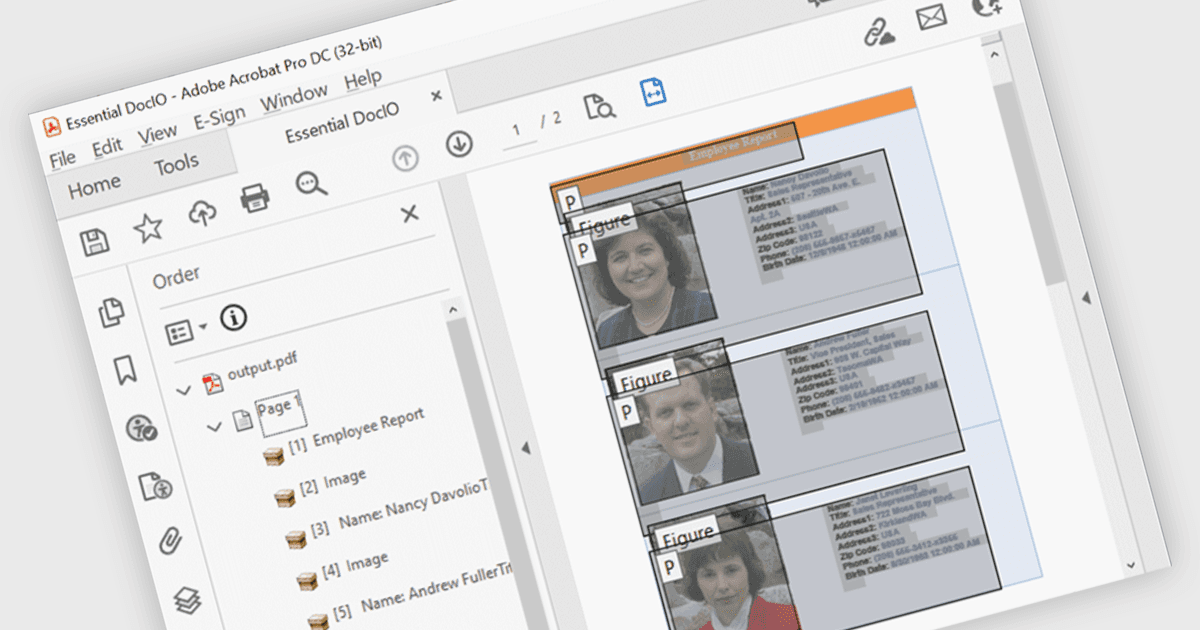
PDF 구성 요소의 접근성 지원을 통해 개발자는 보조 기술에 의존하는 사용자가 더 쉽게 탐색할 수 있는 문서를 만들 수 있습니다. 이러한 개선에는 제목, 목록, 표에 대한 자동 태깅, 스크린 리더 지원 강화, 논리적인 읽기 순서 보존이 포함됩니다. WCAG 및 PDF/UA와 같은 표준에 부합하는 기능을 통합함으로써 최신 PDF 라이브러리는 문서가 시각적으로 정확할 뿐만 아니라 의미적으로도 풍부하도록 도와줍니다. 이를 통해 개발자는 특히 컴플라이언스와 사용성이 필수적인 분야에서 접근성 요구 사항을 더 쉽게 충족할 수 있습니다.
여러 .NET WPF PDF 구성 요소에는 다음을 포함한 접근성 지원이 제공됩니다:
- IronPDF for .NET을 사용하면 의미 있는 구조와 접근 가능한 메타데이터가 포함된 PDF를 생성할 수 있어, 보조 기술에 대한 지원과 컴플라이언스가 향상됩니다.
- XFINIUM.PDF WPF/UWP EDITION은 내장 태깅, 읽기 순서 제어, 스크린 리더 및 접근성 검증 도구에 대한 지원을 통해 접근 가능한 PDF 생성을 손쉽게 해줍니다.
- Syncfusion WPF PDF (Syncfusion Essential Studio Enterprise의 일부)은 태그가 지정된 콘텐츠, 논리적 구조, 스크린 리더 호환성을 갖춘 접근 가능한 PDF를 만들 수 있도록 해줍니다.
기능과 가격에 대한 자세한 분석은 .NET WPF PDF 구성 요소 비교를 참고하세요.