.NET에서 반응형 시각적 입력 컨트롤 사용
.NET 개발자는 앱에 레이팅 및 트랙바 데이터 편집기 컨트롤을 제공함으로써 최종 사용자를 위한 직관적이고 효율적인 데이터 입력을 제공할 수 있습니다.
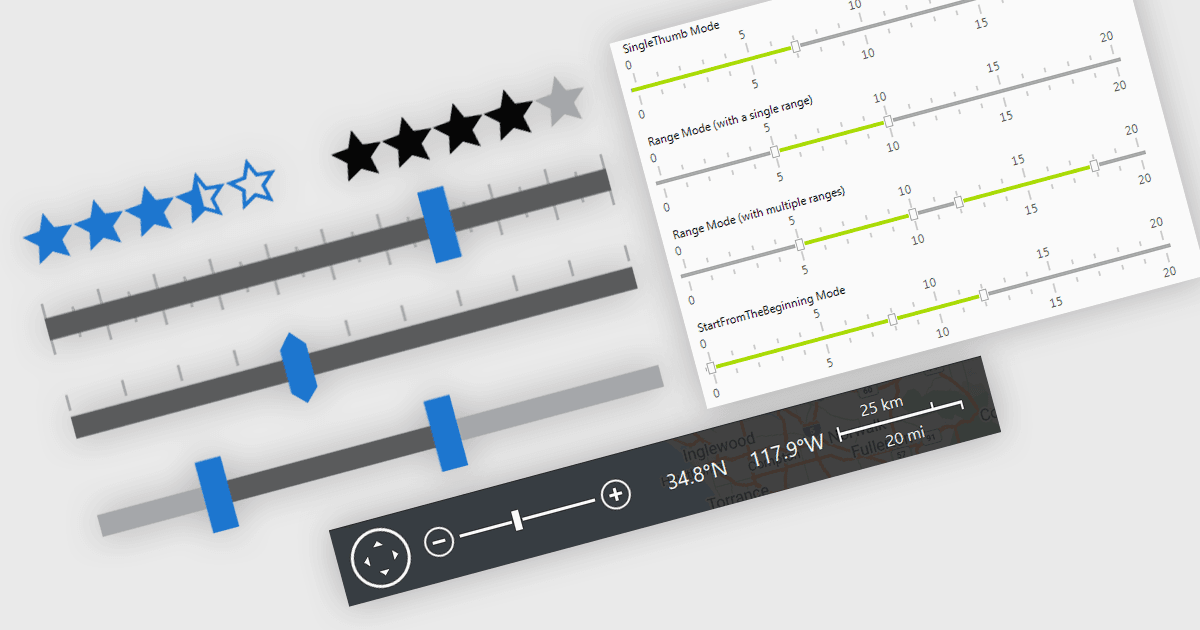
데이터 편집이 필요한 .NET 애플리케이션에서는 사용자 입력 및 데이터 조정을 더 쉽게 만들어 주는 시각적 UI 요소가 매우 중요합니다. 데이터 입력용 데이터 시각화 구성 요소인 트랙바, 레인지 슬라이더, 줌 컨트롤, 레이팅 요소는 텍스트 필드나 드롭다운에 대한 대화형 대안을 제공하여 데이터 입력 및 피드백 메커니즘을 더 직관적이고 정확하게 만듭니다. 수치 임계값을 설정하거나, 사용자가 정의한 제한에 따라 데이터 세트를 필터링하거나, 차트·타임라인 또는 그래픽 데이터 표시의 뷰 스케일을 조정하거나, 피드백을 빠르게 수집하는 등 어떤 경우든 이러한 컨트롤은 더 반응이 빠르고 사용자 친화적인 인터페이스를 만드는 데 기여합니다. 특히 미세 조정이 필요한 입력이나 주관적인 점수가 요구되는 시나리오에서 유용하며, 최종 사용자의 작업 흐름을 방해하지 않고 사용자가 빠르게 조정할 수 있도록 돕습니다.
일반적인 기능은 다음과 같습니다:
- 레인지 트랙바는 두 개의 드래그 핸들을 통해 연속 값 범위를 선택할 수 있게 해 주며, 최종 사용자가 값의 범위를 선택할 수 있습니다.
- 레이팅 컨트롤은 별 또는 막대 형태의 그래픽 인터페이스를 통해 사용자가 정성적 피드백이나 평가를 제공할 수 있게 해 줍니다.
- 트랙바는 드래그 슬라이더를 사용해 설정된 범위 내에서 단일 값을 선택할 수 있게 하며, 수치 또는 백분율 입력에 자주 사용됩니다.
- 줌 트랙바는 Microsoft Office 애플리케이션에서 찾을 수 있는 줌 바와 유사한 방식으로 줌을 상호작용적으로 확대/축소할 수 있게 해 줍니다.
기능 및 가격에 대한 자세한 분석은 .NET 데이터 편집기 비교를 확인하세요.