Compact Multi-Select로 jQuery 앱을 강화하세요
체크 콤보박스 드롭다운 컨트롤을 활용해 인터페이스를 어수선하게 만들지 않으면서도 공간을 절약하는 직관적인 다중 선택을 제공하세요.
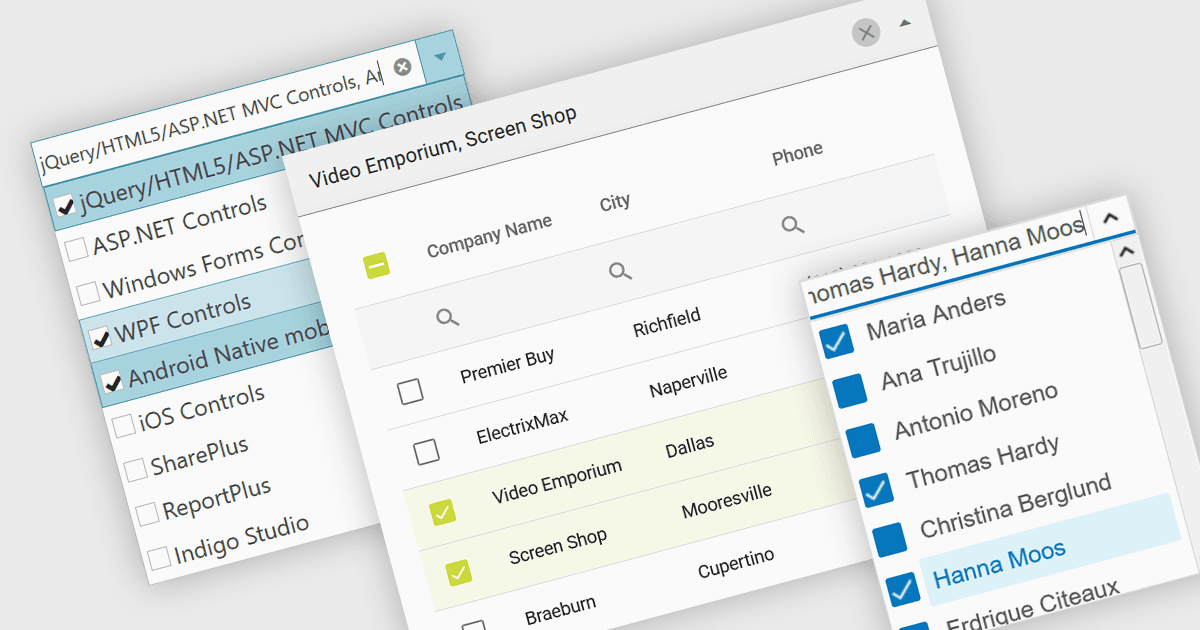
체크 콤보박스는 드롭다운 패널이 있는 텍스트 상자로 구성된 사용자 인터페이스용 데이터 편집기 구성 요소입니다. 이 패널은 미리 정의된 항목 목록을 깔끔하고 정돈된 레이아웃으로 표시하며, 인접한 체크박스를 사용해 단일 또는 여러 항목을 선택함으로써 사용자가 데이터를 입력할 수 있습니다. 그런 다음 값은 일반적으로 접힌 필드에서 쉼표로 구분된 요약 형태로 표시됩니다. 이러한 유형의 컨트롤은 개발자가 애플리케이션 내에 다중 선택 기능을 편리하게 구현할 수 있게 해 주며, 인터페이스에서 추가 공간을 차지하지 않으면서 데이터셋 필터링이나 설정 구성 같은 시나리오에 특히 효과적입니다.
여러 jQuery 데이터 편집기 컬렉션에는 체크 콤보박스가 포함되어 있으며, 예를 들면:
- DevExtreme Complete Data Editors (DevExpress의 DevExtreme Complete 일부) 는 개발자가 jQuery 애플리케이션에 체크 콤보박스를 손쉽게 통합할 수 있도록 해줍니다.
- Kendo UI for jQuery Data Editors (Telerik의 Kendo UI 일부) 는 드롭다운에서 체크박스를 사용해 직관적인 데이터 입력을 위한 다중 항목 선택을 통합할 수 있게 해줍니다.
- jQWidgets Data Editors (jQWidgets의 일부) 는 인접한 체크박스와 함께 콤보박스 입력 필드를 사용하여 다중 선택을 제공하는 데 활용할 수 있는 jQuery 구성 요소를 제공합니다.
- Infragistics Ignite UI for jQuery Data Editors (Infragistics Professional의 일부) 는 체크박스 지원이 포함된 다중 선택 콤보박스를 통해 손쉬운 데이터 입력을 가능하게 합니다.
기능과 가격에 대한 자세한 분석은 jQuery 데이터 편집기 비교를 참고하세요.