.NET 애플리케이션에서 데이터를 카드로 서식 지정
카드 뷰를 사용하면 개발자가 그리드 데이터를 구조화된 시각적 레이아웃으로 표시할 수 있어 가독성과 사용자 참여를 개선할 수 있습니다.
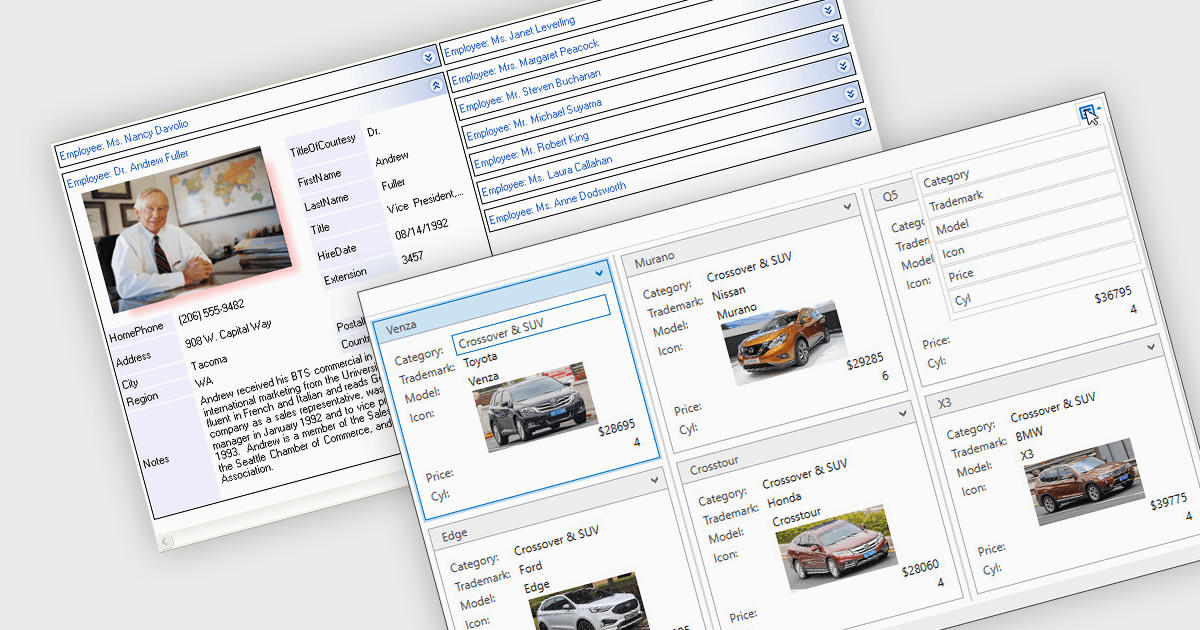
카드 뷰는 데이터를 전통적인 테이블 행이 아닌 행과 열로 배열된 일련의 개별 카드 형태로 표시하는 그리드 레이아웃 옵션입니다. 각 카드는 관련 필드를 캡슐화하며, 종종 사용자 지정 서식과 포함된 컨트롤을 사용합니다. 이를 통해 복잡한 데이터를 보다 시각적이고 유연하게 표현할 수 있습니다. 이 형식은 풍부한 콘텐츠나 미디어를 포함하는 구조화된 레코드를 사용자가 더 흥미롭고 사용자 친화적인 레이아웃에서 검토, 상호 작용 또는 비교해야 하는 시나리오에 특히 유리합니다.
여러 .NET 그리드 구성 요소에서 카드 뷰를 사용할 수 있습니다. 예를 들면:
- DevExpress WPF Data Grid (DevExpress WPF의 일부) 는 WPF 애플리케이션에서 적응형이며 시각적으로 정리된 카드 스타일 그리드 레이아웃으로 데이터를 제공할 수 있도록 개발자에게 지원합니다.
- Xceed DataGrid for WPF by Xceed Software 는 표 데이터를 유연하고 반응형인 카드 뷰로 구성하는 기능이 풍부한 2D 및 3D 카드 모드를 포함합니다.
- Wisej.NET DataGridView (Wisej.NET의 일부) 는 HTML과 JavaScript 대신 .NET 및 C#/VB.NET을 사용하여 현대적인 HTML5 애플리케이션에서 사용할 수 있는 반응형 카드 레이아웃 기능을 제공합니다.
- Infragistics WinDataGrid (Windows Forms용 Infragistics Ultimate UI의 일부) 는 카드 뷰를 지원하여 개발자가 그룹화된 필드를 카드 스타일 레이아웃으로 제시할 수 있습니다.
기능과 가격을 자세히 분석하려면 .NET 그리드 구성 요소 비교를 참고하세요.