WPF 앱 전반에서 텍스트 정확성 보장
맞춤법 검사기는 사용자가 입력하는 동안 빨간 밑줄, 수정 제안, 사용자 지정 또는 다중 언어 사전 지원으로 오류를 발견할 수 있도록 도와줍니다.
2025년 9월 5일기능 강조
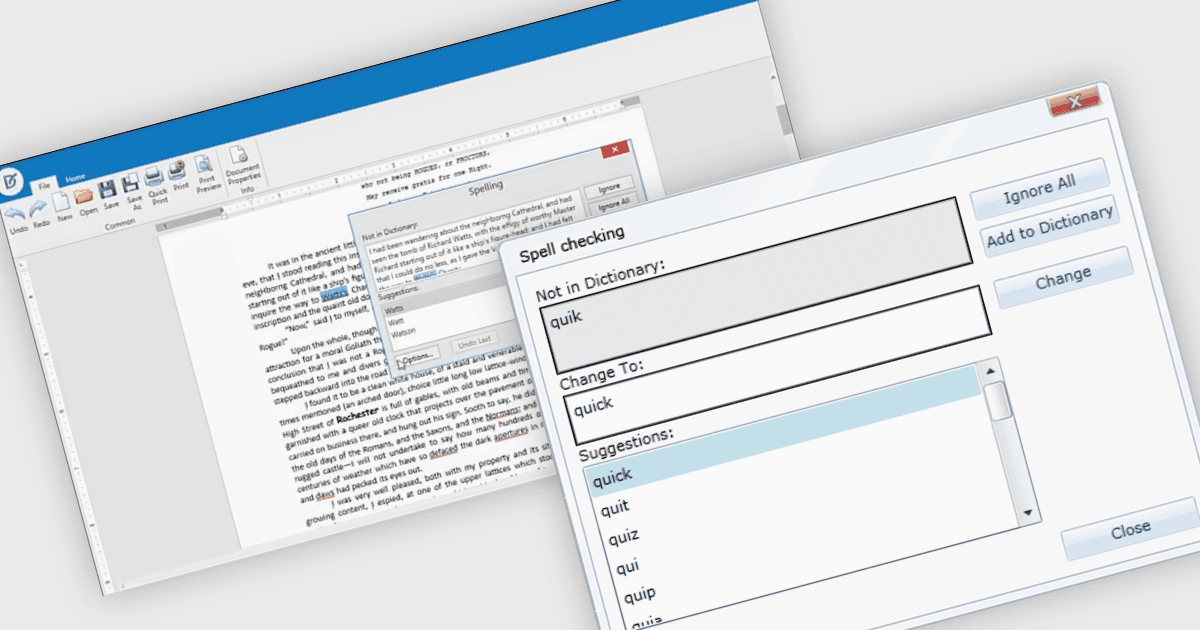
UI 제품군의 맞춤법 검사기 구성 요소는 사용자 입력 필드와 문서 내의 철자 오류를 감지하고 수정하기 위한 기본 제공 기능을 제공합니다. 사용자가 입력하는 동안 오류를 밑줄로 표시하고 상황에 맞는 메뉴의 수정 또는 대화 상자 기반 검토를 제공함으로써 텍스트 정확도를 높이며, Microsoft Office에서 익숙하게 접하는 프로덕션 수준의 경험과 유사합니다. 이러한 구성 요소는 일반적으로 ISpell, OpenOffice, Hunspell 또는 사용자 지정 사전과 같은 여러 사전 형식을 지원하고, 기본 및 고급 텍스트 편집기 모두에 원활하게 통합되며, 엔터프라이즈 및 생산성 애플리케이션에서 텍스트 품질을 보장하는 데 필수적입니다.
몇몇 WPF UI 제품군은 다음과 같은 맞춤법 검사기 구성 요소를 제공합니다:
- DevExpress WPF에는 Microsoft Office 영감을 받은 경험을 제공하는 Spell-Checker 구성 요소가 포함되어 있으며, 입력과 동시에 검사(check-as-you-type) 기능과 구성 가능한 사전을 지원합니다.
- Telerik UI for WPF는 RadSpellChecker를 제공하여 TextBox, RichTextBox, RadRichTextBox, RadGridView, DataGrid 등 여러 컨트롤 전반에서 맞춤법 검사를 수행할 수 있습니다.
- ComponentOne Studio WPF by MESCIUS는 C1SpellChecker를 제공하며, 빠르고 Word와 유사한 맞춤법 검사 기능을 갖추고 초당 최대 400,000단어까지 처리할 수 있습니다.
- Infragistics Ultimate UI for WPF에는 아홉 가지 언어 사전을(영어의 여러 변형 포함) 지원하는 xamSpellChecker 컨트롤이 포함되어 있습니다.
기능과 가격에 대한 자세한 분석은 WPF UI 제품군 비교를 방문하세요.