데이터 그리드에서 테마를 즉시 전환
테마에 대한 기본 제공 지원을 통해 그리드의 모양을 애플리케이션 디자인 표준에 빠르게 맞출 수 있습니다.
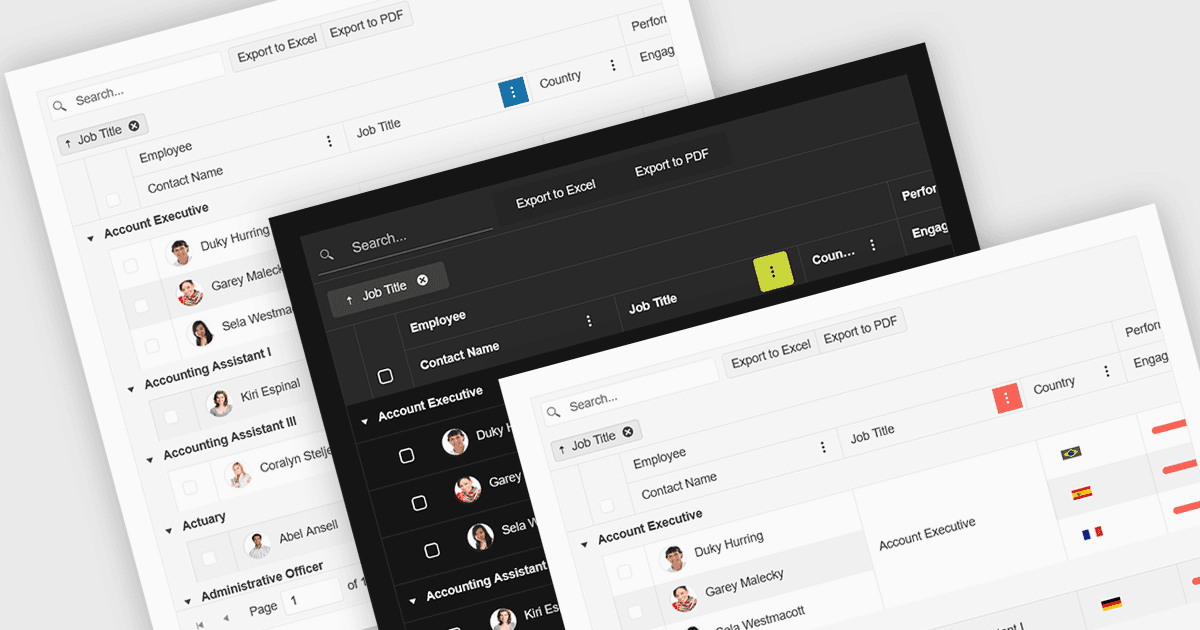
React 그리드에서의 기본 제공 테마 지원은 방대한 커스텀 CSS 없이도 컴포넌트가 미리 정의된 시각 스타일과 자연스럽게 통합되고 적응할 수 있는 기능을 의미합니다. 이 기능을 통해 개발자는 Material UI, Bootstrap 같은 널리 사용되는 UI 프레임워크 또는 맞춤형 엔터프라이즈 브랜딩에 부합하는, 일관되고 전문적으로 보이는 디자인을 빠르게 적용할 수 있습니다. 또한 애플리케이션 전반에서 시각적 일관성을 유지하는 과정을 단순화하고, 프론트엔드 개발 시간을 줄이며, 업데이트를 진행하거나 테마를 전환할 때에도 그리드가 사용자 인터페이스의 나머지 부분과 시각적으로 조화롭게 유지되도록 보장합니다.
여러 React Grid 컨트롤이 기본 제공 테마를 지원합니다. 포함:
- KendoReact Data Grid (Telerik의 KendoReact 일부)는 Default, Bootstrap, Material, Fluent, Classic 같은 기본 제공 테마를 선택할 수 있으며, SCSS 변수로 색상 스와치도 제공합니다.
- DevExtreme HTML5 JavaScript Data Grid (DevExtreme Complete의 일부)는 Generic, Material Design, Fluent 같은 사전 정의 테마 사용을 지원하며, 색상 구성 전반에 대해 Light/Dark/Compact 변형을 지원합니다.
- Handsontable (Handsoncode 제공)는 기본 제공 테마로 light, dark 및 auto 색상 모드를 제공하고, CSS 변수 기반의 세밀한 커스터마이징도 지원합니다.
- jQWidgets Grid (jQWidgets의 일부)는 20개 이상의 기본 제공 테마를 선택할 수 있으며, 테마 속성이나 CSS 파일을 통해 적용되어 일관된 시각적 스타일을 보장합니다.
기능과 가격에 대한 심층 분석은 React Grid 컨트롤 비교를 참고하세요.