인-그리드 편집기로 데이터 입력 맞춤 설정
맞춤형 편집기와 캘린더를 사용해 셀 안에서 바로 업데이트할 수 있는 커스텀 그리드 편집으로 더 빠르고 더 정확한 데이터 입력을 경험해 보세요.
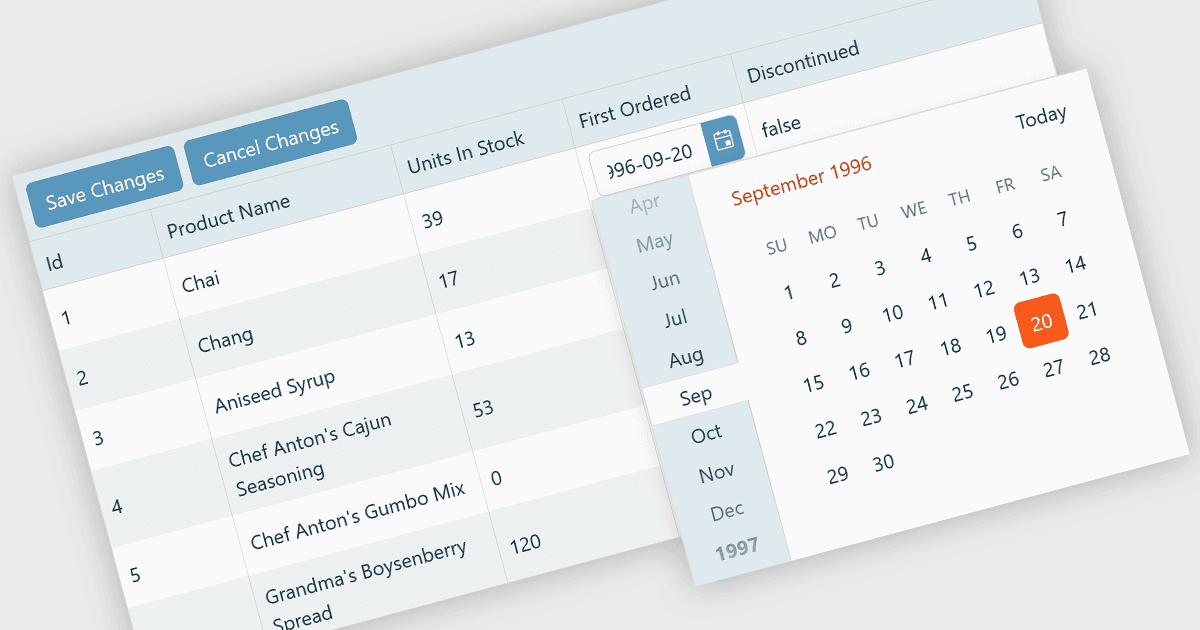
커스텀 그리드 편집기는 개발자가 사용자들이 그리드 셀 안에서 데이터와 직접 상호작용하도록 방식을 조정할 수 있게 해주며, 유연하고 효율적인 편집 환경을 제공합니다. 일반적인 텍스트 입력에 의존하는 대신, 커스텀 편집기는 데이터 유형에 맞게 드롭다운, 슬라이더, 토글, 캘린더 구성요소 등을 포함할 수 있습니다. 이러한 접근은 데이터 입력과 검증을 개선할 뿐 아니라, 입력이 맥락에 맞게 관련되도록 하여 정확도와 사용자 만족도도 높여줍니다. 예를 들어 날짜 필드는 인라인 날짜 선택기를 사용할 수 있고, 상태 컬럼은 미리 정의된 옵션을 가진 드롭다운을 제공할 수 있습니다. 대시보드, 스케줄링 도구, 관리 패널처럼 데이터가 많은 애플리케이션에 이상적인 커스텀 그리드 편집기는 사용자가 메인 인터페이스를 벗어나지 않고도 복잡한 데이터를 빠르고 직관적으로 편집하도록 돕습니다.
여러 React Grid 컨트롤이 커스텀 편집을 지원하며, 포함:
- KendoReact Data Grid (Telerik의 KendoReact 제품군) 는 드롭다운, 날짜 선택기, 검증을 통해 데이터 입력을 강화하면서 인-셀(in-cell) 편집기를 만들 수 있게 해줍니다.
- Sencha Ext JS Grid (Sencha Ext JS 제품군) 는 복잡한 그리드 인터페이스 내에서 사용자 친화적인 데이터 조작을 제공하는 동적 셀 컴포넌트를 통해 커스텀 편집을 지원합니다.
- jQWidgets Grid (jQWidgets 제품군) 는 서로 다른 데이터 유형에 맞춰 적응하는 유연한 셀 편집기를 구현할 수 있어 입력 정확도를 높여줍니다.
- Jspreadsheet Pro Data Grid (Jspreadsheet Pro 제품군) 는 캘린더와 자동완성 목록을 포함한 커스터마이즈 가능한 셀 타입으로 인라인 편집을 지원합니다.
기능과 가격에 대한 심층 분석은 React Grid 컨트롤 비교를 참고하세요.