목차로 보고서 탐색을 강화하세요
보고서에서 탐색 가능한 요약을 자동으로 생성하여 가독성과 문서 구성을 개선합니다.
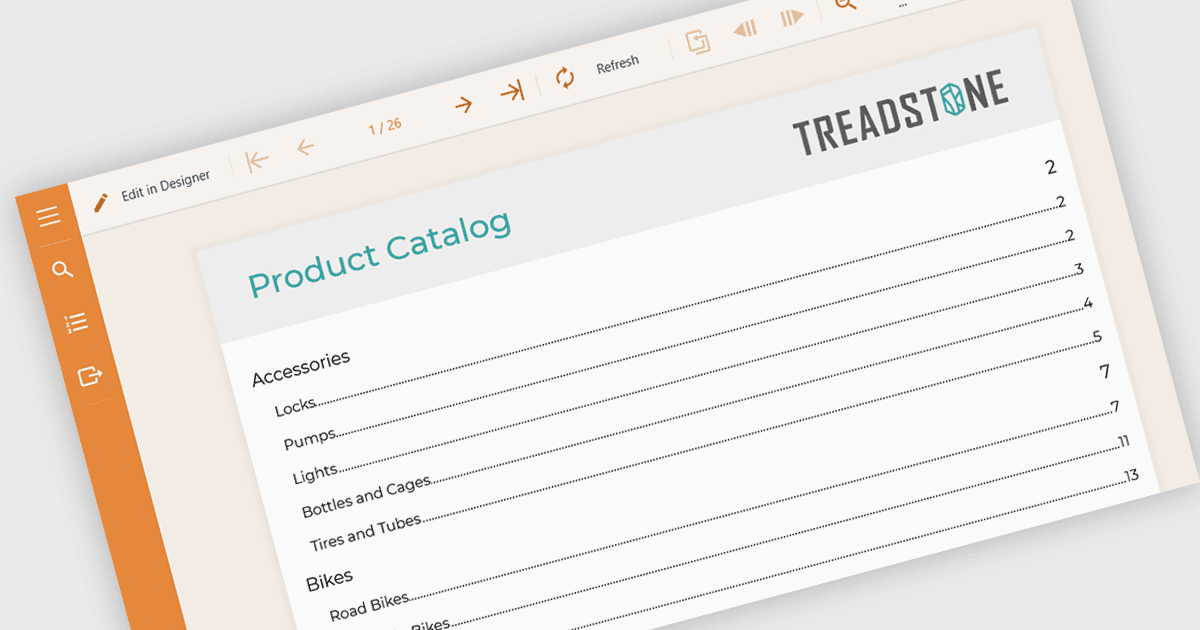
보고 구성 요소에서 목차(TOC) 지원을 사용하면 개발자가 보고서의 섹션을 기준으로 구조화된 개요를 자동으로 생성할 수 있으며, 보통 문서의 맨 앞에 표시됩니다. 이 기능은 핵심 섹션에 대한 직접 링크 또는 페이지 참조를 제공함으로써 사용자가 길거나 복잡한 보고서를 탐색하는 데 도움을 줍니다. 또한 보고서 콘텐츠의 레이아웃과 계층 구조를 그대로 반영합니다. 개발자 입장에서는 탐색 보조 도구를 수동으로 관리할 필요가 줄어들고, 보고서의 사용 편의성이 향상되며, PDF 또는 Word 같은 내보낸 형식의 전문적인 외관도 강화됩니다. 목차 지원은 명확한 문서 구조가 필수적인 컴플라이언스가 무거운 애플리케이션이나 감사 중심의 애플리케이션에서 특히 유용합니다.
여러 Angular 보고 컨트롤이 목차(TOC) 지원을 제공합니다. 여기에는 다음이 포함됩니다:
- ActiveReportsJS를 사용하면 클릭 가능한 목록으로 보고서 섹션을 자동 구성하여 손쉽게 탐색할 수 있는 목차를 추가할 수 있습니다.
- DevExpress Reporting을 사용하면 보고서 섹션을 나열하는 목차를 만들고 인쇄 및 디지털 형식 모두에서 가독성을 향상시킬 수 있습니다.
- Stimulsoft Reports.JS를 사용하면 사용자가 보고서의 핵심 부분을 빠르게 찾아 이동할 수 있도록 돕는 목차를 구성할 수 있습니다.
기능 및 가격에 대한 자세한 분석은 Angular 보고 컨트롤 비교를 참조하세요.