내장 PDF 뷰어 컨트롤에서 손쉽게 인쇄
정확한 제어, 더 빠른 워크플로 및 전문적인 결과를 뷰어 안에서 직접 제공하는 원활한 PDF 인쇄로 애플리케이션을 강화하세요.
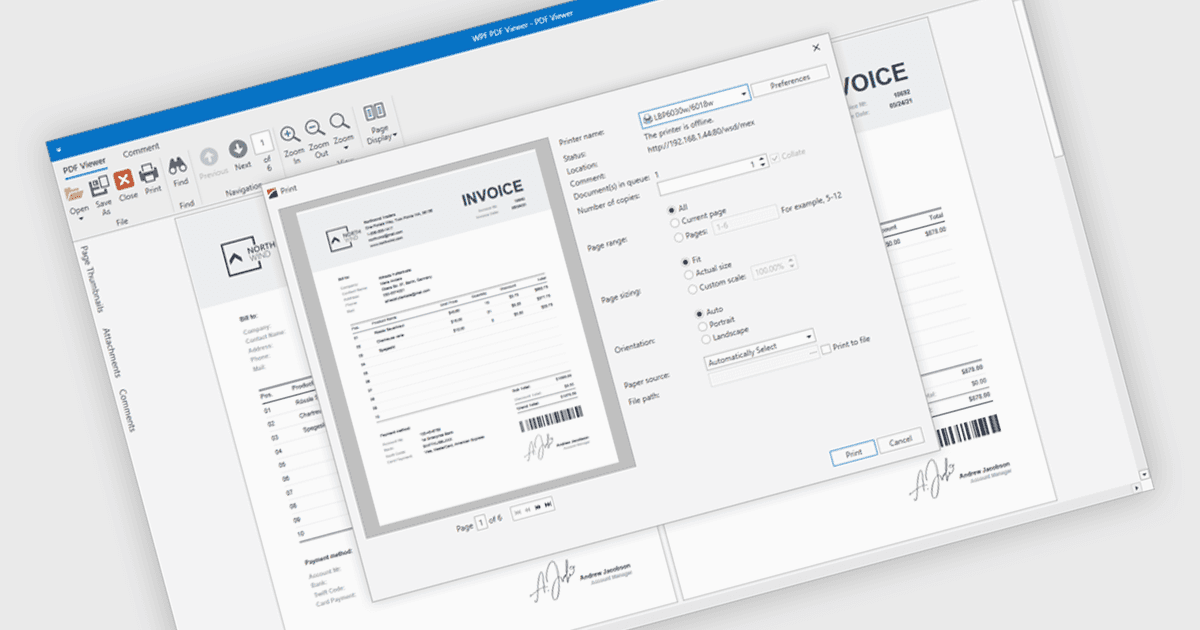
PDF 뷰어 내에서의 PDF 인쇄는 사용자가 외부 애플리케이션을 열지 않고도 보기 인터페이스에서 문서를 직접 인쇄할 수 있게 해줍니다. 이 내장 기능은 문서의 원래 레이아웃, 글꼴 및 그래픽을 유지하면서 용지 크기, 방향, 스케일링과 같은 인쇄 옵션에 대한 빠른 액세스를 제공합니다. 다양한 프린터와 디바이스에서 전문적이고 고품질의 결과와 일관된 사용자 경험을 보장합니다. 일반적인 사용 사례로는 데스크톱 또는 임베디드 애플리케이션에서 인보이스, 리포트, 양식, 기술 문서를 직접 인쇄하는 것이며, 이를 통해 사용자는 시간을 절약하고 복잡성을 줄이며 문서 중심 환경에서 생산성을 향상할 수 있습니다.
여러 .NET WPF PDF 뷰어 구성 요소에는 인쇄 지원이 포함되어 있으며, 예를 들면:
- DevExpress WPF PDF Viewer (DevExpress WPF의 일부)에서는 애플리케이션 내부에서 PDF 파일을 인쇄할 수 있어, 구성 가능한 프린터 설정과 고충실도 출력이 가능합니다.
- ComponentOne WPF FlexViewer (MESCIUS의 ComponentOne Studio WPF의 일부)에서는 PDF 문서 인쇄를 지원하여 사용자가 방향과 프린터 설정을 직접 선택할 수 있습니다.
- LEADTOOLS PDF는 고급 인쇄 API, 이미지 전처리 및 폭넓은 형식 지원을 통해 PDF 문서를 어떤 프린터로든 전송할 수 있게 해줍니다.
- Accusoft의 ImageGear for .NET은 코드에서 Print() 메서드를 직접 호출하여 네이티브 PDF 문서 인쇄를 가능하게 하며, 빠르고 메모리 효율적인 출력을 지원합니다.
기능과 가격에 대한 심층 분석은 .NET WPF PDF 뷰어 구성 요소 비교에서 확인하세요.