내장 데이터 유효성 검사로 정확성 보장
오류를 방지하고 공유 워크북 전반에 걸친 데이터 무결성을 유지하는 내장 유효성 검사 도구로 신뢰할 수 있는 스프레드시트 데이터 입력을 지원하세요.
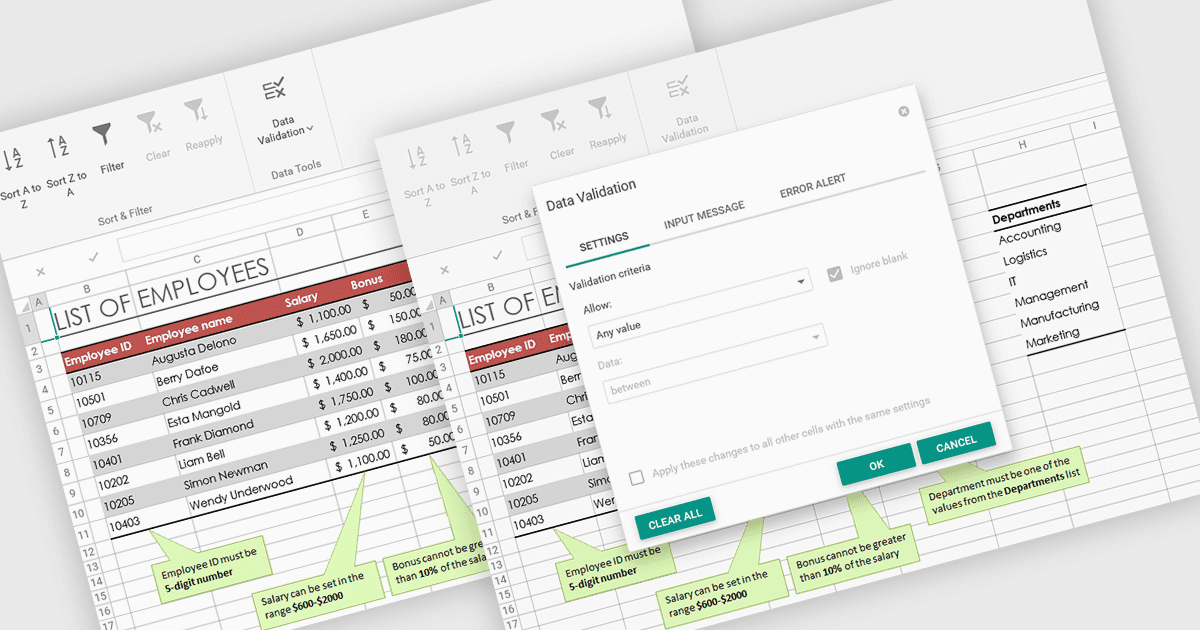
스프레드시트에서의 데이터 유효성 검사는 사용자가 각 셀에 입력할 수 있는 정보를 제어하여, 워크북 전반에 걸쳐 데이터가 정확하고 일관되게 유지되도록 합니다. 특정 규칙과 제한을 정의함으로써 잘못된 입력을 방지하고, 공유 데이터의 무결성을 유지하는 데 도움이 됩니다. 사용자는 프롬프트나 드롭다운 목록을 통해 안내를 제공할 수 있어 오류 발생 가능성을 줄이고 데이터 수정에 소요되는 시간을 절감할 수 있습니다. 이 기능은 예산 관리, 재고 추적, 설문 응답 수집 등과 같이 신뢰할 수 있는 데이터 입력이 정확한 분석과 보고에 필수적인 협업 환경에서 특히 유용합니다.
여러 ASP .NET Core 스프레드시트 제품에서 데이터 유효성 검사를 지원하며, 예를 들면:
- DevExpress ASP.NET Core Spreadsheet (DevExpress ASP.NET 및 Blazor의 일부)에서는 명확한 피드백으로 사용자를 안내하면서 유효성 검사 규칙을 정의해 데이터 정확도를 제어할 수 있습니다.
- Aspose.Cells for .NET에서는 유효성 검사 규칙, 드롭다운 목록, 사용자 지정 오류 알림을 적용하여 일관된 데이터 입력을 강제할 수 있습니다.
- Telerik ASP.NET Core Spreadsheet (DevExpress ASP.NET 및 Blazor의 일부)에서는 입력을 검증하여 오류를 방지하고 워크북 전반에 걸쳐 일관된 정보를 유지합니다.
- Syncfusion ASP.NET Core Spreadsheet (Syncfusion Essential Studio Spreadsheet Editor SDK의 일부)에서는 자동으로 잘못된 값의 입력을 방지하여 데이터 입력을 가능하게 합니다.
기능과 가격에 대한 심층 분석은 ASP .NET Core 스프레드시트 컨트롤 비교를 참고하세요.