PDF 뷰어에서 페이지를 직접 재배치
WPF 뷰어의 내장 도구로 PDF에서 페이지 순서를 빠르게 변경하여 문서 작업 흐름의 중단을 최소화하세요.
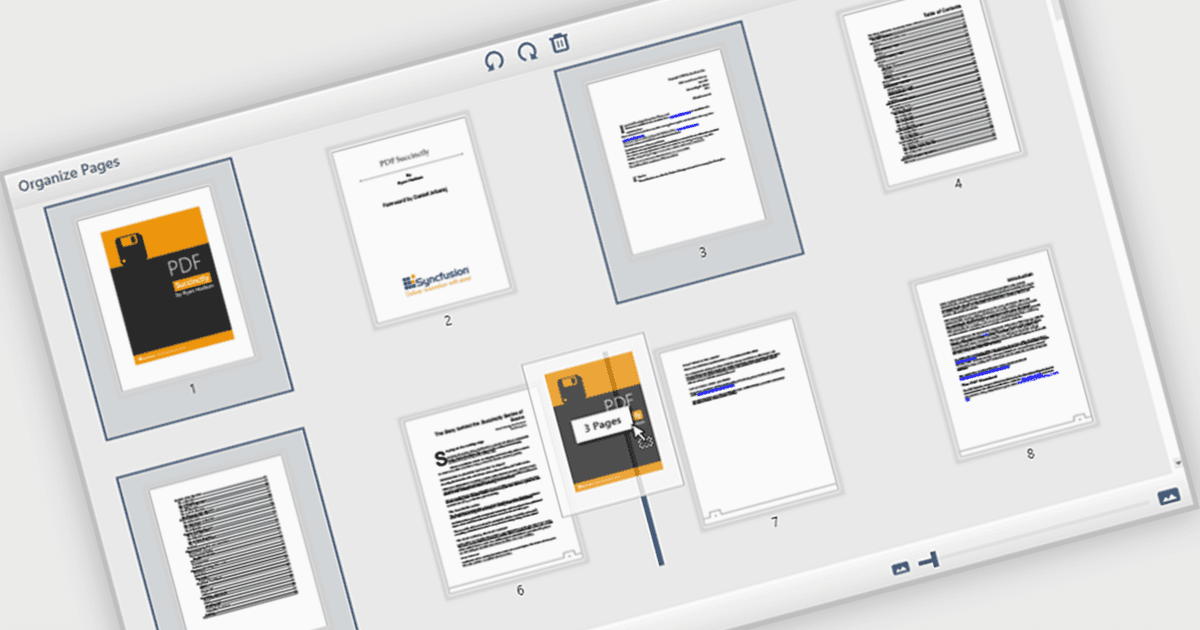
PDF 뷰어에서 페이지를 이동하고 배치할 수 있는 기능을 통해 사용자는 인터페이스에서 바로 PDF 문서 내의 개별 페이지를 재정렬할 수 있습니다. 소프트웨어 개발자에게 이 기능은 특히 콘텐츠 조립, 폼 관리, 자동 보고서 생성과 관련된 애플리케이션에서 더 역동적인 문서 프로세스를 지원합니다. 외부 도구나 수동 편집이 필요하던 부분을 줄여 통합을 간편하게 하고, 복잡하거나 다중 페이지 문서를 관리할 때 사용자 경험을 향상시킵니다.
여러 WPF(Windows Presentation Foundation) PDF 뷰어 구성 요소를 사용하면 PDF에서 페이지를 이동하고 배치할 수 있으며, 예를 들면:
- Telerik UI PDF for WPF (Telerik UI for WPF의 일부)는 동적 문서 보고서를 위해 WPF PDF Viewer 제어 내에서 페이지를 재정렬, 삽입 또는 제거할 수 있게 해줍니다.
- Syncfusion WPF PDF (Syncfusion Essential Studio Enterprise의 일부)는 PDF 뷰어 내부에서 페이지를 대화형으로 재배치할 수 있어 다중 페이지 문서 프로세스를 최적화합니다.
- XFINIUM.PDF CROSS PLATFORM EDITION은 페이지 재배치, 추출, PDF 페이지에 대한 완전한 제어를 포함한 포괄적인 페이지 관리 기능을 제공합니다.
기능과 가격에 대한 자세한 분석은 WPF PDF 뷰어 비교를 방문하세요.