Visual Studio 통합으로 보고서 디자인하기
Visual Studio를 사용해 코드, 데이터, 스타일링, 배포 워크플로를 하나로 통합하면서 더 효율적으로 픽셀 완벽한 보고서 레이아웃을 만들고 유지 관리하세요.
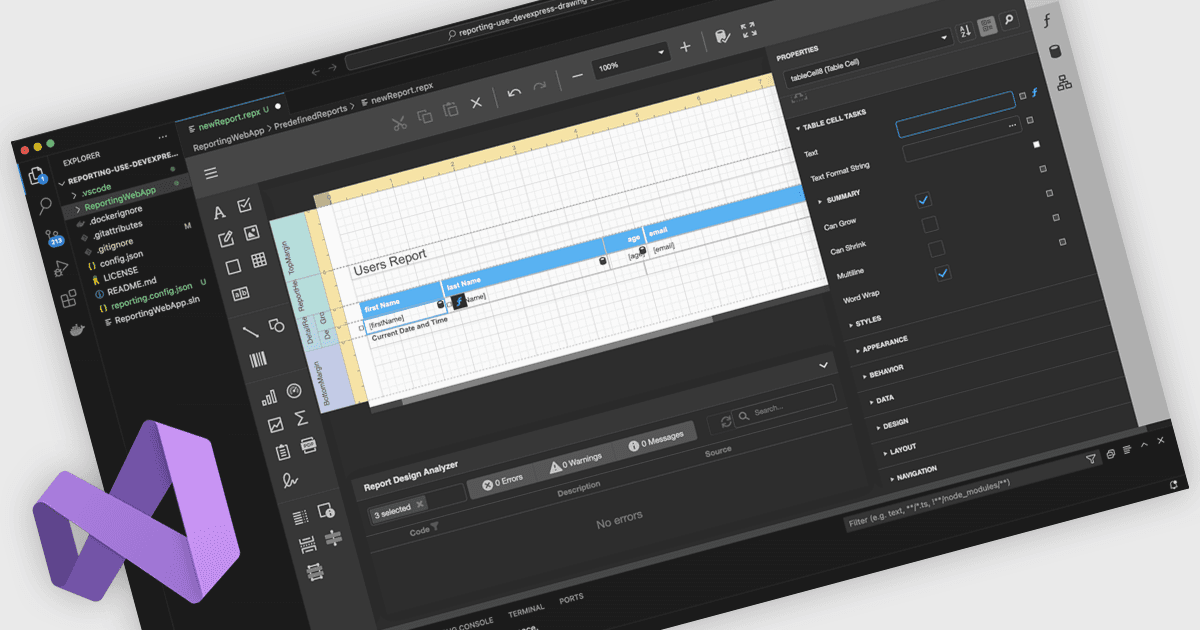
Visual Studio 통합 보고서 디자이너를 사용하면 별도의 보고 도구를 사용하지 않고 Visual Studio IDE 내부에서 개발자가 보고서 레이아웃을 직접 만들고 편집할 수 있습니다. 보고서 정의는 애플리케이션 코드, 데이터 모델 및 리소스와 함께 위치하여 통합, 유지 관리 및 소스 제어와 CI/CD의 활용이 향상됩니다. 개발자는 드래그 앤 드롭 레이아웃 디자인, 속성 그리드, IntelliSense 기반 식을 통해 익숙한 환경에서 작업할 수 있으며, C# 또는 VB에서 사용자 지정 로직을 추가할 수도 있습니다. 일반적인 사용 사례로는 대화형 영업 대시보드, 운영 보고서, 팀이 빠르게 반복하고 라이브 데이터를 바인딩하며 결과를 미리 볼 수 있어야 하는 감사(audit)가 있습니다.
여러 .NET 보고서 컨트롤이 Visual Studio 통합 디자이너를 제공하며, 예를 들면:
- DevExpress Reports를 사용하면 Visual Studio에서 플랫폼 비종속 보고서 레이아웃을 설계, 미리 보기, 정교하게 다듬을 수 있어 데이터, 코드 및 배포 워크플로를 하나로 통합합니다.
- ActiveReports.NET을 사용하면 Visual Studio에서 .NET 보고서 레이아웃을 직접 빌드, 수정 및 디버그할 수 있어 컨텍스트 전환과 유지 관리 노력을 줄여줍니다.
- Telerik Reporting은 Visual Studio 내부에서 대화형 보고서 레이아웃을 만드는 것을 지원하며, WYSIWYG 디자인 도구를 .NET 프로젝트와 긴밀하게 통합된 방식으로 활용할 수 있습니다.
- MindFusion.Reporting for Windows Forms을 사용하면 Visual Studio에서 보고서를 배치하고 스타일을 적용하며 미리 볼 수 있으며, 익숙한 WinForms 디자이너 워크플로와 거의 동일하게 구현됩니다.
기능과 가격에 대한 심층 분석은 .NET 보고서 컨트롤 비교를 참고하세요.