더 선명한 데이터 뷰를 위한 그리드 열 너비 조정
공간을 최적화하고 어수선함을 줄이며, 더 깨끗하고 집중된 그리드를 제공해 더 빠른 데이터 분석과 더 스마트한 의사 결정을 지원하세요.
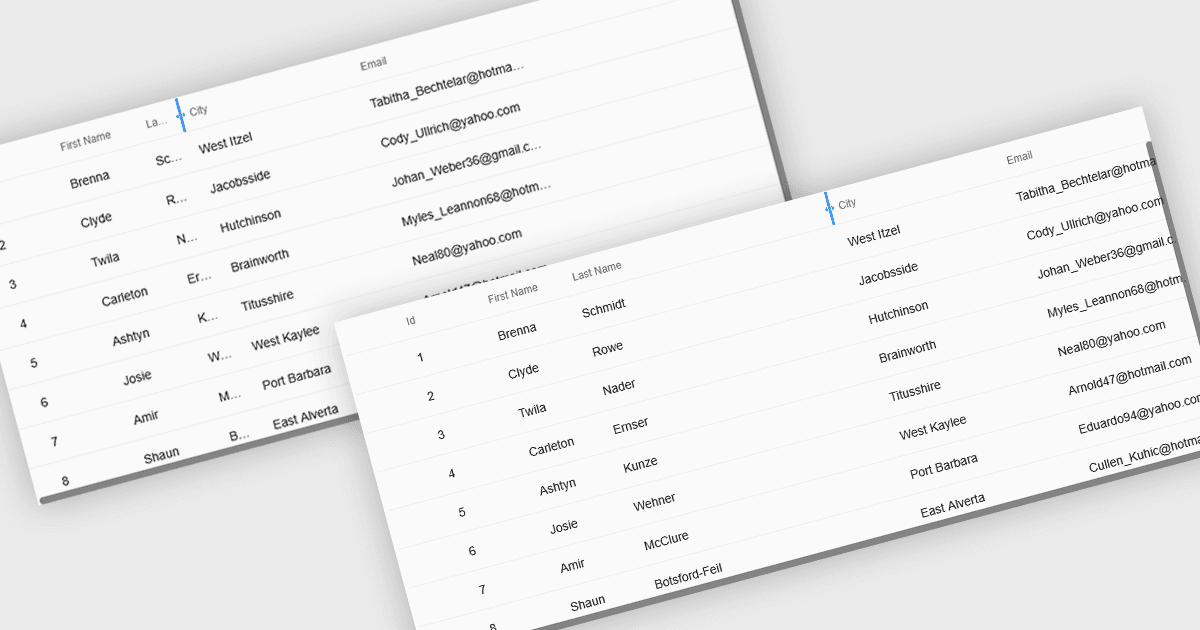
크기 조정 가능한 그리드 열은 사용자가 데이터 테이블에서 각 열의 너비를 조정할 수 있게 해주어, 정보가 표시되는 방식을 직접 제어할 수 있습니다. 이로 인해 텍스트가 잘리지 않도록 하여 가독성이 향상되고, 덜 중요한 필드를 좁혀 불필요한 어수선함이 줄어들며, 더 깨끗하고 효율적인 작업 공간을 만들어 줍니다. 특히 대규모 데이터셋, 긴 제품 이름, 자세한 설명 또는 혼합 데이터 유형에서 유용합니다. 예를 들어 “Description” 열을 확장해 전체 텍스트를 읽거나, 숫자 열을 좁혀 수치를 빠르게 비교할 수 있습니다. 대시보드, 관리자 패널, 리포팅 도구, 데이터 입력 시스템 등 어디에서 사용하든, 열 크기 조정은 사용성을 높이고 분석 속도를 향상시키며 보다 개인화된 보기 환경을 지원합니다.
여러 React 그리드 컨트롤은 다음을 포함하여 열을 확장하고 크기 조정하는 기능을 지원합니다.
- DevExtreme React Data Grid (DevExpress의 DevExtreme Complete 일부)에서는 열을 리사이즈하여 가독성을 개선하고, 어수선함을 줄이며, 데이터로 효율적으로 작업할 수 있습니다.
- Handsontable (Handsoncode)에서는 열을 리사이즈해 전체 콘텐츠를 확인하고, 레이아웃을 사용자 지정하며, 어수선함을 최소화하고, 다양한 데이터셋을 보다 효과적으로 자신 있게 분석할 수 있습니다.
- BestReactGrid는 공간을 최적화하고 핵심 정보를 강조하며 가독성을 높이고, 더 깨끗하고 효율적인 데이터 워크플로를 만들기 위해 열 크기 조정을 지원합니다.
- Ignite UI React Grid (Infragistics Ignite UI의 일부)에서는 더 명확한 화면, 더 빠른 비교, 향상된 데이터 이해를 위해 열을 리사이즈할 수 있습니다.
기능과 가격을 심층적으로 분석하려면 React 그리드 컨트롤 비교를 방문하세요.