더 빠른 선택을 위해 목록에 이미지 추가
이미지 리스트박스를 통해 시각적으로 식별 가능한 목록 항목으로 데이터 입력을 개선하여, 목록 구조에서 옵션을 선택하는 보다 직관적인 수단을 제공합니다.
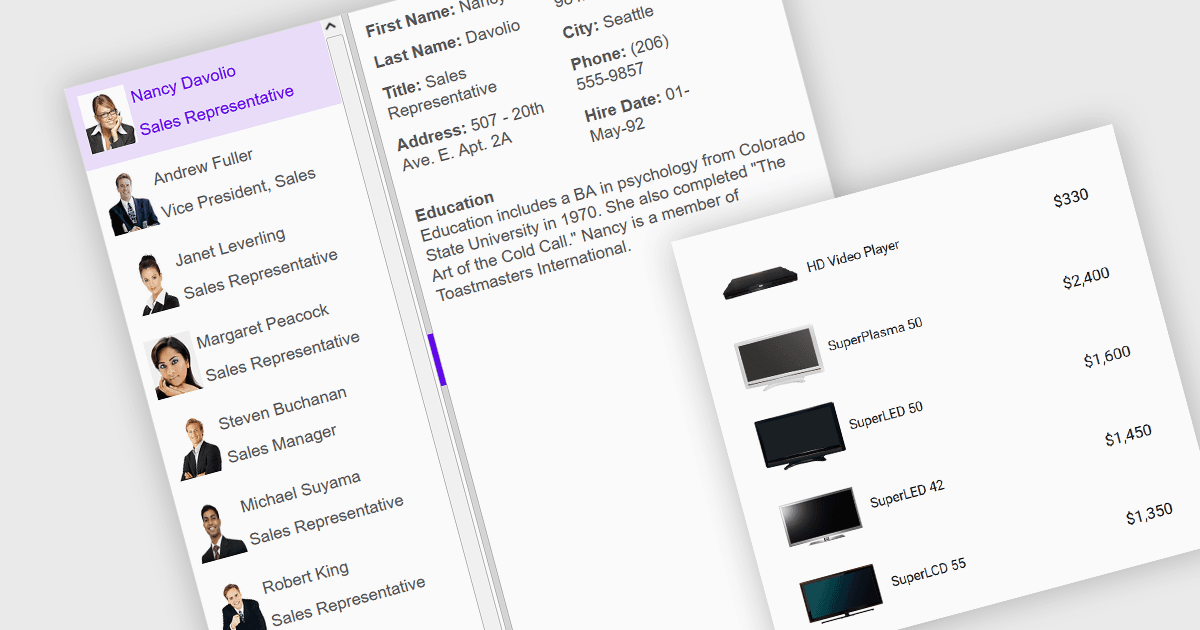
이미지 리스트박스는 표준 리스트박스와 마찬가지로 선택 가능한 항목의 목록을 표시하지만, 텍스트 항목과 함께 또는 텍스트 대신 이미지를 표시할 수 있다는 점에서 데이터 편집기 및 사용자 인터페이스 구성 요소의 한 유형입니다. 시각적 인지도를 높이기 위해 연결된 아이콘, 썸네일 또는 기타 그래픽을 사용함으로써 각 항목에 대한 시각적 기준을 제공하여, 사용자가 항목을 라벨보다 외형으로 더 쉽게 식별할 수 있는 경우 입력을 보다 효율적으로 탐색하고 선택할 수 있습니다. 구조화된 선택형 목록에서 이미지와 텍스트를 결합한 이미지는, 사용자가 텍스트만으로가 아니라 이미지로 더 잘 식별되는 항목(예: 제품 카탈로그, 아바타, 아이콘 또는 파일 미리보기)에서 선택해야 하는 상황에 잘 맞기 때문에 데이터 선택을 포함하는 애플리케이션에서 이미지 리스트박스가 유용합니다.
여러 Angular 데이터 편집기 컬렉션에서 이미지 리스트박스 지원을 제공합니다. 예를 들면:
- DevExtreme Angular Data Editors (DevExpress의 DevExtreme Complete 일부) 는 시각적으로 풍부한 데이터 선택 인터페이스를 위한 이미지가 포함된 사용자 지정 가능한 리스트박스를 제공합니다.
- Wijmo Angular Data Editors (MESCIUS의 Wijmo 일부) 는 항목 서식 지정에 대한 유연한 옵션을 제공하며, 리스트 항목 내에서 텍스트와 이미지를 결합해 시각적 맥락을 제공할 수 있도록 지원합니다.
- jQWidgets 는 jqxListBox 컴포넌트와 그 렌더러 함수를 사용해 Angular 개발자가 사용자 지정 리스트박스를 만들 수 있도록 하며, 직관적인 항목 선택을 지원합니다.
- Syncfusion Angular Data Editors (Syncfusion Essential Studio Enterprise 일부) 는 Angular 애플리케이션에서 이미지가 강화된 리스트박스의 사용을 용이하게 합니다.
기능과 가격에 대한 심층 분석은 Angular 데이터 편집기 컴포넌트 비교를 참고하세요.