웹 앱에서 PDF에 손글씨 메모 추가하기
무료 손그림 및 잉크 주석이 있는 ASP.NET Core PDF 컨트롤을 사용하면 사용자가 문서에 서명, 스케치, 메모를 직접 추가할 수 있습니다.
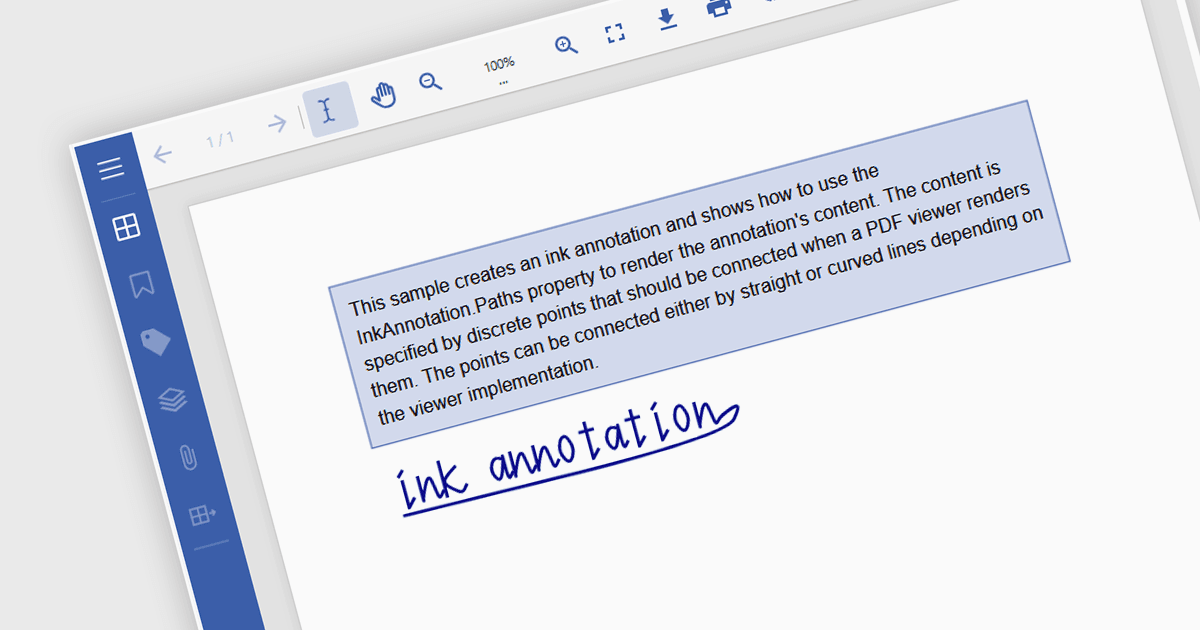
ASP.NET Core PDF Viewer 컨트롤의 Freehand Draw, 또한 Ink Annotation으로도 알려진 기능은 사용자가 자유로운 형태의 손그림 주석을 PDF 문서에 직접 추가할 수 있게 합니다. 이 기능은 마우스, 터치 또는 스타일러스를 통해 입력을 지원함으로써 자연스러운 필기나 스케치를 모방하며, 개인 메모, 서명 또는 도식적 피드백이 필요한 시나리오에서 특히 유용합니다. 주석은 PDF의 일부로 포함되어 다양한 플랫폼과 뷰어에서 계속 액세스 가능하고 표시되도록 보장합니다. 이 기능은 문서 검토나 디지털 서명이 필요한 애플리케이션에서 일반적으로 사용되며, PDF 기반 프로세스 내에서 상호 작용성과 협업을 향상시킵니다.
다음 ASP.NET Core Assembly PDF Viewer 구성 요소는 Freehand Draw/Ink Annotation을 지원합니다:
- Document Solutions for PDF by MESCIUS는 사용자의 스트로크 경로를 캡처하고 이를 편집 가능한 벡터 마크업으로 PDF 내에 포함하는 자유로운 손그림 잉크 주석을 그릴 수 있게 합니다.
- ImageGear .NET by Accusoft는 자유로운 손그림 및 폴리라인 주석을 지원하여 개발자가 낙서, 화살표 또는 곡선을 캡처하고 이를 PDF 주석 개체로 저장할 수 있게 합니다.
- Syncfusion ASP.NET Core PDF (Syncfusion Essential Studio Enterprise의 일부)는 뷰어 내에서 잉크 주석을 지원하여 사용자가 PDF에 그리기와 서명 추가를 할 수 있게 합니다.
기능과 가격에 대한 심층 분석은 ASP.NET Core Assembly PDF Viewer Components 비교를 방문하세요.