그리드를 떠나지 않고 데이터 계층을 탐색하세요
그리드의 드릴다운 기능을 통해 사용자는 요약에서 제자리의 상세 레코드로 이동할 수 있어, 명확성과 데이터 이해도를 높입니다.
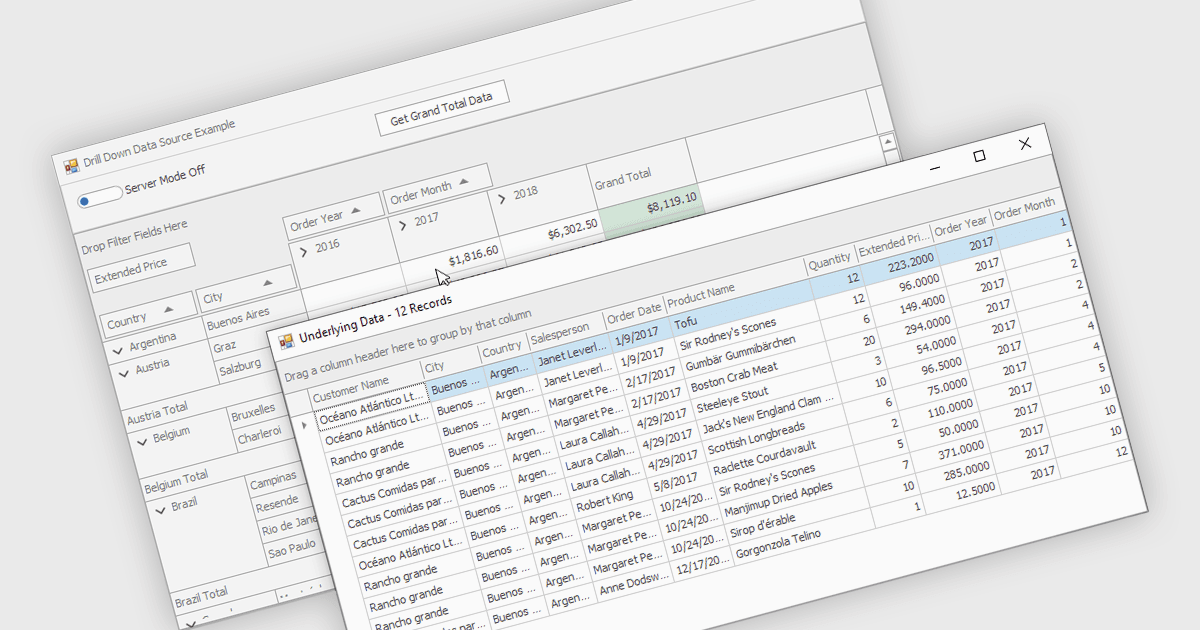
그리드 컨트롤 내 드릴다운 기능을 통해 사용자는 동일한 인터페이스 안에서 요약 데이터에서 점점 더 상세한 레코드로 이동할 수 있으며, 매끄럽고 집중된 탐색 경험을 제공합니다. 화면 전환과 추가 쿼리를 줄여 생산성을 향상시키고, 사용자가 패턴과 예외를 더 빠르게 파악하도록 돕는 동시에 복잡한 정보를 명확하게 정리해 줍니다. 일반적인 사용 사례로는 지역별 판매를 검토한 다음 도시와 고객별로 확인하거나, 재무 요약을 개별 거래로 열어 분석하거나, 카테고리에서 특정 항목으로 제품 인벤토리를 탐색하는 경우 등이 있습니다.
여러 .NET WinForms 그리드 컨트롤에서는 드릴다운 기능을 제공합니다. 예:
- DevExpress WinForms 데이터 그리드 (DevExpress WinForms의 일부)는 계층형 레코드로 드릴다운하여 빠르게 인사이트를 확인할 수 있도록, 반응형 그리드 인터페이스 내에서 지원합니다.
- FlexGrid for WinForms (MESCIUS의 ComponentOne Studio WinForms 일부)는 여러 레이어의 데이터를 통해 드릴다운하여 의미 있는 세부 정보를 노출할 수 있습니다.
- Infragistics WinDataGrid (Infragistics Ultimate UI for Windows Forms의 일부)는 드릴 다운 탐색을 지원하여, 명확성을 유지하면서 사용자가 더 세부적인 정보를 찾아낼 수 있도록 합니다.
기능과 가격을 자세히 알아보려면 .NET WinForms 그리드 컨트롤 비교를 방문하세요.