목적에 맞게 설계된 대화 상자로 보고서 입력 최적화
대화형 매개 변수 폼으로 더 깨끗하고 일관된 보고서를 만들고, 필터, 그룹, 계산에 대해 정확하게 검증된 입력을 보장하세요.
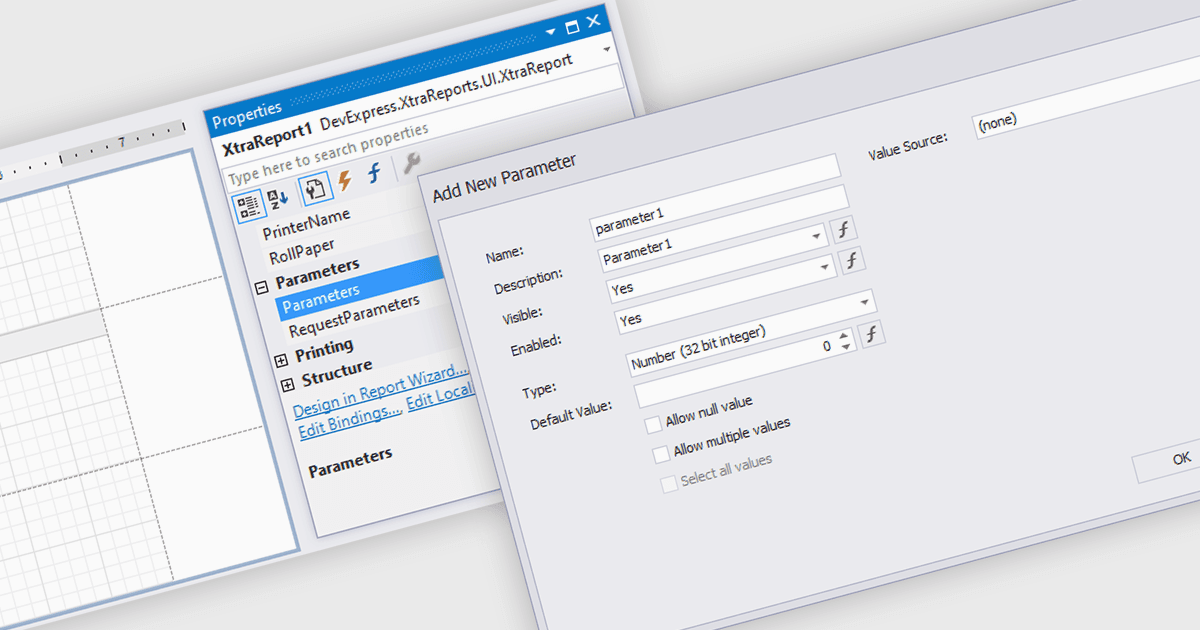
보고를 위한 매개 변수의 대화 상자는 필요한 입력을 정확하고 관련성 있게 수집할 수 있도록 구조화되고 사용자 친화적인 방식으로 제공합니다. 사용자가 수동으로 입력하거나 기억에 의존해 기준을 정하는 대신, 사용자는 일관되고 유효한 정보를 보장하는 필드를 통해 안내받습니다. 이는 날짜 범위, 제품 카테고리, 지역 또는 부서 등을 선택하는 상황에서 보고서의 품질을 높이고 오류를 줄입니다. 깔끔한 인터페이스에서 매개 변수 입력을 중앙 집중화함으로써 대화 상자는 사용자가 입력 세부 사항을 관리하기보다 결과를 해석하는 데 집중할 수 있게 해줍니다.
여러 .NET WinForms 보고 구성 요소를 사용하면 매개 변수용 대화 상자를 만들 수 있으며, 예를 들면:
- DevExpress Reporting을 사용하면 정확한 사용자 입력을 수집하는 가이드형 매개 변수 대화 상자를 만들어 보고서의 정밀도, 사용 편의성, 그리고 애플리케이션 전반의 효율성을 향상시킬 수 있습니다.
- Telerik Reporting은 데이터 선택을 개선하는 직관적인 매개 변수 대화 상자를 구축할 수 있도록 해주며, 사용자가 최소한의 노력으로도 일관되고 신뢰할 수 있는 보고서를 생성할 수 있도록 합니다.
- FastReport .NET WinForms는 사용자 입력을 검증하는 사용자 지정 가능한 매개 변수 대화 상자를 제공하여 보고서 정확도를 높이고 복잡한 필터링 및 구성 작업을 간소화합니다.
- Stimulsoft Reports.NET은 사용자가 올바른 보고 기준을 입력할 수 있도록 도와주는 구조화된 매개 변수 대화 상자 생성을 가능하게 하여, 더 명확한 인사이트와 보다 신뢰할 수 있는 결과를 제공합니다.
기능과 가격에 대한 심층 분석은 .NET WinForms 보고 구성 요소 비교를 참고하세요.