데스크톱 애플리케이션에서 PDF 재구성
페이지 순서를 변경하여 문서 구조를 개선하고, 준수 요구 사항을 지원하며, 복잡한 PDF를 더 효율적으로 관리하세요.
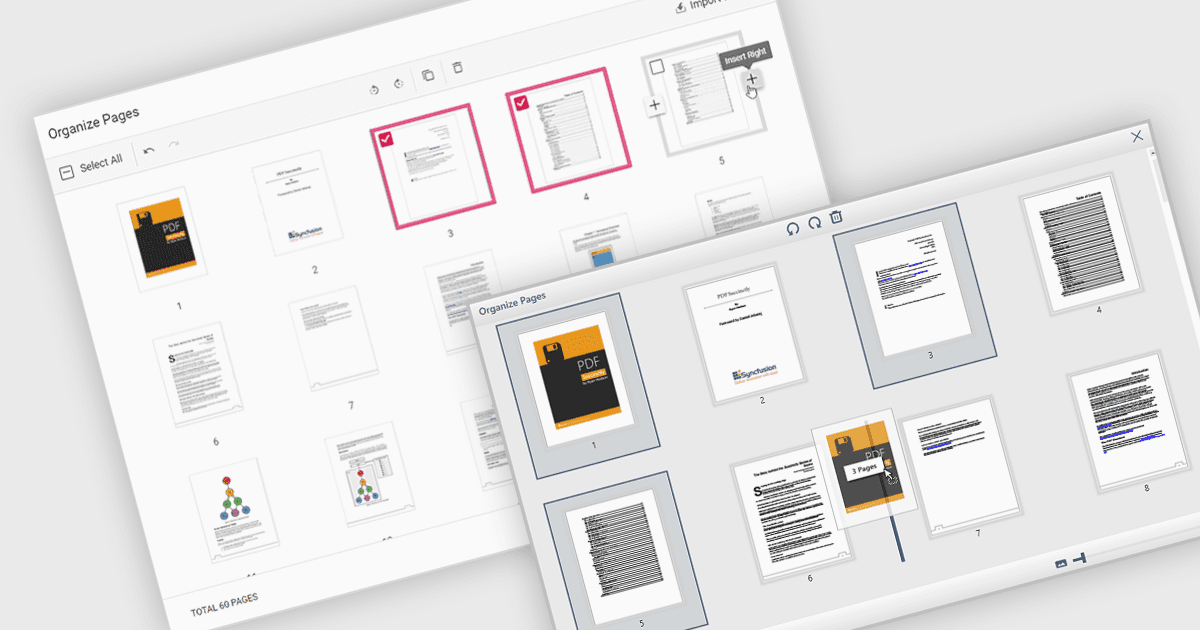
PDF 파일에서 페이지 이동이란 문서 내에서 개별 페이지의 순서를 변경할 수 있는 기능을 말합니다. 이는 보통 페이지를 새 순서로 드래그 앤 드롭하거나, 페이지를 옮겨야 할 위치를 지정하여 수행합니다. 이 기능의 주요 이점은 문서 구성을 개선하는 데 있으며, 특히 명확성, 관련성 또는 서식 지정 요구 사항의 준수 등을 위해 콘텐츠를 재구조화해야 하는 경우에 유용합니다. 또한 보고서 편집, 여러 소스 병합, 인쇄 및 배포를 위한 문서 준비 같은 작업을 간단하게 만들어 대용량 또는 복잡한 PDF 파일을 효율적으로 관리할 수 있게 해줍니다.
여러 WPF PDF 구성 요소에서 PDF의 페이지를 이동할 수 있습니다. 여기에는 다음이 포함됩니다:
- Telerik UI for WPF PdfProcessing (Telerik UI for WPF의 일부)에서는 WPF 앱에서 문서를 동적으로 재구성할 수 있도록 PDF 페이지를 프로그래밍 방식으로 재정렬할 수 있습니다.
- IronPDF for .NET by Iron Software를 사용하면 코드를 통해 PDF 내부의 페이지를 재배치하여 개발자가 문서 흐름을 맞춤 설정하고 출력 또는 검토용 파일을 준비하는 데 도움을 받을 수 있습니다.
- XFINIUM.PDF WPF/UWP EDITION에서는 PDF 내에서 페이지 이동을 지원하여 UWP 및 WPF 애플리케이션이 문서 레이아웃과 순서 조정을 정밀하게 제어할 수 있습니다.
- Syncfusion WPF PDF (Syncfusion Essential Studio Enterprise의 일부)에서는 API를 통해 PDF 파일에서 페이지를 재정렬할 수 있으며, 문서 편집과 체계적인 프레젠테이션을 지원합니다.
기능과 가격에 대한 심층 분석은 WPF PDF 구성 요소 비교를 참고하세요.