내장 수식으로 계산 자동화
스프레드시트에서 수학, 통계, 재무, 논리 계산을 위한 내장 수식과 함수로 더 빠르게 정확한 분석을 수행하세요.
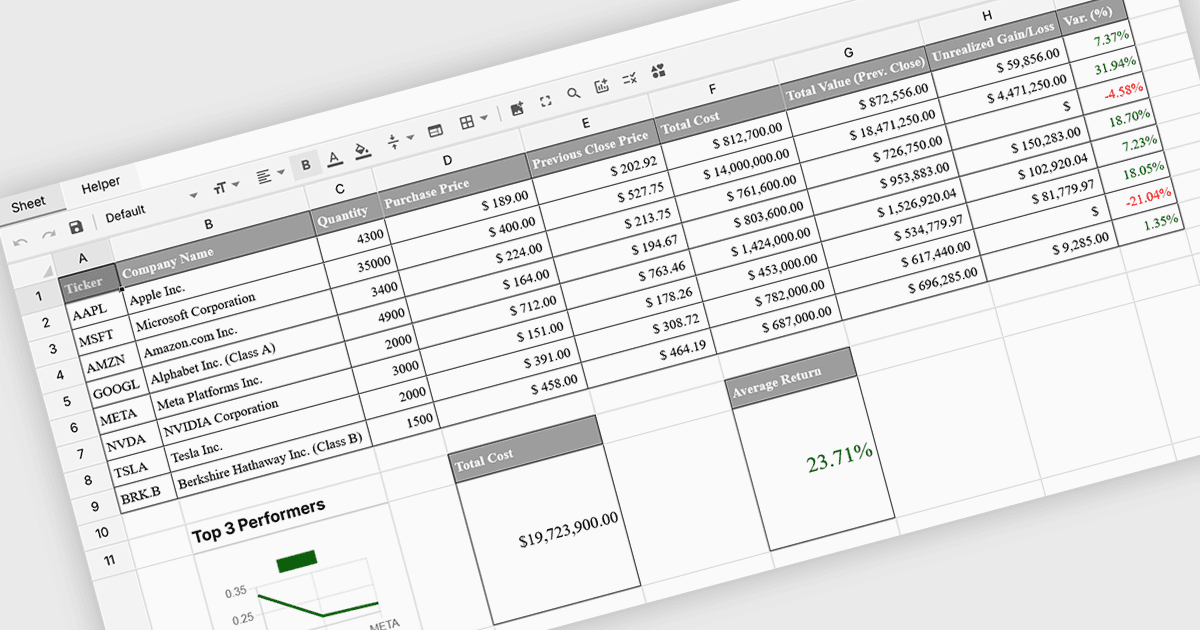
스프레드시트에서 수식 및 함수 지원을 사용하면 사용자가 셀 안에서 수학, 통계, 재무, 논리 계산을 직접 수행할 수 있어 원시 데이터를 의미 있는 결과로 전환할 수 있습니다. 계산을 자동화하고 데이터 전반에 걸쳐 일관된 논리를 보장함으로써 정확성을 높이고 시간을 절약하며 데이터가 변경될 때 실시간 업데이트를 지원합니다. 사용자는 외부 도구에 의존하지 않고도 추세를 분석하고 데이터를 검증하며 시나리오를 모델링할 수 있습니다. 일반적인 활용 사례로는 재무 예측, 예산 수립, 통계 분석, 성과 리포팅, 운영 계획 등이 있으며, 스프레드시트는 비즈니스, 재무, 기술 팀의 데이터 기반 의사결정을 위한 강력하고 유연한 플랫폼이 됩니다.
수식 및 함수 지원을 제공하는 여러 Vue 스프레드시트 컨트롤에는 다음이 포함됩니다:
- Wijmo Vue Spreadsheet (MESCIUS의 Wijmo 제품군)에서는 Excel 스타일의 수식과 함수를 사용하여 정확한 계산, 실시간 업데이트, 데이터 분석을 수행할 수 있습니다.
- Jspreadsheet Pro에서는 강력한 스프레드시트 수식과 함수를 적용해 계산을 자동화하고 데이터를 검증하며 데이터셋을 효율적으로 분석할 수 있습니다.
- Syncfusion Vue Spreadsheet (Syncfusion Essential Studio Enterprise의 일부)에서는 재무 모델링, 통계 분석, 동적 리포팅을 위한 내장 수식 및 함수 지원으로 복잡한 연산을 손쉽게 처리할 수 있습니다.
기능과 가격에 대한 자세한 분석은 Vue 스프레드시트 컨트롤 비교를 참고하세요.