WPF 데이터 그리드에서 비(非)라틴 스크립트 입력
입력기(IME) 지원을 통해 WPF 애플리케이션은 편집 가능한 그리드 구성 요소 내에서 복잡한 스크립트의 텍스트 입력을 직접 처리할 수 있습니다.
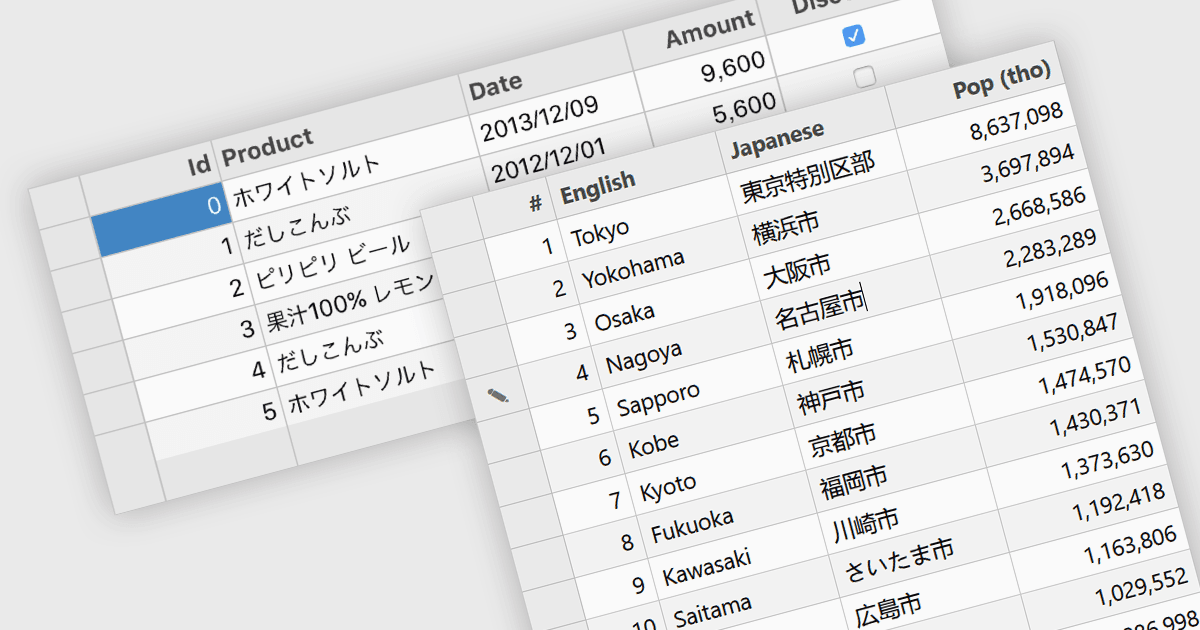
입력기(IME) 지원은 특히 중국어, 일본어, 한국어처럼 조합(composition)이 필요한 언어에 대해, 애플리케이션 또는 컨트롤이 복잡한 텍스트 입력을 올바르게 처리할 수 있는 기능을 말합니다. IME는 키보드에서 물리적으로 바로 사용할 수 없는 문자를, 키 입력 시퀀스를 올바른 문자 체계(스크립트)로 변환하여 입력할 수 있게 해 줌으로써 다국어 입력의 접근성과 사용성을 향상시킵니다. 애플리케이션의 데이터 그리드에 적용되면, 사용자가 그리드 셀 안에서 다국어 텍스트를 입력하고 편집할 때 입력 누락이나 서식 문제 없이 안정적으로 수행할 수 있습니다. 데이터 그리드에서의 IME 지원은 지역별로 구조화된 데이터를 관리하는 애플리케이션에서 특히 유용한데, 이를 통해 이름, 설명 및 기타 현지화된 콘텐츠를 정확하게 입력하면서 편집, 유효성 검사, 탐색 같은 일반적인 그리드 동작을 그대로 보존할 수 있기 때문입니다.
여러 WPF 그리드 구성 요소에는 IME 지원이 포함되어 있습니다. 예:
- DevExpress WPF Data Grid (DevExpress WPF의 일부)는 그리드 셀에서 다국어 입력을 지원하여, 필요에 따라 사용자가 복잡한 문자를 입력할 수 있도록 합니다.
- ComponentOne WPF FlexGrid (MESCIUS의 ComponentOne Studio WPF의 일부)는 입력 조합이 필요한 언어에 대해 조합 문자 입력을 지원합니다.
- Infragistics Ultimate UI for WPF Data Grid (Infragistics Ultimate UI for WPF의 일부)는 다국어 데이터 입력을 위한 그리드 셀 내에서 복잡한 스크립트 입력을 가능하게 합니다.
기능과 가격에 대한 자세한 분석은 WPF 그리드 구성 요소 비교를 참고하세요.