문맥을 담은 스프레드시트 주석으로 명확성 더하기
팀과 공유 스프레드시트 전반에서 데이터의 의미를 명확히 해주는 셀 주석과 툴팁으로 협업을 강화하고, 오해를 줄이세요.
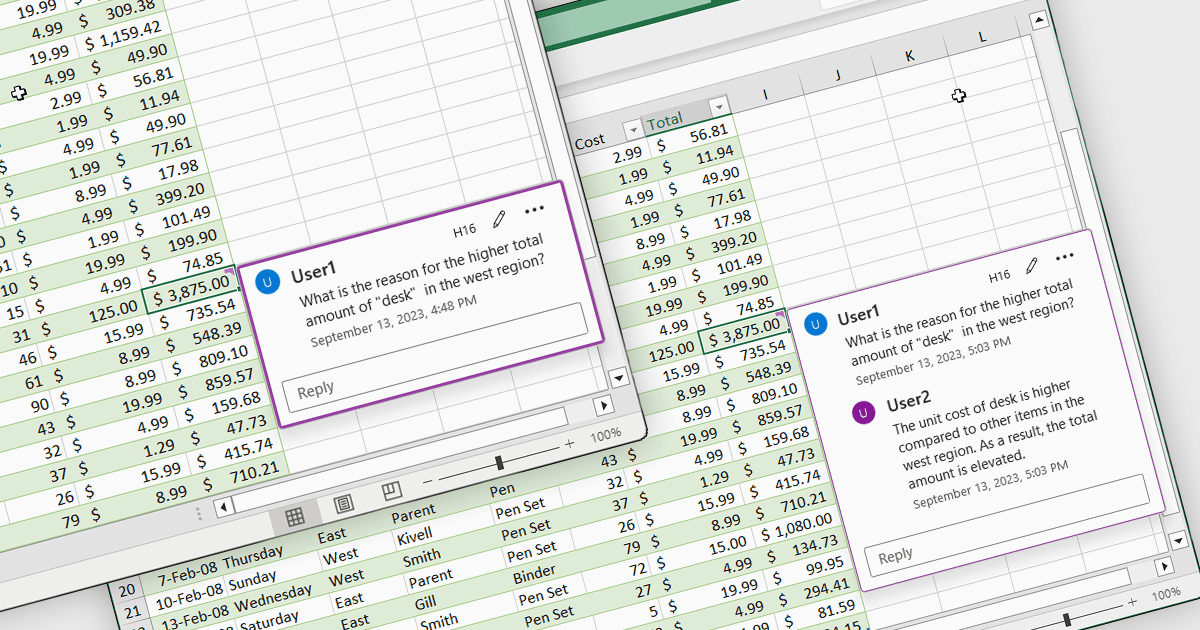
스프레드시트의 셀 주석과 툴팁은 사용자가 개별 셀에 상황에 맞는 정보를 첨부할 수 있도록 해주며, 시트의 레이아웃을 변경하지 않고 마우스를 올리거나 포커스를 하면 표시됩니다. 데이터의 이해를 돕고, 수식과 가정에 대해 설명하며, 올바른 데이터 입력을 위한 지침을 제공함으로써 오류와 오해를 줄여줍니다. 설명을 데이터와 가깝게 유지함으로써 주석과 툴팁은 협업을 향상시키고 지식을 보존하며, 복잡한 스프레드시트를 더 쉽고 이해하기 좋게 만들어 유지보수를 돕습니다. 일반적인 사용 사례로는 계산 로직 문서화, 유효성 검사 지침 추가, 검토자 피드백 남기기, 보고서에서 예외 사항 설명, 그리고 공유 스프레드시트를 사용하는 신규 사용자를 위한 온보딩 지원 등이 있습니다.
여러 .NET 스프레드시트 컨트롤에서는 셀 주석/툴팁을 제공합니다. 예:
- Aspose.Cells for .NET을 사용하면 자동화된 스프레드시트 생성을 위해 셀 주석과 툴팁을 프로그래밍 방식으로 생성, 읽기, 관리할 수 있습니다.
- Telerik UI for ASP.NET AJAX Spreadsheet (Telerik UI for ASP.NET AJAX의 일부)에서는 데이터를 명확히 하고 사용자를 안내하기 위해 셀 주석과 툴팁을 추가할 수 있습니다.
- EPPlus by EPPlus Software를 사용하면 Excel 호환 스프레드시트에 프로그래밍 방식으로 데이터에 주석을 달기 위해 셀 주석과 툴팁을 삽입하고 커스터마이즈할 수 있습니다.
- Syncfusion ASP.NET Core Spreadsheet (Syncfusion Essential Studio Enterprise의 일부)에서는 데이터를 명확히 해주는 셀 주석과 툴팁을 추가할 수 있습니다.
기능과 가격에 대한 심층 분석은 .NET 스프레드시트 컨트롤 비교를 참고하세요.