유연한 열 숨기기로 데이터 가독성 향상
열 숨기기로 생산성을 높여 사용자가 그리드 뷰를 사용자 지정하고 시각적 어수선함을 줄이며 가장 중요한 정보에 집중할 수 있습니다.
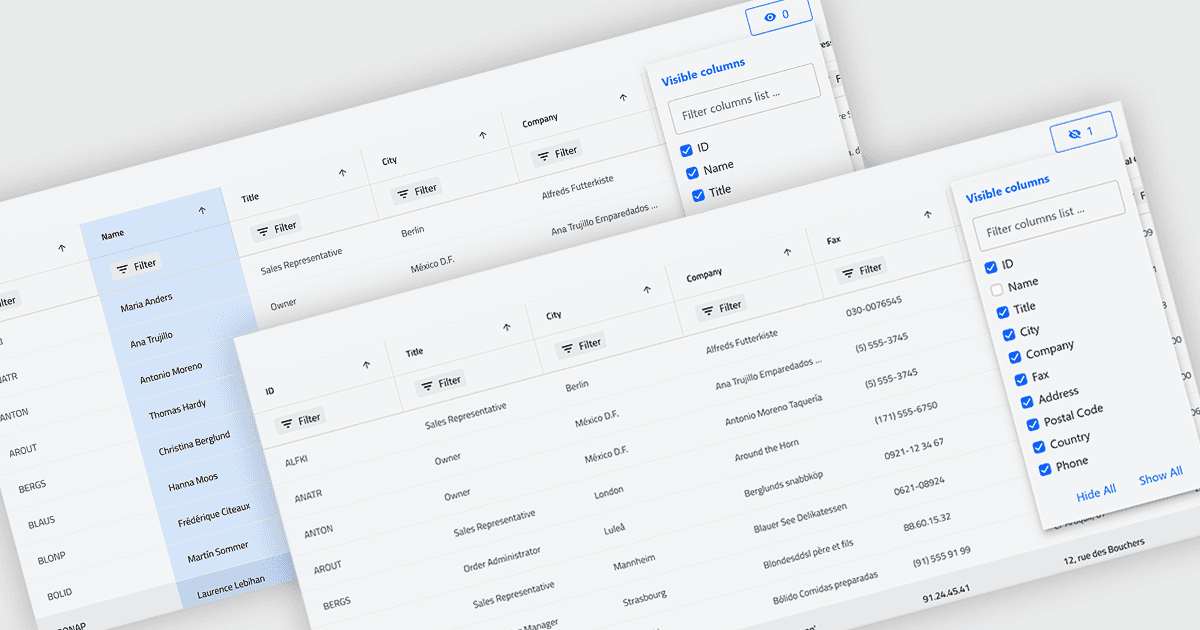
그리드의 열 숨기기 기능을 사용하면 기본 데이터는 삭제하지 않고 선택한 열을 일시적으로 화면에서 제거할 수 있습니다. 특정 작업이나 역할에 관련된 필드만 표시하여 더 집중되고 유연한 방식으로 작업할 수 있게 해 줍니다. 시각적 어수선함을 줄이고 화면 공간을 최적화함으로써 가독성이 향상되고 데이터를 더 쉽게 확인하고 분석할 수 있습니다. 예를 들어 재무 분석가는 성과 검토를 위해 수익과 이익 열만 표시할 수 있으며, 프로젝트 관리자는 일정과 리소스에 집중하기 위해 기술 관련 필드를 숨길 수 있습니다. 열은 언제든지 복원할 수 있으므로 이 기능은 개인화된, 비파괴적 사용자 지정에 도움이 됩니다.
여러 .NET Blazor Grid 컨트롤에서는 다음과 같은 열 숨기기 기능을 제공합니다.
- DevExpress Blazor Grid (DevExpress ASP.NET 및 Blazor의 일부)에서는 그리드 열을 동적으로 숨겨 데이터 뷰를 맞춤 설정함으로써 어수선함을 줄이고 사용자 집중을 향상시킬 수 있습니다.
- ComponentOne Blazor FlexGrid (ComponentOne Studio Blazor Edition의 일부)에서는 열을 선택적으로 숨겨 더 깔끔한, 작업 중심 레이아웃을 만들 수 있습니다.
- Blazorise를 사용하면 데이터 그리드에서 열 표시 여부를 제어하여 사용자 지정 가능한 표시를 지원합니다.
- Infragistics Ignite UI for Blazor Data Grid (Infragistics Ignite UI의 일부)에서는 인터페이스를 단순화하고 화면 공간을 최적화하며 데이터 가독성을 향상시키기 위해 열 숨기기를 지원합니다.
기능과 가격에 대한 자세한 분석은 .NET Blazor Grid 컨트롤 비교를 방문하세요.