PDF에서 자유형 잉크 주석 캡처
사용자가 스타일러스, 터치 또는 마우스 입력으로 문서에 직접 주석을 달 수 있도록 PDF에서 손글씨 메모를 지원하는 앱을 만드세요.
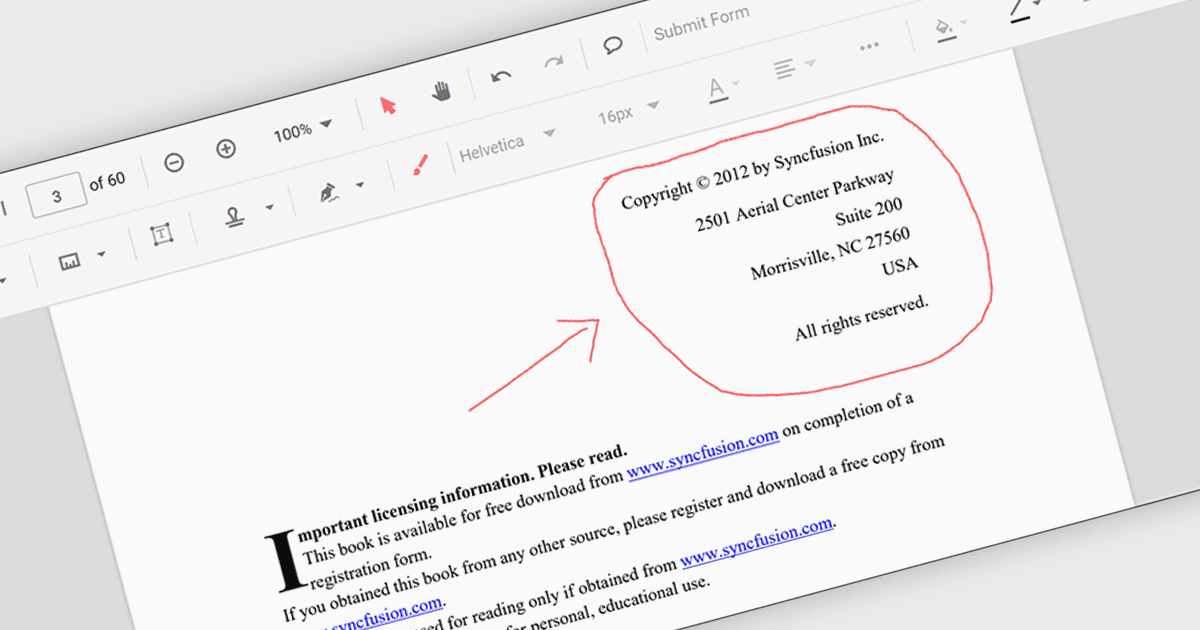
PDF 구성 요소의 자유형 잉크 주석 지원을 통해 애플리케이션은 마우스, 스타일러스 또는 터치 장치의 입력을 사용하여 PDF 문서 위에 직접 자유형 그림을 캡처하고 렌더링할 수 있습니다. 이를 통해 사용자는 자연스러운 방식으로 콘텐츠를 작성, 스케치, 강조 표시 또는 마크업할 수 있으며, 주석은 문서의 일부로 유지되는 표준 PDF 잉크 주석으로 저장됩니다. 소프트웨어 개발자에게 이 기능은 문서 뷰어 및 양식 처리 시스템과 같은 애플리케이션에 상호작용형 검토 및 협업 기능을 추가하여, 사용자가 원본 PDF 구조를 변경하지 않고도 시각적 피드백을 제공하고, 문서에 서명하거나, 콘텐츠에 주석을 달 수 있도록 합니다.
다음과 같은 여러 .NET PDF 구성 요소가 자유형 잉크 주석을 지원합니다:
- Document Solutions for PDF (by MESCIUS)는 자유형 잉크 스트로크를 기록하고 검토 시나리오를 위한 표준 PDF 주석으로 저장할 수 있습니다.
- DevExpress PDF Document API for .NET (DevExpress Office File API의 일부)는 자유형 PDF 마크업 워크플로를 위해 Ink 주석을 생성, 편집 및 평면화할 수 있게 해줍니다.
- PDF4NET (by PDF4DEV Solutions)는 PDF에서 자유형 잉크 주석을 그리기 및 보존하는 기능을 제공하며, 스타일러스 및 터치 입력을 지원합니다.
- Syncfusion ASP.NET Core PDF (Syncfusion Essential Studio Enterprise의 일부)는 개발자가 PDF에서 자유형 잉크 주석을 캡처하고 렌더링할 수 있게 합니다.
기능과 가격에 대한 심층 분석은 .NET PDF 구성 요소 비교를 방문하세요.