조건부 서식으로 핵심 인사이트를 강조하기
조건부 시각적 강조로 보고서를 다듬어 데이터의 명확성을 높이고, 인사이트 발견을 가속화하며, 더 빠른 의사 결정을 지원하세요.
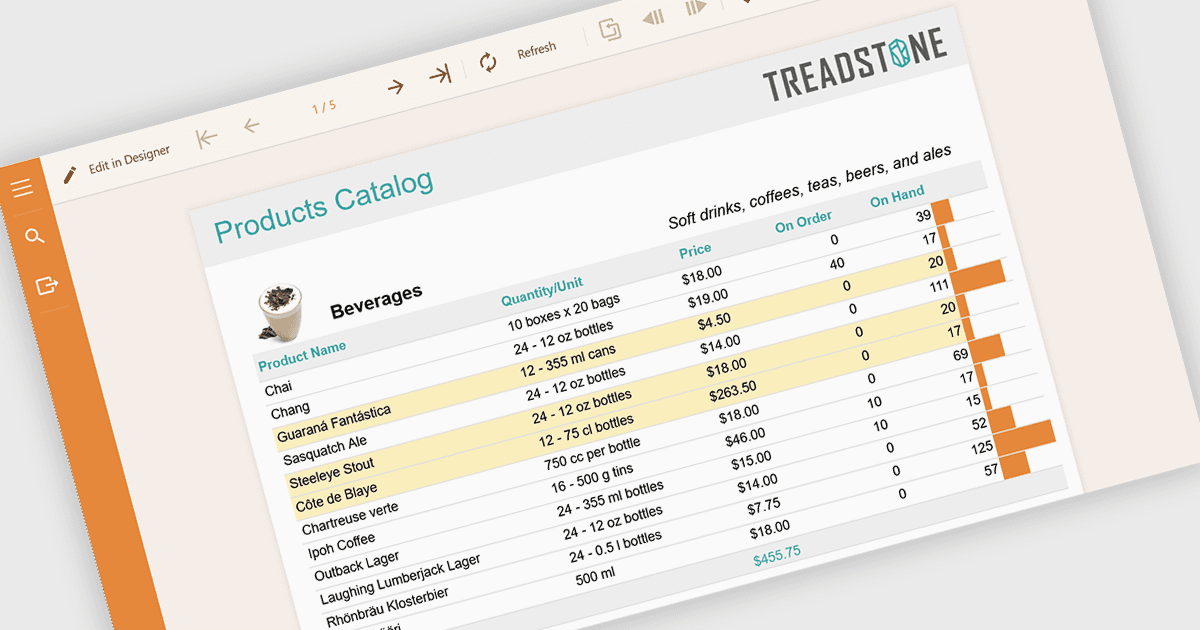
보고서의 조건부 서식은 데이터 내의 특정 규칙이나 값에 따라 색상, 아이콘, 데이터 막대와 같은 시각적 스타일을 자동으로 적용하는 것을 의미합니다. 이 기법은 핵심 정보를 즉시 보이게 하고, 가독성을 높이며, 더 빠르고 더 많은 정보를 바탕으로 한 의사 결정을 가능하게 하여 보고를 강화합니다. 임계값, 추세, 이상치를 동적으로 강조함으로써 조건부 서식은 수동 분석의 필요성을 줄이는 동시에 보고서 전반의 일관성을 보장합니다. 일반적인 사용 사례로는 재무 대시보드에서 성과가 저조한 KPI 표시, 프로젝트 보고서에서 마감이 지난 작업 강조, 목표 대비 판매 실적 시각화, 대규모 데이터셋에서 이상값 식별 등이 있습니다. 전반적으로, 정적인 데이터를 사용자가 한눈에 더 쉽게 해석할 수 있는 직관적이고 실행 가능한 인사이트로 바꿔 줍니다.
여러 .NET 보고 구성 요소를 사용하면 조건부 서식을 적용할 수 있으며, 다음이 포함됩니다:
- ActiveReports.NET Standard by MESCIUS allows you to define flexible conditional formatting expressions that dynamically adjust report visuals.
- DevExpress Reporting lets you apply advanced conditional formatting rules to highlight trends, emphasize key metrics, and deliver visually insightful, data-driven reports.
- Stimulsoft Reports.NET facilitates intuitive conditional formatting with rich visual options, enabling users to customize data presentation and instantly identify patterns and insights.
- FastReport .NET WEB lets you implement rule-based conditional formatting in web reports, enhancing clarity, guiding user focus, and improving real-time data analysis.
기능과 가격에 대한 심층 분석은 .NET 보고 구성 요소 비교를 방문하세요.