구조화된 스프레드시트 테이블로 데이터 정리
스프레드시트 테이블로 데이터 관리를 개선하여 구조화된 구성, 정렬, 필터링, 일관된 계산, 더 명확한 수식을 구현하세요.
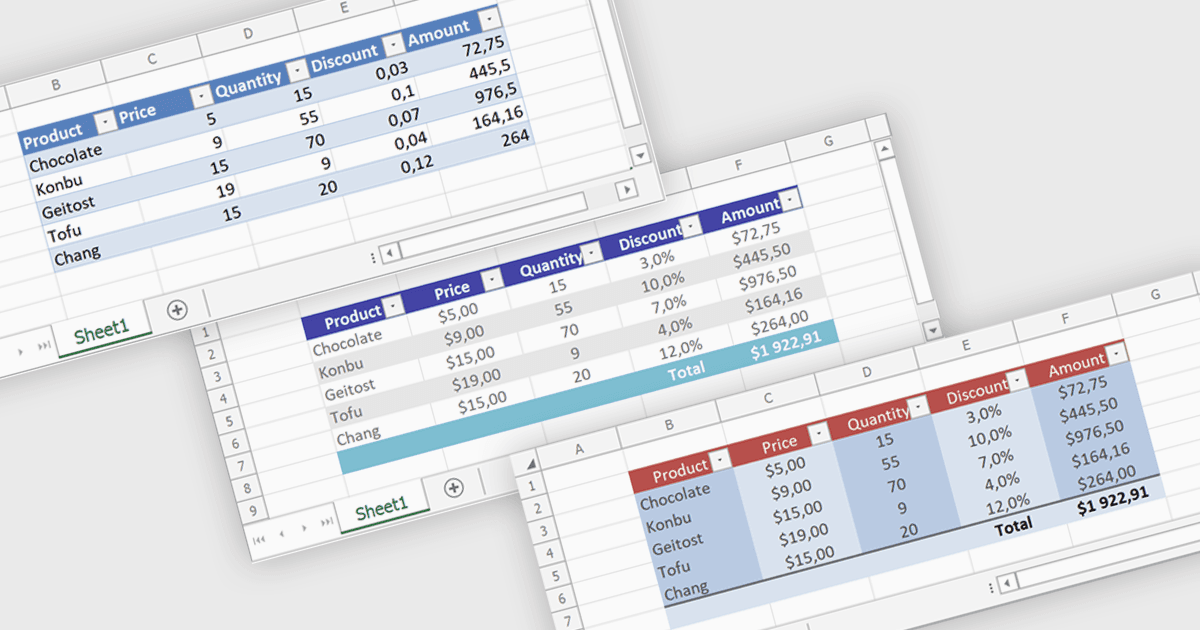
스프레드시트 테이블은 관련 정보를 정의된 행과 열로 그룹화하고 내장 기능을 활용하여 데이터를 구조적으로 정리하고 관리하는 방법을 제공합니다. 자동 정렬 및 필터링, 계산 열을 통한 일관된 수식 적용, 구조화된 참조와 스타일을 통한 더 명확한 데이터 해석을 가능하게 하여 사용성을 높입니다. 또한 새 데이터가 추가될 때 테이블이 동적으로 확장될 수 있어 수동 업데이트와 오류를 줄여 줍니다. 일반적인 사용 사례로는 재무 기록 관리, 판매 실적 분석, 재고 추적, 외부 소스에 바인딩된 데이터 작업 등이 있으며, 일상적인 작업과 고급 데이터 분석 모두에 강력한 도구가 됩니다.
여러 .NET 스프레드시트 컨트롤이 다음과 같은 테이블 지원을 제공합니다:
- DevExpress Excel Spreadsheet API for .NET (DevExpress Office File API의 일부)는 데이터 바인딩과 계산 열을 사용하여 스프레드시트 테이블을 관리할 수 있게 해 줍니다.
- EPPlus by EPPlus Software는 내장된 필터링, 합계, 구조화된 참조를 통해 스프레드시트 테이블을 생성하여 데이터 구성을 간소화합니다.
- Infragistics Excel Framework는 동적 범위, 일관된 수식, 향상된 서식을 지원하는 스프레드시트 테이블을 사용하여 효율적인 데이터 처리를 가능하게 합니다.
- Xceed Workbooks for .NET는 구조화된 데이터를 사용해 스프레드시트 테이블을 생성할 수 있게 하며, 동적 데이터 세트 전반에서 정렬, 필터링, 일관된 계산을 지원합니다.
기능과 가격에 대한 심층 분석은 .NET 스프레드시트 컨트롤 비교를 방문하세요.