리본 레이아웃으로 기능 접근 최적화
빠른 접근을 위해 명령, 입력, 컨트롤을 구성하는 리본 스타일 패턴을 사용하는 Vue.js 애플리케이션을 설계하세요.
2026년 4월 17일기능 강조
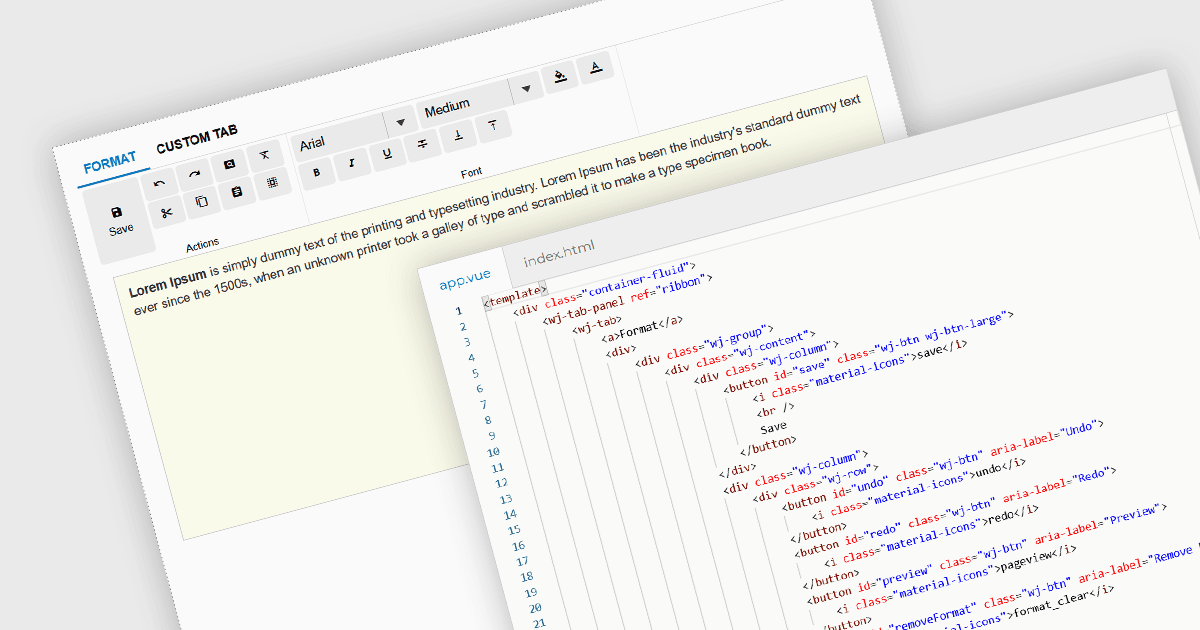
리본 바는 그래픽 사용자 인터페이스(GUI) 패턴으로, 명령과 기능을 일련의 탭으로 구성하며 각 탭에는 버튼, 드롭다운, 갤러리와 같은 그룹화된 컨트롤이 포함됩니다. 현대 소프트웨어 애플리케이션에서 널리 채택된 리본은 기능을 구조화되고 시각적으로 접근하기 쉬운 레이아웃으로 제공하여 발견 가능성을 높입니다. 이 접근 방식은 중첩이 깊은 메뉴와 툴바에 대한 의존을 줄여, 사용자가 상황에 따라 관련 도구를 더 빠르게 찾을 수 있게 합니다.
여러 Vue.js 사용자 인터페이스 제품군이 리본 기능을 제공하며, 다음과 같습니다:
- Wijmo by MESCIUS는 TabPanel과 같은 구성 요소를 사용하여 명령을 탭으로 구성하고 그룹화된 컨트롤을 포함하는 리본 스타일 인터페이스를 지원합니다.
- jQWidgets는 탭 기반 탐색을 제공하는 리본과 유사한 구조를 제공하며, 개발자가 툴바, 버튼, 레이아웃을 삽입하여 그룹화된 명령 영역을 만들 수 있게 합니다.
- SmartClient by Isomorphic Software는 리본 스타일 인터페이스를 지원하여, 개발자가 조직화된 명령 그룹과 함께 탭 기반 탐색을 구성할 수 있게 합니다.
기능과 가격에 대한 심층 분석은 Vue.js UI 제품군 비교를 방문하세요.