보고서에 스캔 가능한 바코드 포함
바코드를 사용해 보고서 정확도를 높이고, 빠르고 신뢰할 수 있는 데이터 캡처, 시스템 통합, 향상된 추적 가능성을 구현하세요.
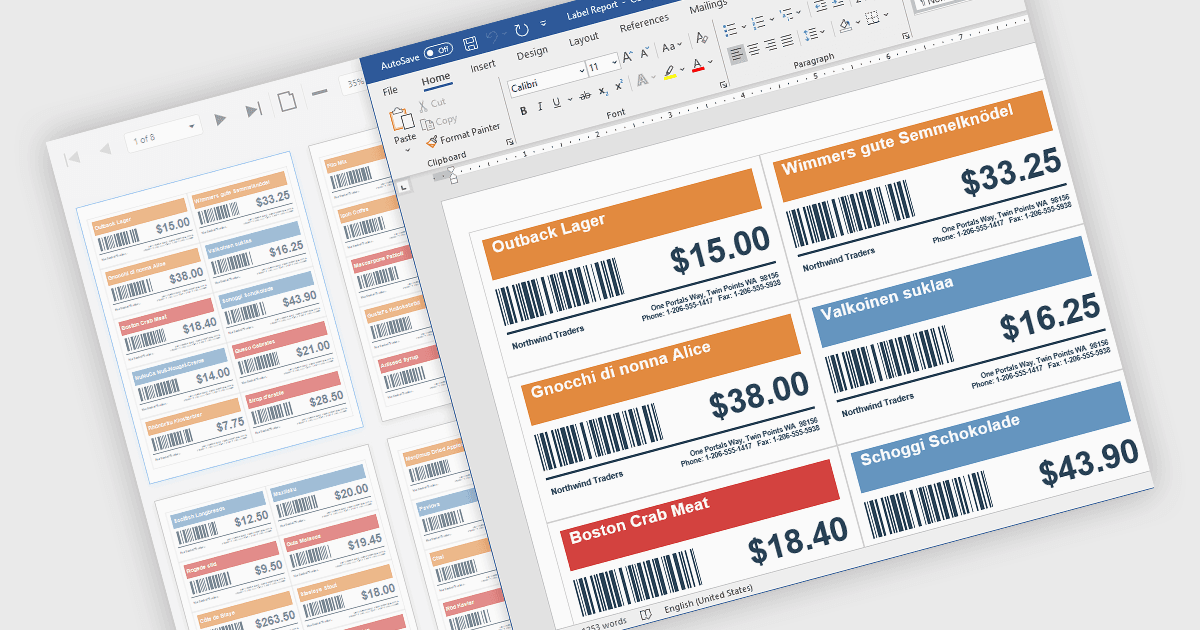
보고서의 바코드는 QR 코드나 선형 바코드와 같은 기계 판독 코드들을 인쇄 또는 디지털 보고서에 추가하여 빠른 스캔과 자동화된 데이터 캡처를 가능하게 합니다. 이는 수동 입력을 줄여 정확도를 높이고, 정보에 더 빠르게 접근할 수 있게 하여 효율성을 높이며, 재고, CRM, 또는 ERP 플랫폼과 같은 시스템과의 통합을 지원합니다. 또한 품목, 문서 또는 거래 추적을 위한 추적 가능성을 향상시킵니다. 일반적인 사용 사례로는 재고 관리, 주문 처리, 의료 기록, 그리고 속도와 신뢰성이 필수적인 송장 또는 티켓 검증이 있습니다.
여러 .NET WinForms Reporting 컨트롤에는 다음과 같은 바코드가 포함됩니다:
- DevExpress Reporting은 보고서에 바코드를 포함하여 정확한 데이터 캡처, 향상된 추적 가능성, 그리고 시스템 간 통합을 가능하게 합니다.
- TX Text Control .NET for Windows Forms Professional은 문서와 보고서 내에서 바코드 통합을 지원하여 신뢰할 수 있는 데이터 캡처와 향상된 추적을 가능하게 합니다.
- ActiveReports.NET Standard by MESCIUS는 보고서에 바코드를 삽입하여 정확도를 높이고, 처리를 가속화하며, 애플리케이션과 효율적으로 연결할 수 있게 합니다.
- FastReport .NET WinForms은 보고서에 바코드를 추가하여 빠른 스캔, 오류 감소, 향상된 추적 가능성, 그리고 연결된 시스템과의 원활한 데이터 교환을 가능하게 합니다.
기능과 가격에 대한 심층 분석은 .NET WinForms Reporting Controls 비교를 방문하세요.