범위 차트로 데이터 변화를 시각화하기
직관적인 시각 자료로 값의 범위를 강조하여 패턴을 드러내고, 비교와 추세를 한눈에 더 명확하고 쉽게 해석할 수 있게 합니다.
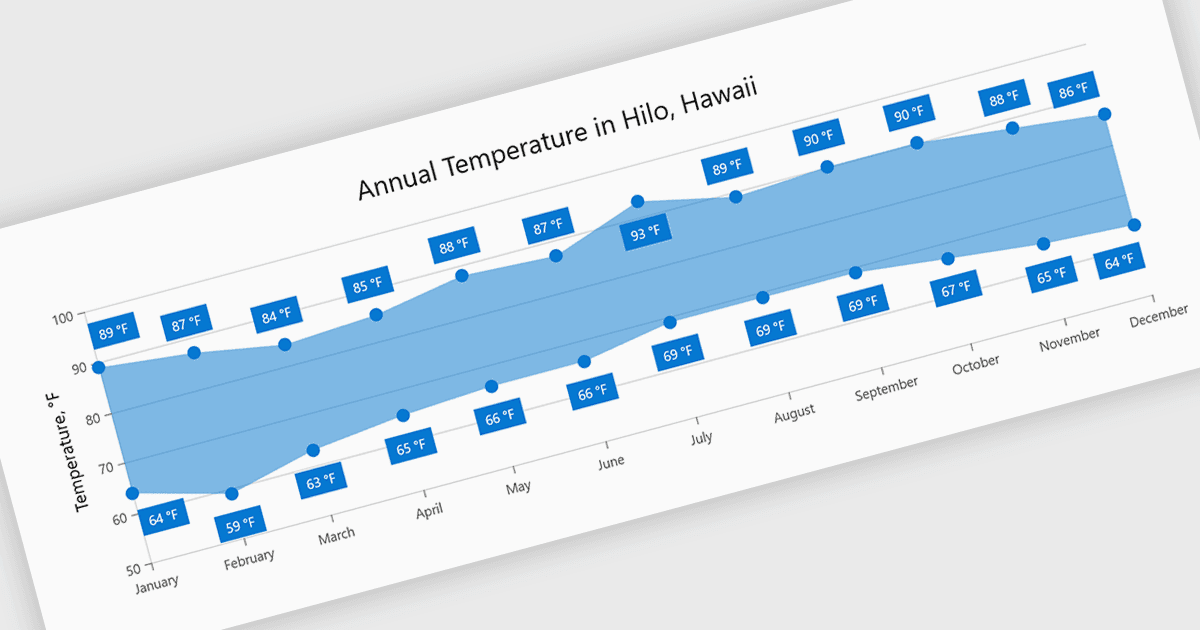
범위 차트는 채워진 영역을 사용하여 각 데이터 포인트의 최소값과 최대값 사이의 차이를 시각화함으로써 변동을 나타냅니다. 이를 통해 여러 선으로 인한 복잡함 없이도 변동을 더 쉽게 이해하고, 범위를 비교하며, 패턴을 식별할 수 있습니다. 개별 포인트보다 값 분포에 집중함으로써 가독성을 높이고, 한눈에 추세와 불일치를 강조합니다. 온도 범위 추적, 성능 임계값 모니터링, 데이터 세트 간 변동 비교와 같은 시나리오에 유용합니다.
여러 .NET Blazor 차트 구성 요소에서 범위 차트를 제공하며, 여기에는 다음이 포함됩니다:
- Telerik UI Blazor Chart (Telerik UI for Blazor의 일부)는 채워진 영역으로 값 범위를 시각화하여 변동과 추세를 명확하게 비교할 수 있게 해줍니다.
- Infragistics Ignite UI for Blazor Chart (Infragistics Ignite UI의 일부)는 최소값과 최대값을 효과적으로 표시하여 변동을 강조할 수 있습니다.
- TeeChart .NET for Blazor by Steema Software는 범위 기반 시각화를 지원하여 추세와 불일치를 식별하면서 값의 차이를 명확하게 표현할 수 있도록 돕습니다.
- Syncfusion Blazor Charts (Syncfusion Essential Studio Enterprise의 일부)는 직관적인 시각 자료로 데이터 범위를 제시하여 결과를 더 쉽게 비교할 수 있게 해줍니다.
기능과 가격에 대한 심층 분석은 .NET Blazor 차트 컨트롤 비교를 방문하세요.